Template shop
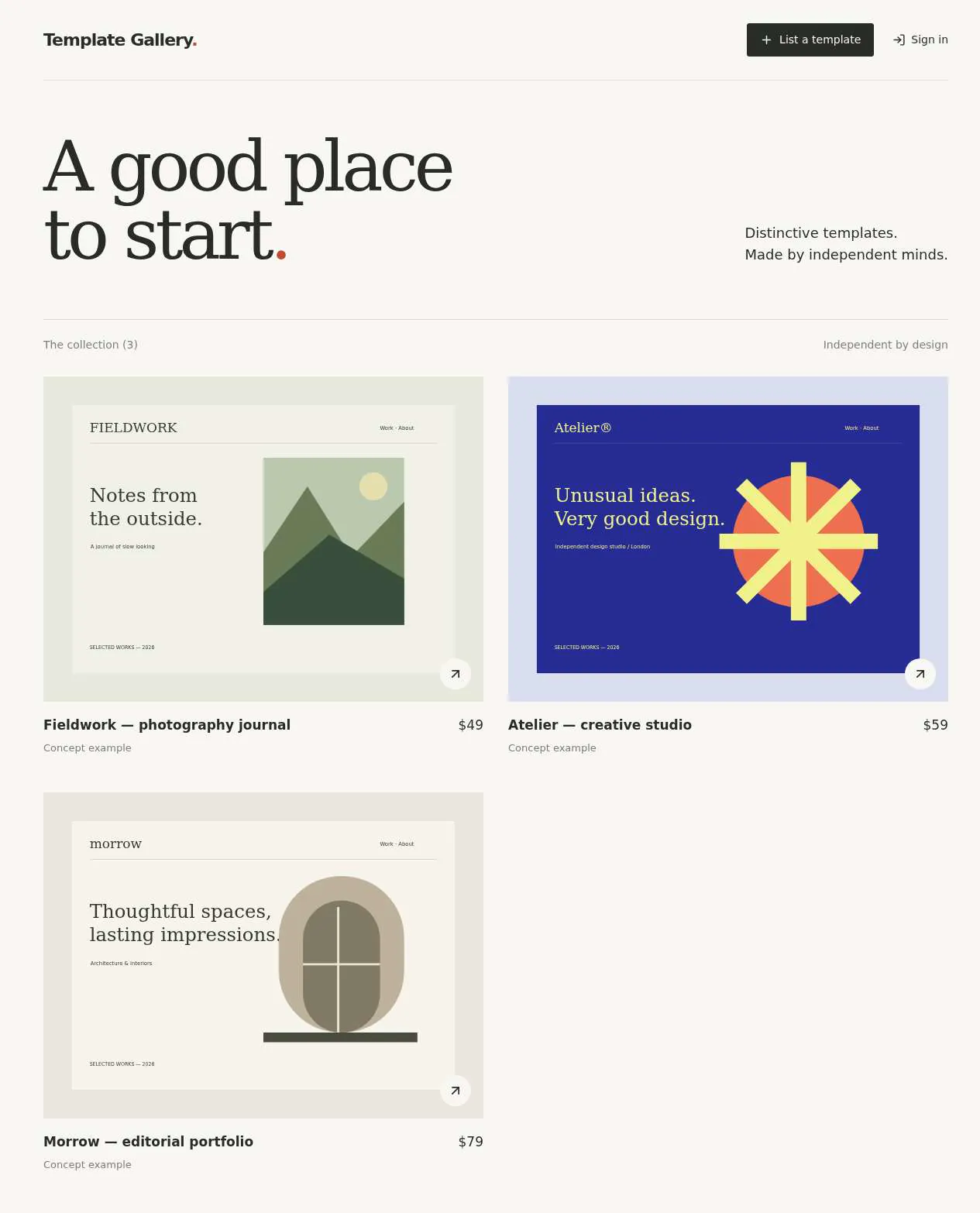
Creators list templates in a gallery; buying, earnings and payouts could not be checked.
- Result: Fail
- Checks: 2 of 7 pass, 5 not checked
- Prompts: 4
- Time: 9m35s in total
- Spent: $1.33
Checks
- Pass: A signed-in creator lists a template with a price and preview images and it appears in the marketplace · Signed in, published Alpine Portfolio for $35 with a preview image and renamed it; after a reload the marketplace showed it with its price.
- Pass: Another signed-in member cannot edit the creator's template · A second member opened the template and saw no edit buttons; its edit page said 'Only its creator can make changes'.
- Not checked: A buyer pays for a template with a test card, the payment completes, and the template file downloads · Buying needs a ZIP template file, and the checker can upload only a photo, so there was nothing to buy.
- Not checked: A buyer who has not paid cannot download the template file · A buyer saw no download button, but with no ZIP uploaded there was no real file to try to download.
- Not checked: After a completed sale, the creator sees that sale and their earnings after the marketplace fee · No sale was possible (no ZIP file could be attached), so Sales showed zero sales.
- Not checked: After a completed sale, the creator sees the payout amount due to them for it · With no completed sale, Sales showed only $0 awaiting payout.
- Not checked: A creator's listed template appears to buyers with its price and cannot be downloaded without paying · Buyers saw Quiet Landscape at $20, but with no ZIP attached the paid download couldn't be checked.
Run
- Run: 11 Nov 2026 · vibe prompts
- Builder: the Framer 4 agent on GPT 6.1 Sol, in a new project
- Customer: an AI agent playing the owner of Plinth, writing in the Brief style
- Agent steps: 53 tool steps
- Prompt limit: 40 per app
- Cost: $1.20 for the builder, $0.13 for the judge
- Judge: an AI agent that tried each check in the live preview with a browser, signed out and signed in with each test account
Template shop
Creators list templates in a gallery; buying, earnings and payouts could not be checked.
- Result: Fail
- Checks: 2 of 7 pass, 5 not checked
- Prompts: 4
- Time: 9m35s in total
- Spent: $1.33
Prompt 1 of 4
I want signed-in creators to be able to list a template with a title, price, and preview images, then see it appear in the marketplace. Creators should be able to edit their own listings, but other signed-in members shouldn’t be able to change them. Keep the listing experience and marketplace feeling like a curated gallery: generous whitespace, big previews, and a slightly artsy personality, with the templates taking center stage.
Built the marketplace with large previews, image uploads, and signed-in
- Pass: A signed-in creator lists a template with a price and preview images and it appears in the marketplace · Signed in, published Alpine Portfolio for $35 with a preview image and renamed it; after a reload the marketplace showed it with its price.
- Pass: Another signed-in member cannot edit the creator's template · A second member opened the template and saw no edit buttons; its edit page said 'Only its creator can make changes'.
Prompt 2 of 4
I’d like buyers to be able to browse the gallery, choose a template, and pay by card in test mode. Once payment succeeds, they should be able to download the template file. Let creators add the actual file to their listings, but keep it private until someone has paid—even if someone tries opening the download link directly. Please keep the buying experience as calm and curated as the gallery, with clear pricing and a simple path from purchase to download.
Which payment provider should I use—Stripe or another provider?
- Not checked: A buyer pays for a template with a test card, the payment completes, and the template file downloads · Buying needs a ZIP template file, and the checker can upload only a photo, so there was nothing to buy.
- Not checked: A buyer who has not paid cannot download the template file · A buyer saw no download button, but with no ZIP uploaded there was no real file to try to download.
Prompt 3 of 4
I’d like creators to have a calm, clear sales and payouts page that fits the gallery’s look. After a completed purchase, the template’s creator should see the sale, the price paid, the marketplace fee, and their earnings after that fee. Please also show how much is due to them for each sale and the total awaiting their monthly payout, clearly distinguished from money already paid out. Only the creator should be able to see their own sales and earnings.
Added private Sales & payouts with per-sale pricing, fees, earnings,
Prompt 4 of 4
The sales page still shows only zeros and says checkout isn’t connected. I tried a $20 template from another account, but there was no way to buy it. Please use Stripe in test mode so I can complete a card purchase, then have that real test sale appear on the creator’s Sales & payouts page with the price paid, marketplace fee, net earnings, and amount due for that sale. The total awaiting monthly payout should update too, separately from anything already paid out. Keep each creator’s sales private to them and retain the calm gallery look.
Added Stripe test checkout, protected downloads, and private sales recording, but
- Not checked: After a completed sale, the creator sees that sale and their earnings after the marketplace fee · No sale was possible (no ZIP file could be attached), so Sales showed zero sales.
- Not checked: After a completed sale, the creator sees the payout amount due to them for it · With no completed sale, Sales showed only $0 awaiting payout.
- Not checked: A creator's listed template appears to buyers with its price and cannot be downloaded without paying · Buyers saw Quiet Landscape at $20, but with no ZIP attached the paid download couldn't be checked.
Template shop
Creators list templates in a gallery; buying, earnings and payouts could not be checked.
- Result: Fail
- Checks: 2 of 7 pass, 5 not checked
- Prompts: 4
- Time: 9m35s in total
- Spent: $1.33
Template marketplace
Test accounts:
- Creator: member@example.com
- Admin: admin@example.com
Plinth is a marketplace for professional website templates built in Framer. Independent designers list their templates, and people who need a website browse, preview, and then remix a free template or buy a paid one from the designer directly. It is as complete as Framer's template marketplace, but it is its own product with its own brand. It is not a copy of Framer's pages.
The app has three roles.
- Visitors: browse, search, preview, remix and buy. They never sign in. Plinth takes no payments: Buy sends the visitor to the creator's own checkout page (Stripe, Gumroad, Lemon Squeezy or similar).
- Creators: sign in, set up a public profile, submit templates through a full form, and follow their templates on a dashboard. A template goes live as soon as it is published, with no review first.
- The admin: (the app's admin account) moderates after publishing. They work through a reports queue, unpublish a template with a reason, feature templates, and manage categories and styles.
On first open, Plinth holds about 100 real, live templates that the agent sources from framer.com/marketplace, each credited to its creator and linking back to the original. Every template is a Framer template, so there is no "built with" filter. Every page loads quickly with all 100.
Nothing is broken and everything works. Every button, link and form does what it says with real data. No page shows placeholder text, sample images, "coming soon", "not set up yet", lorem ipsum or a link to nowhere.
These are not part of Plinth: buyer accounts, carts, payments or payouts through Plinth, file downloads, review before a template goes live, components, plugins or other product types, following creators, comments and ratings.
Brand and visual direction
Plinth is for people who make websites for a living or who need one that looks professional: freelance designers, small studios, startup founders and marketing leads. They judge quality fast and dislike anything that looks generic. Creators are independent designers who want their work shown well and credited clearly. Name and voice: The product is called Plinth, with the line "Website templates by independent designers." It is a plinth because it sets the work off. The copy is short, plain and confident, like a good design studio's site: "Preview", "Remix for free", "Buy for $49", "Submit a template". It uses no exclamation marks, emoji or hype words such as "stunning", "supercharge" or "unleash". Visual direction: Plinth looks like an editorial gallery: quiet chrome, so the templates supply the colour.
- Colour: a warm off-white page (about #F5F3EE), near-black ink for text (about #151515), hairline borders in a warm grey, and one accent, a deep vermilion (about #D9462B), used only for the main action on a screen and for focus states. There are no gradients, glows, glass effects or purple-blue palettes.
- Type: a characterful grotesk for interface text and a serif for large display headings, for example Instrument Sans with Instrument Serif. Headings are large and tight, body text is 15 to 16 px, and numbers and prices use tabular figures.
- Shape: small corner radii (4 to 6 px), 1 px borders instead of drop shadows, and generous whitespace. Thumbnails keep a fixed 4:3 ratio with a thin border.
- Layout: a 12-column grid with a maximum content width of about 1280 px. Template grids have 3 columns on desktop, 2 on tablet and 1 on phone. The header is slim and sticky, with the wordmark, search, Categories, "Sell templates" and Sign in, or the creator's avatar once signed in.
- Imagery: only real screenshots of real templates, and real creator avatars or monograms. There are no stock photos, 3D blobs, AI illustrations or decorative icons.
- Motion: short (150 to 200 ms) fades and hovers only. A card lifts its border colour on hover and does not bounce.
- Every page works at 390 px wide with no horizontal scrolling, and every control is usable by keyboard with a visible focus ring.
Pages beyond the product: The footer links to real pages with real content: About, Sell templates (how it works for creators), Creator guidelines (what can be listed and the checkout link rules), License (what buyers may do with templates), Terms and Privacy. A branded not-found page links back to the templates.
Checks:
- Every page shows the Plinth wordmark and the same header and footer, and every footer link opens a page with real content, not a placeholder
- The design follows the direction above: warm off-white background, near-black text, one vermilion accent for main actions, a serif display heading with a grotesk interface font, small radii and hairline borders, and no gradients or stock imagery
- The home page, a template page and the submit form have no horizontal scrolling at phone width, and their main actions stay reachable
- Opening a made-up address shows a branded not-found page with a way back to the templates
Catalog: the templates Plinth starts with
On first open, Plinth holds about 100 real templates sourced from framer.com/marketplace, a mix of free and paid, chosen so that every category has at least 5 templates and every style is used. Each one keeps its real details from its Framer page: the title, byline, thumbnail and gallery images, price, description, pages and features, and its Preview, Remix and Buy links. Plinth assigns it to its own categories and styles. Every link is the template's real one. Preview opens its live Framer site. Remix opens its real Framer remix link. Buy opens the creator's real checkout page at the price Plinth shows. Each template page credits its creator by name and links back to the original page on framer.com/marketplace. A made-up URL never appears. Creators are the real creators of those templates: their name, avatar, headline, bio and links as on their Framer profile, with a link back to that profile. Templates have a history of views and clicks, so that Newest, Trending and Best each give a visibly different order from the first open. A few open reports and two or three featured templates exist, so the admin's screens show real work.
Checks:
- The templates list shows about 100 templates, and every category has at least 5
- Ten templates picked at random each have a real cover, at least 3 more real screenshots, a full description and a working Preview link, and their Remix or Buy link opens a real page
- For a sampled free template, Remix opens that same template's real Framer remix page; for a sampled paid template, Buy opens that template's real checkout page at the price Plinth shows
- A sampled template's title, thumbnail and price match its original page on framer.com/marketplace, and its page credits the creator and links back to that original
- A sampled creator's profile shows their real name and avatar and links back to their Framer profile
- No template, creator or image looks like filler: no repeated screenshots, sample names, grey boxes or lorem ipsum
Visitor: browsing templates
The home page is the templates list. At the top, a short heading and introduction give the number of templates. Below that come a row of featured templates (the admin's picks) and the category links. Then comes the grid of template cards. Cards: Each card shows the cover at 4:3, the template name, the creator's name and a price label ("Free" or "$49"). Clicking the card opens the template page. Clicking the creator's name opens their profile. Categories: About 12 categories, for example Portfolio, Agency, SaaS, Startup, Ecommerce, Restaurants & Food, Health & Wellness, Real Estate, Events, Blog & Publishing, Personal & Resume and Nonprofit. A template has 1 to 3 categories, the first being its main one. Each category has its own page with its own heading ("Restaurant templates"), a short introduction written for it, and the same sort and filters. Filters: A style filter allows several choices, for example Minimal, Dark, Light, Colourful, Bold type, Editorial, Illustrative, Animated, Grid and 3D. A price filter offers All, Free or Paid. Active filters show as removable chips with a "Clear all" link, and the count of results updates. Sorting: Newest (by published date), Trending (most views and Preview, Remix and Buy clicks in the last 7 days) and Best (most of those over the last 90 days). Trending is the default. Shareable addresses: The category, styles, price, sort and search terms are all in the page's address. Copying the address into a new window shows exactly the same results. Back and Forward in the browser step through filter changes. Many templates: The first 24 cards appear with the page, and "Show more" or scrolling loads 24 more at a time, without re-sorting or duplicating cards already shown.
Checks:
- A signed-out visitor sees the featured row, the category links and a grid of template cards with cover, name, creator and price
- Choosing a category opens its page with its own heading and introduction, and every card shown belongs to that category
- Combining a style and the Paid filter shows only paid templates with that style, the count updates, and removing a chip widens the results again
- Newest, Trending and Best each give a different order, and Newest puts the most recently published template first
- Copying the address after choosing a category, a style, Free and Best, and opening it in a new signed-out window, shows the same filters and results
- Loading more templates adds new cards without duplicates until all matching templates are shown
- A filter combination with no matches shows a clear empty state with a way to clear the filters, not a blank grid
Visitor: search
A search box in the header works on every page. Typing shows up to 6 matching templates and creators as suggestions, and pressing Enter opens a full results page. Search matches template names, bylines, descriptions, categories, styles and creator names, and tolerates partial words. The results page has the same filters as browsing, plus a Relevance sort that is the default while there is a query. The query is in the address. When nothing matches, the page says so ("No templates match 'zzqx'"), suggests checking the spelling or clearing the filters, and links to popular categories.
Checks:
- Typing part of a template's name in the header search shows that template as a suggestion, and choosing it opens its page
- Searching for a creator's name finds their templates
- Search results can be narrowed by category, style and price, and the address with the query and filters reopens the same results
- A search with no matches shows the empty state with useful next steps
Visitor: template page
Each template has its own page at a readable address such as /templates/harbor. Top: The name, byline, the main category and styles as links to filtered lists, and the two main actions: Preview, which opens the live site in a new tab, and either "Remix for free" (free templates) or "Buy for $X" (paid templates). Remix opens the template's remix link in a new tab. Buy opens the creator's checkout page in a new tab. A small line under Buy says that payment is handled by the creator. Gallery: A large image with a row of thumbnails. Previous and next buttons, the arrow keys and swiping on a phone move through the images. Clicking the large image opens it full screen, and Escape closes it. Description and details: The description with its headings and lists, the pages included, the features (for example CMS, Contact form, Animations, Blog, Dark mode), the published and last updated dates, and the license with a link to the License page. Creator card: In a sidebar that stays visible on desktop: the creator's avatar, name and @handle linking to their profile, and Preview and Remix or Buy repeated. More menu: Share opens the phone's share sheet where available, and otherwise offers Copy link (which confirms "Link copied") and posting to X or LinkedIn. Contact creator opens an email to the creator's contact address. Report opens the report form (next section). Below: "More from {creator}" with up to 4 of their other templates, and "Related templates" with 4 templates that share the main category or styles. Neither row includes the current template. Every view of the page and every click on Preview, Remix or Buy is counted for Trending, Best and the creator's dashboard.
Checks:
- A free template's page shows Preview and "Remix for free". Preview opens the template's live site and Remix opens its remix link, each in a new tab
- A paid template's page shows Preview and "Buy for $X" with the listed price, and Buy opens the creator's checkout page in a new tab
- The gallery moves between at least 4 images with the buttons and the arrow keys, and opens an image full screen
- The page shows the description, pages included, features, dates, license and the creator card, and the creator card opens the creator's profile
- Copy link copies the page address and confirms it, and Contact creator opens an email to the creator
- "More from" shows the same creator's other templates, "Related templates" shows similar ones, and neither repeats the current template
Visitor: reporting a template
Anyone can report a template without an account. The form asks for a reason (copied or stolen work, broken preview or links, misleading description or price, inappropriate content, or other), details (required for "other") and an optional email for a reply. After sending, the visitor sees a short thank-you that says the team will look at it. The report appears in the admin's queue at once. The same browser cannot report the same template twice in a row.
Checks:
- A signed-out visitor reports a template with a reason and details and sees a confirmation
- That report appears in the admin's reports queue with the template, reason, details and time
Visitor: creator profile
Each creator has a public profile at /@handle: avatar, name, headline, bio, website and social links, a Contact button, the number of live templates, and a grid of their live templates sortable by Newest or Best. A creator without live templates shows a short empty state instead of an empty grid.
Checks:
- Clicking a creator's name on a card or template page opens their profile with their details and only their live templates
- The profile's templates can be sorted by Newest and Best, and the website and social links open the creator's real pages
Creator: signing in and setting up a profile
"Sell templates" in the header leads to the Sell templates page, which explains in plain words how it works: submit a template, it goes live at once, buyers pay you directly, the admin may remove templates that break the guidelines. It ends with a Start selling button. Signing in uses the app's sign-in. A creator signing in for the first time sets up their profile: name, a unique @handle (letters, numbers and hyphens, checked as they type), headline, bio, avatar upload, website, social links and a contact email shown to buyers. They can edit all of this later from their account menu, and the public profile updates at once.
Checks:
- The creator signs in for the first time, completes the profile with an avatar, and lands on an empty dashboard that invites them to submit their first template
- Choosing a handle that is already taken is refused with a clear message before saving
- Editing the headline in profile settings changes it on the public profile right away
Creator: submitting a template
"Submit a template" opens one well-organised form, in sections, with a live preview of the template's card beside it.
- Basics:: name (required, up to 40 characters), byline (required, up to 80), description (required, with headings, bold, links and lists) and the pages included.
- Images:: a cover and 3 to 10 gallery images, uploaded by dragging or choosing files (JPG, PNG or WebP, up to 10 MB each). Each image shows a 4:3 crop preview and can be reordered or removed.
- Classification:: 1 to 3 categories (the first is the main one), 1 to 3 styles, and features from a list.
- Links and price:: a Preview URL of the template's live Framer site (required). Then Free or Paid. Free asks for the template's Framer remix link. Paid asks for a whole-dollar price ($5 to $999) and a checkout URL, with a note that the checkout must go straight to buying this template at this price.
- License:: single site or unlimited sites.
Each field explains what it needs, and errors appear next to the field in plain words. URLs must be full https addresses. Saving as a draft keeps everything private. Publishing makes the template live at once at its own address: it appears in Newest, in its categories and in search, and the creator sees a link to the live page. The creator can only edit their own templates. Opening the edit address of someone else's template shows "not allowed" and changes nothing.
Checks:
- The creator fills in every section, uploads images, chooses Paid with a price and checkout URL, and publishes. The template appears first under Newest for a signed-out visitor, with all its images and details, and Buy opens that checkout URL
- A free template published with a Remix URL shows "Remix for free" linking to it
- Publishing with missing required fields or a malformed URL is refused, with a message next to each problem, and nothing is lost from the form
- A template saved as a draft is not visible to a signed-out visitor, by address, list or search
- Opening the edit page of a template that belongs to another creator does not let the creator change it
Creator: dashboard
The dashboard lists the creator's templates with cover, name, price, status (Draft, Live, Unpublished by you, or Unpublished by the admin) and their numbers for the last 30 days: page views, Preview clicks, and Remix or Buy clicks. A small chart per template shows daily views. The totals across all templates sit at the top. From each row the creator can view the live page, edit (changes go live immediately), unpublish or republish their own template, and delete it after confirming. A template the admin unpublished shows the admin's reason. The creator can edit it, but only the admin can republish it.
Checks:
- The dashboard lists the creator's templates with the right status and numbers
- After a signed-out visitor opens the creator's new template and clicks Preview and Buy, the creator's dashboard counts that view and those clicks
- Changing the price of a live template from the dashboard shows the new price on its public page and card right away
- Unpublishing their own template removes it from public lists and search, and its address shows that it is no longer available; republishing restores it
- A template the admin unpublished shows the admin's reason on the creator's dashboard and cannot be republished by the creator
Admin: moderation
The admin area is open only to the admin account. Any other visitor or creator who opens its address is refused. It has four parts.
- Reports:: open reports grouped by template, newest first, with the number of reports, each reason, details, the reporter's email if given, and the time. The admin can open the template, dismiss the reports, or unpublish the template. Either action closes the reports and moves them to a Resolved list. An empty queue says that nothing needs attention.
- Templates:: every template with search and status filters. The admin can unpublish any live template with a required reason that the creator sees, republish an unpublished one, and feature or unfeature a template.
- Featured:: the featured templates in the order they appear on the home page, which the admin can change.
- Categories and styles:: add, rename and reorder categories and styles, and edit each category's heading and introduction. A category or style still in use cannot be deleted, and the admin sees how many templates use it.
- The admin unpublishes a reported template with a reason. It disappears from public lists, search and its creator's profile, its address says it is no longer available, and its reports move to Resolved
- Dismissing a report closes it without changing the template
- Featuring a template puts it in the home page's featured row for a signed-out visitor, and unfeaturing removes it
- A new category added by the admin appears on the home page and in the creator's submit form, and editing a category's introduction changes its public page
- A signed-out visitor and the creator cannot open the admin area
Speed and findability
Plinth stays fast with all its templates. The first screen of every listing shows its cards as soon as the page loads, without waiting for scripts. Thumbnails are resized copies (not the full uploads), load lazily below the fold, and keep their space reserved, so nothing jumps while loading. Each card shows a calm colour taken from its image until the image arrives. One request gives everything a page of cards needs, not one request per card. Every public page has its own title and description. Template pages are titled "{Name}: {byline} template | Plinth", with the cover as the share image. The canonical address and a sitemap list every live template, category and creator. Pasting a template's link into a chat app shows its name and cover. Unpublished and draft templates are left out of the sitemap and are not shown to search engines.
Checks:
- The home page shows its first template cards within about 2 seconds, and scrolling through 50 cards does not shift the layout
- Thumbnails in the grid are small resized images, not the full-size uploads
- A template page has a title with its name, a description and a share image of its cover, and the sitemap lists live templates but not drafts or unpublished ones
Everything works
These checks apply to every screen above, for visitors, creators and the admin. The number before each check is its weight: 3 means the app fails if the check fails, 2 a serious defect, 1 a defect worth noting.
For every app:
- Must pass: Every feature this spec describes is there, and each fix the agent claims holds when the original steps are repeated
- Serious: At phone (390 px), tablet (810 px) and desktop (1,200 px and up), the home page, a category, search results, a template page, a creator profile, the submit form, the dashboard and the admin area show nothing cut off, no sideways scrolling, a reachable header and menu, and inputs of at least 16 px
- Serious: Every card, chip, creator link, footer link, "More from" and "Related templates" link goes to the right page; reloading a template page, a filtered list, the dashboard or the admin area on the live address works; a made-up address shows the branded not-found page; Back returns to the list with its filters, sort and loaded cards
- Minor: Covers, gallery images, avatars and uploads load at 4:3 without stretching or breaking, and pasting a template's live link into a chat app shows its name and cover, not a builder default
- Serious: Later work did not break earlier work: after the creator and admin flows are built, browsing, search, template pages and the starting 100 templates still work and are unchanged
- Minor: After each prompt, the agent's reply says honestly what changed and what it could not verify (including anything that still needs a key or account), is never empty, never presents preview-only as done, and never claims a fix that is not there in the live app
For this app:
- Must pass: Every flow works end to end with fresh input, checked where it lands: a template the creator publishes appears for a signed-out visitor in Newest, its category and search; a visitor's report appears in the admin's queue; the admin's unpublish reason appears on the creator's dashboard; views and clicks appear in the creator's numbers
- Must pass: Profile edits, published templates, drafts, price edits, unpublishing, deleting, reports, unpublish reasons, the featured order, and category and style changes stay as saved after a reload and in another browser, for the people who should see them
- Must pass: The creator reaches the dashboard and only their own templates' edit pages; another creator's template, a draft, the admin area, or a changed template address in the edit page refuses a signed-out visitor and the creator alike
- Must pass: On the published address, a creator signs up, confirms by email, signs in, reloads, signs out and resets their password, and every link and redirect lands on the live domain
- Serious: The published app behaves like the preview: the same templates, filters, sign-in, submissions, dashboard numbers and admin actions work there, and no live page mentions "preview"
- Serious: Empty states (no search results, no matching filters, a creator with no templates, an empty dashboard, an empty reports queue), loading states and errors are clear and in plain words, with no technical or setup text
- Serious: The submit form accepts cover and gallery images in JPG, PNG and WebP up to 10 MB, refuses other types and larger files with a clear message, and the uploaded images show on the live template page
- Serious: As a signed-out visitor, the page source and network requests contain no secret keys, no drafts, no unpublished templates and no creators' private details such as their sign-in email; the sign-in and report forms link to the Privacy page
- Minor: The submit form, profile form and report form refuse empty required fields, malformed URLs and emails, and a taken handle with clear messages, and submitting twice in a row creates no duplicate template or report
- Minor: Search finds a known template, a partial word and a creator, shows the empty state for a word that matches nothing, combines category, style and price filters correctly, and keeps the filters and sort after a reload
Done when
Checks:
- A signed-out visitor can find a template by category, style, price and search, open it, preview it, and remix it if free or reach the creator's checkout if paid, with every link working
- A creator can sign in, set up a profile, publish a complete template that is live at once for visitors, and see its views and clicks on their dashboard
- A visitor's report reaches the admin, who can unpublish the template with a reason that the creator then sees, and can feature templates and manage categories and styles
- With about 100 templates, every page loads fast, looks professionally designed in Plinth's own brand, and nowhere shows a placeholder, dead link or "not set up" state
Template shop
Creators list templates in a gallery; buying, earnings and payouts could not be checked.
- Result: Fail
- Checks: 2 of 7 pass, 5 not checked
- Prompts: 4
- Time: 9m35s in total
- Spent: $1.33
Plinth: the simulated customer
An AI agent plays the owner of Plinth and writes every prompt. It reads the spec and this file, never the Framer 4 agent's code.
- Style: Brief.
Persona and why it fits
Brief. The spec is long and brand-heavy, like the briefs people paste in, and its size means many follow-up corrections, which is where Brief users switch to guarded orders.
Prompt length and tone
- Length: Opens with a brief of 100 to 400 words, written like an AI-drafted product brief with headings, sections and tone notes. Follow-ups are mostly short tweaks or guarded orders.
- Tone: The brief is polished and structured ("Build a…", sections, sometimes "Act as a senior product designer"). Follow-ups are their own voice: shorter and more direct.
- Language: English only.
Example prompts for this app:
- "Build Plinth, a marketplace for website templates by independent designers. Line: Website templates by independent designers. Visitors: browse a grid of templates, filter by category, style and price, sort by newest, trending and best, search, and open a template page with a gallery, Preview, and Remix for free or Buy on the creator's own checkout. Creators: sign in, set up a public profile, submit templates through a full form and follow views and clicks on a dashboard. Admin: work through a reports queue, unpublish with a reason, feature templates, manage categories. Catalogue: start with about 100 real templates from the Framer marketplace, each credited and linked to its original. Look: editorial gallery, warm off-white, near-black text, one vermilion accent, serif display headings, hairline borders. No payments through Plinth and no placeholder content anywhere."
- "Templates list only: 1) the style filter should allow several choices, 2) active filters show as removable chips with Clear all, 3) the filters stay in the address. Change nothing else."
- "sort by trending and newest give the same order"
Style mix
Turn 1 is always the brief. After that:
- Brief: 40% · 17% · 33% · 10%
Switches come early and cluster around breakage: a failed fix or an unrequested change makes the next prompt likelier to be longer and more exact.
How they choose the next prompt
After the brief, they compare the result with their own brief, section by section. Whatever is most missing or most broken goes next. A whole missing section gets a guarded spec order; a detail gets a short line. Order of attention for this app:
- Anything broken: a control that does nothing, a page that errors, a broken image or link, a layout broken on phone, a claimed change that isn't there.
- The catalogue of real templates with working Preview, Remix and Buy links.
- Browsing, filters, sort and search, with shareable addresses.
- Creator submission and dashboard, and admin moderation.
- Everything else in the spec, including the brand and copy rules, in spec order.
How they react to breakage
- Right after the first build, about half send a Specify-style correction (median turn 2) and half send short tweaks.
- If the first build is far from the brief, about 1 in 10 later prompts is the brief again, re-pasted with the missing parts highlighted.
- Broken controls get a short line; anything the agent removed gets a guarded order to put it back.
- If the agent claims a section exists that isn't there, they paste the section of the brief and ask where it is.
Stop rule
- They keep prompting until the judge says every check in the spec is met, or until prompt 40, whichever comes first.
- The persona shapes how they prompt and react, never when they stop: no giving up, no stopping early because it looks good enough.
- The judge also grades whether the agent's replies are honest (claimed changes match the app), so the simulated user reports false claims as they see them and doesn't take a claim on trust.