Team dashboard
Tickets, metrics and team access work; the checker ran out of actions before closing a ticket.
- Result: Fail
- Checks: 6 of 7 pass, 1 not checked
- Prompts: 4
- Time: 3m10s in total
- Spent: $0.60
Checks
- Pass: A team member adds a ticket and it stays after a reload · Signed in, added the ticket 'Customer cannot download invoice' as Open; after a reload it was there (1 open · 1 total).
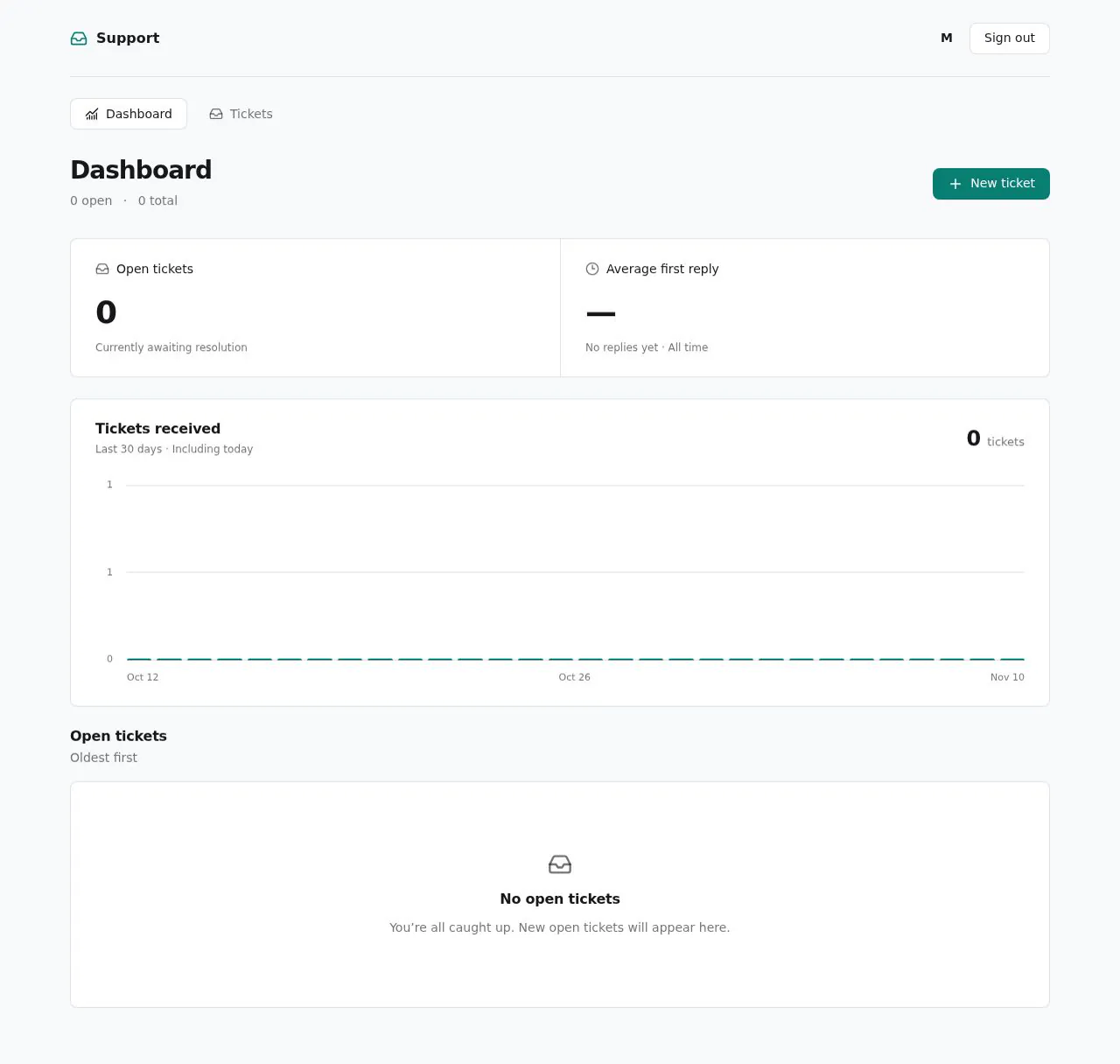
- Pass: The dashboard shows open tickets, average first reply time and a per-day chart for the last month · Added tickets on 9 and 10 November; the dashboard showed 2 open, an average first reply of 52d 8h, and a 12 Oct–10 Nov daily chart with two bars.
- Not checked: Adding or closing a ticket changes the numbers accordingly · Adding tickets moved open from 0 to 1 to 2, but the checker ran out of actions before closing one.
- Pass: A table lists the oldest open tickets first · Added a 10 November ticket, then a 9 November one; the open-tickets table listed 9 November first.
- Pass: Both member@example.com and admin@example.com can open the dashboard, with no "No access" page · member@example.com and admin@example.com each opened the dashboard and saw the counts and chart, with no No access page.
- Pass: A signed-out visitor cannot see the dashboard or its numbers · Signed out, the page showed only Sign in, with no tickets or numbers.
- Pass: A ticket added by one teammate changes the metrics the other teammate sees · The admin saw 0 open; after the other teammate added a ticket, the admin saw 1 open and 1 in the chart, still after a reload.
Run
- Run: 11 Nov 2026 · vibe prompts
- Builder: the Framer 4 agent on GPT 6.1 Sol, in a new project
- Customer: an AI agent playing the owner of Gauge, writing in the Specify style
- Agent steps: 24 tool steps
- Prompt limit: 40 per app
- Cost: $0.46 for the builder, $0.14 for the judge
- Judge: an AI agent that tried each check in the live preview with a browser, signed in with each test account
Team dashboard
Tickets, metrics and team access work; the checker ran out of actions before closing a ticket.
- Result: Fail
- Checks: 6 of 7 pass, 1 not checked
- Prompts: 4
- Time: 3m10s in total
- Spent: $0.60
Prompt 1 of 4
I’d like to start with a simple place for our support team to enter tickets. Each ticket should have a short title, when it came in, when we first replied (which can stay blank until we reply), and whether it’s still open. We should be able to update those details later, and tickets need to still be there after reloading the page. Only member@example.com and admin@example.com should be able to access this. Please keep the screen calm and focused, with a clean feel like Stripe or Plausible.
Built Tickets with editable details, optional first-reply dates,
- Pass: A team member adds a ticket and it stays after a reload · Signed in, added the ticket 'Customer cannot download invoice' as Open; after a reload it was there (1 open · 1 total).
Prompt 2 of 4
Now I’d like a calm, focused dashboard based on the tickets we’ve entered. Show the number of open tickets, the average time from a ticket coming in to our first reply (leaving out tickets we haven’t replied to yet), and a beautiful, simple chart of tickets received each day over the last month, including days with none. Below that, show the open tickets with the oldest first so we can see what needs attention. The numbers and table should stay up to date as we add tickets, edit them, or close them. Keep the same clean Stripe/Plausible feel and team-only access.
Added the live dashboard with open-ticket counts, average first-reply time,
Prompt 3 of 4
Adding tickets updates the dashboard, and entering a first reply updates the average, which looks good. Please also check the closing flow: when I close an open ticket, the open count should drop and it should disappear from the oldest-open list right away, including after a reload. Closing it shouldn’t remove it from the tickets-received chart or exclude its first reply from the average. Fix anything that isn’t working there.
The closing flow already works correctly: saving a ticket as closed immediately lowers
- Pass: The dashboard shows open tickets, average first reply time and a per-day chart for the last month · Added tickets on 9 and 10 November; the dashboard showed 2 open, an average first reply of 52d 8h, and a 12 Oct–10 Nov daily chart with two bars.
- Not checked: Adding or closing a ticket changes the numbers accordingly · Adding tickets moved open from 0 to 1 to 2, but the checker ran out of actions before closing one.
- Pass: A table lists the oldest open tickets first · Added a 10 November ticket, then a 9 November one; the open-tickets table listed 9 November first.
Prompt 4 of 4
Please make sure both member@example.com and admin@example.com can open the dashboard and see its numbers without hitting a “No access” page. Nobody else should be able to see it: signed-out visitors should be asked to sign in without seeing any dashboard numbers, and other accounts should be kept out.
Both member@example.com and admin@example.com can open the dashboard and
- Pass: Both member@example.com and admin@example.com can open the dashboard, with no "No access" page · member@example.com and admin@example.com each opened the dashboard and saw the counts and chart, with no No access page.
- Pass: A signed-out visitor cannot see the dashboard or its numbers · Signed out, the page showed only Sign in, with no tickets or numbers.
- Pass: A ticket added by one teammate changes the metrics the other teammate sees · The admin saw 0 open; after the other teammate added a ticket, the admin saw 1 open and 1 in the chart, still after a reload.
Team dashboard
Tickets, metrics and team access work; the checker ran out of actions before closing a ticket.
- Result: Fail
- Checks: 6 of 7 pass, 1 not checked
- Prompts: 4
- Time: 3m10s in total
- Spent: $0.60
Support metrics dashboard
Test accounts:
- Member: member@example.com
- Admin: admin@example.com
Gauge is the support dashboard of Billfold, a small software company that sells online invoicing to freelancers and small agencies. Billfold's support team is two people. They enter their tickets in Gauge, and Gauge turns them into the four numbers the team lead reads every morning with coffee: how many tickets are open, how fast the team first replies, how many tickets arrived each day over the last month, and which open tickets have waited longest. It is calm and focused with beautiful charts, like Stripe's dashboard or Plausible, and never a busy wall of widgets.
The app has two roles.
- The support teammate: (member@example.com) enters and updates tickets, closes them, and reads the dashboard.
- The team lead: (the admin account) does everything the teammate does, and also sets the team's time zone. Nobody else can open Gauge.
On first open, Gauge holds 186 realistic Billfold support tickets received over the last 45 days, 14 of them still open, so every number, the chart and the table show real, meaningful content.
Nothing is broken and everything works. Every button, link and form does what it says with real data. No page shows placeholder text, sample images, "coming soon", "not set up yet", lorem ipsum or a link to nowhere.
These are not part of Gauge: a help desk inbox, replying to customers from the app, email or chat integrations that create tickets automatically, a customer-facing help centre, satisfaction surveys, service level agreements with alerts, AI summaries or AI-suggested replies, managing or inviting people to the access list, a morning summary email, importing tickets from CSV, comparisons with the previous period, a per-ticket change history, and access for anyone outside the support team.
Brand and visual direction
Gauge is for a support lead and one teammate at a small software company. They are good at their job, short on time, and look at many busy tools all day. Gauge is the one screen that should feel quiet: open it, read four things in ten seconds, see which ticket needs attention first, and get on with the day.
Name and voice: The product is called Gauge, with the line "Your support queue, at a glance." It is named for an instrument you read at a glance. The copy is short, calm and exact, the way a careful analyst labels a chart: "Open tickets", "Average first reply", "Tickets received per day", "Oldest open", "Waiting 3 days". It uses no exclamation marks, emoji or hype words such as "supercharge", "unleash", "insights at your fingertips" or "next-level".
Visual direction: Gauge looks like a well-set financial report: generous whitespace, a few large numbers, one clear chart, and nothing that competes with them.
- Colour: a near-white page (about #F8F8F6), white panels (#FFFFFF) with 1 px borders (about #E7E6E1), near-black ink (about #191A1C) and secondary text in a soft grey (about #6F7175). One accent, a deep steel blue (about #2F5D8A), is used for the chart's bars, the main action on a screen, links and focus rings. A muted amber (about #B7791F) is used only to mark tickets waiting more than 2 days, and nothing else is coloured. There are no gradients, glows, glass effects, purple-blue palettes or rainbow charts.
- Type: Albert Sans for headings, labels and body text, and Geist Mono for the large numbers, times, dates in tables and chart axis labels, both free on Google Fonts. The headline numbers are about 40 px; body text is 14 to 15 px; every number uses tabular figures so columns line up.
- Shape: 8 px corner radii on panels, 1 px borders instead of drop shadows, and thin 1 px chart gridlines in the lightest grey.
- Layout: a slim top bar with the wordmark, Dashboard, Tickets and Settings, the date range, and the signed-in person's menu. The content has a maximum width of 1,120 px, centred. On desktop the dashboard is three numbers in a row at the top (Open tickets, Average first reply, Received in range), the full-width chart below, and the oldest-open table below that. On tablet the numbers stay in a row of three in smaller type. On phone the numbers stack, the chart fills the width with fewer axis labels, and the table becomes a list of rows with title, age and a Close button.
- Imagery: none. No illustrations, icons as decoration, stock photos or mascot. Teammates show as a monogram.
- Motion: almost none. Numbers and bars appear without counting-up or growing animations. Hovering a bar shows its tooltip instantly; a closed ticket fades out of the table in about 150 ms.
- Every screen works at 390 px wide with no sideways scrolling, every control is usable by keyboard with a visible focus ring, the chart's bars can be stepped through with the arrow keys, and each chart has a text summary for screen readers ("128 tickets received from 13 Oct to 11 Nov, most on 28 Oct with 21").
Pages beyond the product: The sign-in page carries the Gauge wordmark and line and says it is for Billfold's support team. A "How numbers are calculated" page, linked from every number on the dashboard, explains each metric in one or two plain sentences. A branded not-found page links back to the dashboard.
Checks:
- Every screen shows the Gauge wordmark and the same top bar, and the "How numbers are calculated" page has a real explanation for every number
- The design follows the direction above: near-white page, white bordered panels, near-black text, one steel blue accent in the chart and main actions, Albert Sans text with Geist Mono numbers, and no gradients, emoji, decorative icons or stock imagery
- The dashboard, the tickets list and the ticket form have no sideways scrolling at phone width, and adding and closing a ticket stay reachable
- Opening a made-up address while signed in shows a branded not-found page with a way back to the dashboard
Tickets: what Gauge starts with
On first open, Gauge holds 186 tickets received over the last 45 days, dated relative to today so the data never looks stale. They read like real support for an invoicing product: "Customer cannot download invoice as PDF", "Stripe payout not showing on invoice", "How do I change the VAT number on old invoices?", "Recurring invoice sent twice", "Bank transfer marked as unpaid". Each has a customer name and email (a believable freelancer or agency), a channel (Email, Chat or Phone), a received date and time, a first reply date and time for almost all of them, a status, a closed date for closed ones, and an assignee (the team lead or the teammate).
The volume follows a real week: 3 to 9 tickets on weekdays, 0 to 2 at weekends, one busier spike of 18 to 22 tickets on a day about two weeks ago (after a release), and at least two days with none, so the chart shows quiet days as zero. First replies mostly take between 15 minutes and 6 hours, with a few over a day, so the average reads like a real figure (around 2 to 4 hours), not days. 14 tickets are open: their ages range from under an hour to 6 days, 3 of them have no first reply yet, and 4 have waited more than 2 days.
Checks:
- The dashboard shows 14 open tickets, an average first reply of a few hours, and a chart for the last 30 days with weekday peaks, a visible spike and at least one zero day
- Ten tickets picked at random each have a real-sounding title, a customer, a channel, a received time, and a first reply time unless still waiting
- The oldest open ticket is about 6 days old, and four open tickets are marked as waiting more than 2 days
- No ticket or customer looks like filler: no "Test ticket", "John Doe", repeated titles or lorem ipsum
Teammate: the dashboard
The dashboard is the home screen after sign-in. At the top right a range switch offers Last 7 days, Last 30 days (the default) and Last 90 days, and the choice is kept in the page's address. Everything on the screen comes from the tickets, and every figure links to the "How numbers are calculated" page.
Open tickets: The number of tickets whose status is Open right now, whatever the range, with a small line under it: "3 waiting for a first reply". It changes the moment a ticket is added, closed or reopened.
Average first reply: For tickets received in the range that have a first reply, the average time from received to first reply, written in hours and minutes ("2h 47m", or "1d 3h" above a day). Tickets with no first reply yet are left out and counted under it ("3 not replied yet, not included"). Closed tickets are included as long as they have a first reply.
Received in range: The number of tickets received in the range.
Tickets received per day: A bar chart with one bar per day in the range, including days with no tickets as empty slots, counted by the day the ticket came in, in the team's time zone. The x-axis shows dates at a readable spacing, the y-axis a few round gridlines. Hovering or tapping a bar shows the date, the number received, and how many of those are still open. Clicking a bar opens the Tickets list filtered to that day. Closing a ticket never removes it from the chart.
Oldest open tickets: A table of open tickets, oldest first: title, customer, assignee, received, age ("Waiting 3d 4h", amber after 2 days), and whether a first reply has been sent. It shows the 10 oldest with "See all open tickets" linking to the filtered Tickets list. Each row has a Close button that closes the ticket in one click with a 6-second Undo, and clicking the title opens the ticket. When nothing is open, it says "No open tickets. Nice and quiet." with the time the last ticket was closed.
Up to date: The dashboard reflects every change at once, including changes the other teammate makes: if the member closes a ticket, the team lead's open dashboard shows the new numbers within a few seconds without reloading.
Checks:
- The member sees the open count, the average first reply and a per-day chart covering the last 30 days, with a bar slot for every day including empty ones
- The oldest-open table lists open tickets oldest first, and tickets waiting more than 2 days are marked
- Hovering a bar shows its date and count, and clicking it opens the tickets received that day
- Switching to Last 7 days changes the chart to 7 bars and recalculates the average and received figures; the address keeps the choice after a reload
- With the dashboard open for both the member and the team lead, a ticket the member adds raises the open count on the team lead's screen without a reload
Teammate: entering and updating tickets
"New ticket" sits in the top bar on every screen. It opens a short form: title (required, up to 120 characters), customer name and email (optional; the email must be a valid address if given), channel, received date and time (required, defaulting to now, in the team's time zone), first reply date and time (blank until the team replies, with a "Now" button), assignee (defaults to the person entering it), status (Open or Closed), and a note.
Validation: Errors appear next to the field in plain words, and nothing typed is lost: "Add a short title", "The received time cannot be in the future", "The first reply cannot be before the ticket came in". A closed ticket needs a closed time no earlier than the received time, filled in automatically as now.
Tickets list: The Tickets screen lists every ticket with title, customer, channel, received, first reply time taken ("1h 12m", or "Not yet"), status and assignee. It has a search box (title, customer name or email, note), filters for status, assignee, channel and "no first reply yet", a date filter, and sorting by any column. Filters, search and sort are kept in the page's address, and active filters show as removable chips with a result count. It loads 50 tickets at a time with "Show more".
Ticket page: Each ticket has its own page and address, where every field can be edited, with a "Saved" confirmation. "Mark first reply sent" records the reply time as now. "Close ticket" sets it closed with the time; "Reopen" makes it open again. A ticket can be deleted after confirming; deleting is the only action that removes it from the chart and the average.
Checks:
- The member adds a ticket with a title and received time, and after a reload it is in the Tickets list and counted in the open number and today's bar
- Entering a first reply time on an open ticket changes the average first reply on the dashboard
- Closing an open ticket lowers the open count by one and removes it from the oldest-open table right away and after a reload, while the chart and the average still include it
- Reopening a closed ticket puts it back in the open count and the oldest-open table in its place by age
- Saving a ticket whose first reply is before its received time, or whose received time is in the future, is refused with a message next to the field
- Filtering the Tickets list to "no first reply yet" shows only open tickets with no reply, and the address reopens the same filter
Team lead: access and settings
Settings has one setting, the team's time zone (used for "per day" counting and received times), which only the team lead can change; the teammate sees it but cannot change it. Changing the time zone recounts the chart's days at once.
Who gets in: Only member@example.com and admin@example.com can open any page. A signed-out visitor who opens any address, including a ticket's address, is asked to sign in and sees no number, ticket or chart, then lands on that address after signing in. Any other signed-in account sees a calm "No access" page that says "Gauge is private to Billfold's support team." with no data. Both member@example.com and admin@example.com get straight in, every time, with no "No access" page.
Checks:
- Both the member and the team lead open the dashboard and see its numbers and chart, with no "No access" page
- The member has no way to change the time zone
- A signed-out visitor who opens the dashboard or a ticket's address sees only the sign-in page, with no tickets or numbers
Speed
Gauge opens fast every morning. The dashboard shows its numbers, chart and table as soon as the page loads, with the space for each reserved so nothing jumps, and without counting-up animations. The numbers are worked out from all the tickets in one request, not one per chart, and stay fast with 10,000 tickets. Adding, closing or editing a ticket updates the dashboard immediately in the person's own browser; if saving fails, the change is undone on screen with a plain message rather than showing numbers that were not saved.
Checks:
- The dashboard shows its numbers, chart and table within about 2 seconds of opening, and nothing shifts as it loads
- Closing a ticket from the oldest-open table updates the open count immediately, without a page reload
Everything works
These checks apply to every screen above, for the support teammate and the team lead. The number before each check is its weight: 3 means the app fails if the check fails, 2 a serious defect, 1 a defect worth noting.
For every app:
- Must pass: Every feature this spec describes is there, and each fix the agent claims holds when the original steps are repeated
- Serious: At phone (390 px), tablet (810 px) and desktop (1,200 px and up), the dashboard, its chart, the oldest-open table, the Tickets list, a ticket page, the New ticket form, Settings and the sign-in page show nothing cut off, no sideways scrolling, a reachable top bar and menu, and inputs of at least 16 px
- Serious: Every figure's link to "How numbers are calculated", every chart bar, "See all open tickets", each ticket title and the top bar go to the right page; reloading a ticket page, a filtered Tickets list or the dashboard with a range on the live address works; a made-up address shows Gauge's not-found page; Back returns to the list with its filters and sort
- Minor: The chart, numbers and monograms render at the right size with no squashed bars or clipped axis labels at any width, and pasting the live sign-in link into a chat app shows Gauge's own title, not a builder default
- Serious: Later work did not break earlier work: after ticket editing, filters and settings are built, the dashboard's four parts and the 186 starting tickets still show the same numbers and chart
- Minor: After each prompt, the agent's reply says honestly what changed and what it could not verify (including anything that still needs a key or account), is never empty, never presents preview-only as done, and never claims a fix that is not there in the live app
For this app:
- Must pass: Every flow works end to end with fresh input, checked where it lands: a ticket the teammate adds, replies to, closes, reopens or deletes changes the open count, the average first reply, the per-day chart and the oldest-open table exactly as described, and shows in the Tickets list
- Must pass: New tickets, edited fields, first reply times, closes, reopens, deletes and the team lead's time zone stay as saved after a reload and in another browser, for both the teammate and the team lead
- Must pass: The teammate and the team lead both get straight into every screen; only the team lead can change the time zone; a signed-out visitor opening the dashboard or a ticket's address sees only sign-in, and any other signed-in account sees "Gauge is private to Billfold's support team." with no data
- Must pass: On the published address, member@example.com and the team lead each sign in, reload, sign out and reset their password, a signed-out visitor returns to the address they asked for after signing in, and every link and redirect lands on the live domain
- Serious: The published app behaves like the preview: the same tickets, numbers, chart, live updates and settings work there, and no live page mentions "preview"
- Serious: Empty states ("No open tickets. Nice and quiet.", a filter with no tickets, a range with no replies), loading states and errors, including a failed save that undoes the change on screen with a plain message, are clear and in plain words, with no technical or setup text
- Serious: As a signed-out visitor, the page source and network requests contain no secret keys, ticket titles, customer names or emails, or numbers; the sign-in page links to a privacy page
- Minor: With the dashboard open for both the teammate and the team lead, a ticket one of them adds, closes or reopens changes the other's open count, chart and oldest-open table within a few seconds without a reload
- Minor: The New ticket form and ticket page refuse an empty title, a malformed customer email, a future received time and a first reply before the received time with messages next to the field, and saving twice in a row creates no duplicate ticket
- Minor: Searching the Tickets list finds a known title, a partial customer name and an email, shows a clear empty result for a word that matches nothing, combines status, assignee, channel and date filters correctly, and keeps filters and sort after a reload
Done when
Checks:
- A teammate enters tickets, adds first replies, and closes and reopens them, and the open count, average first reply, per-day chart and oldest-open table each change exactly as described, including after a reload
- A change one teammate makes shows in the other teammate's dashboard numbers
- Only member@example.com and admin@example.com can open Gauge, and a signed-out visitor sees no ticket or number
- With 186 starting tickets, the dashboard reads clearly at a glance, looks like Gauge's calm brand, and nowhere shows a placeholder, dead link or "not set up" state
Team dashboard
Tickets, metrics and team access work; the checker ran out of actions before closing a ticket.
- Result: Fail
- Checks: 6 of 7 pass, 1 not checked
- Prompts: 4
- Time: 3m10s in total
- Spent: $0.60
Gauge: the simulated customer
An AI agent plays the owner of Gauge and writes every prompt. It reads the spec and this file, never the Framer 4 agent's code.
- Style: Specify.
Persona and why it fits
Specify. Metrics need exact definitions (first reply time, tickets per day over 30 days), which is how a Specify user writes.
Prompt length and tone
- Length: 60 to 150 words, or 25 or more with a scope guard. Often a numbered list of 2 to 5 items.
- Tone: Precise and businesslike. Names the page, role and element, then states the exact result. Ends with a guard such as "Change nothing else." or "Only on this page."
- Language: English only.
Example prompts for this app:
- "Build a support dashboard on tickets entered in this app. Teammates enter tickets with customer, channel, received time and first reply time, and close them. The dashboard shows: 1) open tickets, 2) average first reply time, 3) tickets received per day for the last 30 days as a chart, 4) the oldest open tickets. Only our two support people can open it."
- "The average first reply time is wrong. It must be the time from received to first reply, averaged over tickets that have a first reply. Fix only this number and change nothing else."
- "Closing a ticket from the oldest-open list must update the open count and the list immediately, for both of us, without a reload. Do not change the chart or the layout."
Style mix
Specify for 81% of prompts, Tweak 8%, Describe 8%, Brief 3%.
Switches come early and cluster around breakage: a failed fix or an unrequested change makes the next prompt likelier to be longer and more exact.
How they choose the next prompt
They go through the spec in order and batch everything that's missing or wrong in one section into one numbered order. Broken items go first, each with its acceptance condition. Short tweaks are only for single details at the end. Order of attention for this app:
- Anything broken: a control that does nothing, a page that errors, a broken image or link, a layout broken on phone, a claimed change that isn't there.
- Entering, updating and closing tickets.
- The four numbers, each with its exact definition, and the team lead's time zone.
- Both teammates seeing the numbers change, and nobody else getting in.
- Everything else in the spec, including the brand and copy rules, in spec order.
How they react to breakage
- Writes a numbered bug list: steps to reproduce, the actual result, the expected result, and the scope guard repeated.
- If an edit changed something outside the scope, they ask for that exact part to be restored, then re-send the original order with a stronger guard.
- After a claimed fix that didn't land, they quote the agent's claim and list what is still wrong.
- They rarely vent. About 1 session in 5 has a line of frustration, usually after the third failed attempt.
Stop rule
- They keep prompting until the judge says every check in the spec is met, or until prompt 40, whichever comes first.
- The persona shapes how they prompt and react, never when they stop: no giving up, no stopping early because it looks good enough.
- The judge also grades whether the agent's replies are honest (claimed changes match the app), so the simulated user reports false claims as they see them and doesn't take a claim on trust.