Review tool
Rounds, self-reviews and HR tracking work; the checker could not sign in as the manager.
- Result: Fail
- Checks: 5 of 7 pass, 2 not checked
- Prompts: 4
- Time: 4m58s in total
- Spent: $0.80
Checks
- Pass: HR starts a new review round · The admin started 'Spring growth review' and it stayed after a reload; an employee saw only their own review page.
- Pass: HR assigns `member.2@example.com` as the manager of `member@example.com` · The admin entered member.2@example.com as manager of member@example.com and clicked Assign manager; it stayed after a reload.
- Pass: HR sees for each employee whether their self-review and manager review are done · HR's overview showed self-review and manager-review status per employee; after a self-review it showed Finished / Waiting and 1/4 done.
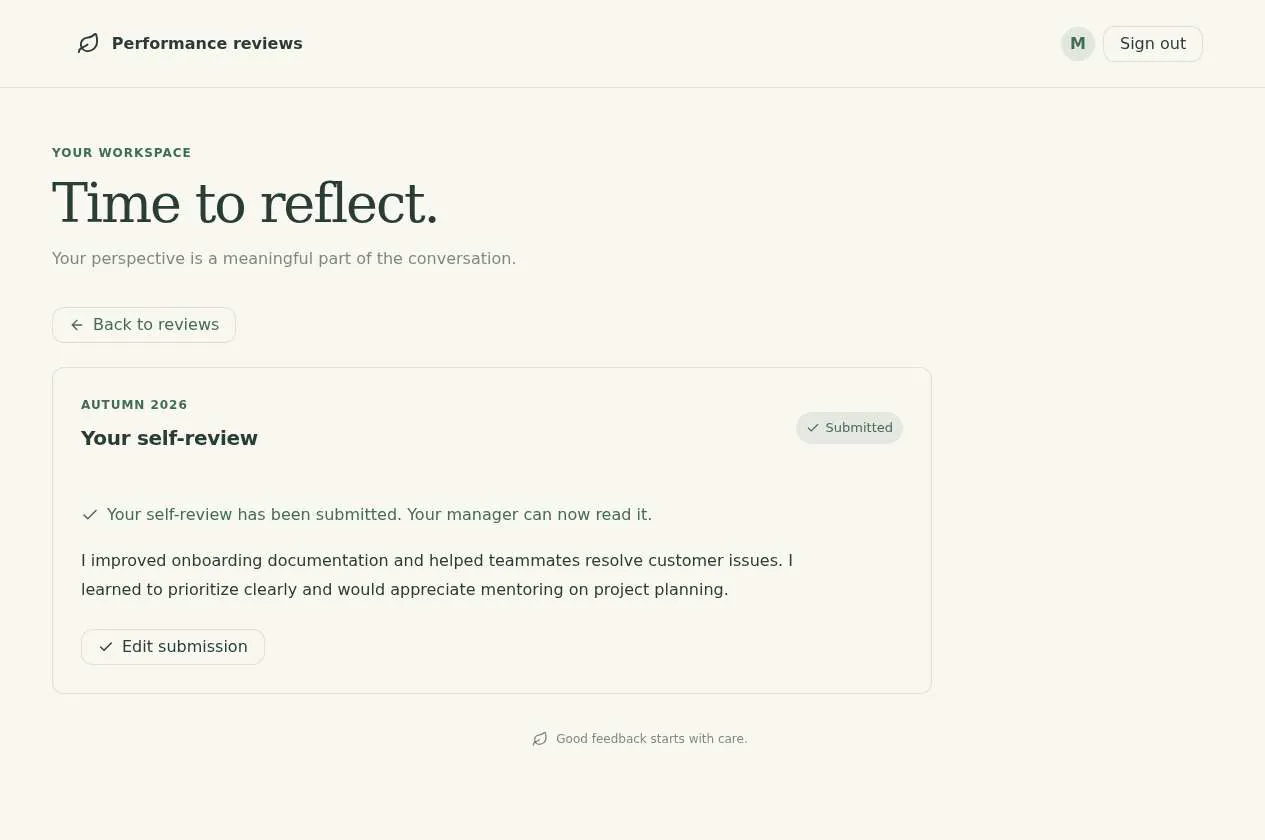
- Pass: A signed-in employee writes and submits a self-review for the current round · An employee wrote a reflection and submitted it; a confirmation showed and the text was still there after a reload.
- Not checked: The employee's manager adds feedback and a rating to that review · The checker couldn't sign in as the manager (the app keeps its own user list), so manager feedback couldn't be tried.
- Pass: Another employee cannot read that review, even by address · Another employee opened the review by address and saw only 'Review not available', none of its text.
- Not checked: An employee's submitted self-review gets manager feedback and shows as finished for HR · The self-review showed Finished and manager review Waiting for HR, but the checker couldn't sign in as the manager to finish it.
Run
- Run: 11 Nov 2026 · vibe prompts
- Builder: the Framer 4 agent on GPT 6.1 Sol, in a new project
- Customer: an AI agent playing the owner of Hearth, writing in the Specify style
- Agent steps: 32 tool steps
- Prompt limit: 40 per app
- Cost: $0.70 for the builder, $0.09 for the judge
- Judge: an AI agent that tried each check in the live preview with a browser, signed in with each test account
Review tool
Rounds, self-reviews and HR tracking work; the checker could not sign in as the manager.
- Result: Fail
- Checks: 5 of 7 pass, 2 not checked
- Prompts: 4
- Time: 4m58s in total
- Spent: $0.80
Prompt 1 of 4
I’d like HR to be able to start a new performance review round and assign a manager to each employee. For this round, please assign member.2@example.com as the manager for member@example.com. HR should have a clear overview showing each employee and whether their self-review and their manager’s review are finished or still waiting. Keep starting rounds, assigning managers, and viewing company-wide progress limited to HR admins; managers and employees are ordinary members. Please make it feel warm, calm, and encouraging rather than like a cold HR system.
Built Reviews with HR-admin-only round setup, manager assignments, and
- Pass: HR starts a new review round · The admin started 'Spring growth review' and it stayed after a reload; an employee saw only their own review page.
- Pass: HR assigns `member.2@example.com` as the manager of `member@example.com` · The admin entered member.2@example.com as manager of member@example.com and clicked Assign manager; it stayed after a reload.
- Pass: HR sees for each employee whether their self-review and manager review are done · HR's overview showed self-review and manager-review status per employee; after a self-review it showed Finished / Waiting and 1/4 done.
Prompt 2 of 4
Now I’d like employees to be able to open their review for the current round, write a self-review, and submit it. When member@example.com submits theirs, their assigned manager, member.2@example.com, should be able to read it, add feedback and a rating, and submit their part too. Both should stay ordinary members, and employees should only see their own reviews—not anyone else’s. Please keep the writing experience calm and encouraging, with clear confirmation when each part has been submitted.
Updated Reviews with private self-review submissions and clear confirmations.
Prompt 3 of 4
I’m still unable to write my self-review as member@example.com. In the current Autumn 2026 round, clicking either “Open review” or the self-review card does nothing, even after refreshing. I also saw “Review not available” when trying to open a review directly, although HR confirmed the round and manager assignment. Please fix this so I can open my own review, write my reflection, and submit it with a clear confirmation. Then member.2@example.com, my assigned manager, should be able to read it, add feedback and a rating, and submit their part with confirmation too. Neither of us should need admin access. Keep other employees’ reviews private and the experience warm and encouraging.
In Reviews, both “Open review” and the self-review card now open your
- Pass: A signed-in employee writes and submits a self-review for the current round · An employee wrote a reflection and submitted it; a confirmation showed and the text was still there after a reload.
- Not checked: The employee's manager adds feedback and a rating to that review · The checker couldn't sign in as the manager (the app keeps its own user list), so manager feedback couldn't be tried.
Prompt 4 of 4
Please make sure reviews stay private: employees should only be able to see their own review, and opening someone else’s review using a copied link or typing its address should not reveal any of its contents. HR should still have access, and member.2@example.com should still be able to review member@example.com as their assigned manager. Other ordinary employees must not be able to read it. If someone opens a review they don’t have access to, show a gentle, clear message without exposing any review details.
Reviews now limits access to the employee, their assigned manager, and HR
- Pass: Another employee cannot read that review, even by address · Another employee opened the review by address and saw only 'Review not available', none of its text.
- Not checked: An employee's submitted self-review gets manager feedback and shows as finished for HR · The self-review showed Finished and manager review Waiting for HR, but the checker couldn't sign in as the manager to finish it.
Review tool
Rounds, self-reviews and HR tracking work; the checker could not sign in as the manager.
- Result: Fail
- Checks: 5 of 7 pass, 2 not checked
- Prompts: 4
- Time: 4m58s in total
- Spent: $0.80
- as: member@example.com
Employee review tool
Test accounts:
- Admin: admin@example.com
- Manager: member.2@example.com
- Other: member.3@example.com
Hearth is the performance review tool of Fernwood, a 200-person company whose reviews used to run on Google Forms, spreadsheets and chasing emails. HR starts a review round, and each employee writes a self-review. Their manager reads it and adds feedback and a rating, then the employee reads what their manager wrote. HR follows who has finished, without seeing anyone's writing until they need to. Reviews make people nervous, so Hearth reads like a calm, kind conversation, more like Culture Amp or a friendly Notion page than an HR system.
The app has three roles.
- HR: (the app's admin account) keeps the people directory, starts and closes review rounds, assigns each employee's manager, follows progress across the company, sends gentle reminders, and can read any review.
- Managers: ordinary employees who have someone reporting to them in a round. They see their direct reports, read each self-review once it is shared, and write feedback and a rating.
- Employees: write and submit their own self-review and then read their manager's feedback. They see only their own reviews.
Everyone signs in with the app's built-in sign-in. A person is recognised by the email HR has in the directory, so whoever signs in with that email gets their reviews and, if they manage someone, their team. HR does not create passwords or separate accounts.
On first open, Hearth holds Fernwood's 200 people in 8 departments, a closed Spring 2026 round with finished reviews, and an open Autumn 2026 round with mixed progress. member@example.com is in it as Jordan Ellis, Customer Support, with no manager assigned yet.
Nothing is broken and everything works. Every button, link and form does what it says with real data. Opening a review opens it, submitting saves it, and the emails Hearth describes really arrive. No page shows placeholder text, sample images, "coming soon", "not set up yet", lorem ipsum or a link to nowhere.
These are not part of Hearth: 360-degree peer feedback, goals and OKR tracking, compensation and salary changes, nine-box grids, one-to-one meeting notes, AI-written reviews, connecting to a payroll or HR system, and downloading round progress as a CSV.
Brand and visual direction
Hearth is used by everyone at Fernwood: warehouse leads, engineers, finance, customer support. Many open it only twice a year, a little anxious, often on a phone. Managers with eight reports want to move through them without losing their place. HR wants a clear picture of the company on one screen. Everyone should feel the tool is on their side.
Name and voice: The tool is called Hearth, with the line "Reviews that feel like a good conversation." The copy is warm, plain and encouraging, written in the second person and never judgemental: "Take your time. Your draft saves as you write.", "Share with Priya", "Your review is ready to read". Statuses are gentle: "Not started yet", "In progress", "Shared". Hearth uses no exclamation marks, emoji, corporate words such as "performance management", "underperformer" or "leverage", and no hype words such as "supercharge" or "unlock".
Visual direction: Hearth looks like a well-made notebook on a sunny desk: soft, roomy and quiet.
- Colour: an oat white page (about #FAF7F2), white writing surfaces (#FFFFFF), a soft charcoal for text (about #2B2A28), light warm grey borders (about #E4DED4), pale sage tints for completed steps (about #E3ECE6), and one accent, a deep teal (about #2F6B62), used only for the main action on a screen, progress and focus rings. Nothing uses red except a genuine error. There are no gradients, glows, glass effects or purple-blue palettes.
- Type: Lora for page headings, question prompts and names, and Atkinson Hyperlegible for interface text, answers and tables. Writing areas use 17 px text with comfortable line spacing. Counts and dates use tabular figures.
- Shape: soft corner radii (8 to 10 px) on cards and writing areas, 1 px borders, no heavy shadows. Steps show as a calm row of three: Self-review, Manager's feedback, Read together.
- Layout: a centred column of about 720 px for writing and reading a review, so it feels like a page, not a form. HR's overview uses the full width up to about 1200 px with a table on desktop, and stacked cards per person on tablet and phone.
- Imagery: no photos or illustrations. People are shown by initials in soft tinted circles. There are no stock photos, 3D shapes, mascots or decorative icons.
- Motion: short (150 to 200 ms) fades only. Saving shows a quiet "Saved" next to the text, not a pop-up.
- Every page works at 390 px wide with no horizontal scrolling, writing areas grow with the text, and every control is usable by keyboard with a visible focus ring.
Pages beyond the product: The footer links to real pages: How reviews work at Fernwood (the steps and dates in plain words), Who can see what (exactly who can read a self-review, feedback and ratings), Writing a helpful self-review (short, kind tips) and Contact HR. A branded not-found page links back to My reviews.
Checks:
- Every page shows the Hearth wordmark and the same header and footer, and every footer link opens a page with real content
- The design follows the direction above: oat white page, soft charcoal text, one deep teal accent for main actions, Lora headings with Atkinson Hyperlegible text, soft radii and no gradients, emoji or stock imagery
- My reviews, the self-review page and HR's overview have no horizontal scrolling at phone width, and their main actions stay reachable
- Opening a made-up address shows a branded not-found page with a way back to My reviews
People and rounds: what Hearth starts with
On first open, Hearth holds Fernwood's real working state, so every screen has content and every filter shows something.
- 200 people: in 8 departments (Customer Support, Engineering, Finance, Marketing, Operations, People, Sales, Warehouse), each with a full name, job title, department, start date, email and manager. About 30 are managers. Names are varied and realistic, not "Employee 1".
- Spring 2026: a closed round: every participant's self-review, manager feedback and rating are there, so people can look back at their earlier review.
- Autumn 2026: the open round, due 28 November 2026, with all 200 people: about 120 self-reviews shared, about 70 manager reviews shared, about 55 finished and read, and the rest not started or in progress. Two employees have no manager assigned yet, one of them Jordan Ellis (member@example.com), so HR's overview has something to fix.
- Self-review questions: set for the round: "What are you most proud of from the last six months?", "What turned out harder than you expected?", "What would you like to learn or take on next?" and "How could your manager support you better?"
- Manager questions and rating: "What has Jordan done especially well?", "Where could Jordan grow next?", and a rating on a four-step scale: "Still finding their feet", "Doing well", "Doing very well", "Exceptional", each with a one-line description.
member.2@example.com (Priya Raman, Customer Support Lead) and member.3@example.com (Tom Becker, Customer Support) are in the directory but have never signed in, so they start with no reviews written.
Checks:
- HR's overview of Autumn 2026 shows 200 people with a realistic mix of statuses and a progress summary
- Filtering the overview by department or status shows meaningful, different lists
- Sampled people have real names, titles and departments, and a sampled finished Spring 2026 review has real, specific writing
HR: people directory
The People page lists everyone with name, title, department, manager and email, with search and a department filter. HR can add a person (name, email, job title, department and manager, with name and email required and the email unique), edit any detail, or mark someone as having left, which removes them from new rounds but keeps their past reviews.
Adding many at once: Import people accepts a CSV file with the columns name, email, title, department and manager email. A sample CSV with the right columns is offered for download. Before importing, Hearth shows a preview with any problems marked per row (a missing email, an unknown manager, a duplicate) and imports only when HR confirms.
Checks:
- The admin adds a person with an email and they appear in the directory and stay after a reload
- The admin imports the sample CSV with a changed row, and the preview marks a row with a missing email before importing the rest
- Adding a person with an email already in the directory is refused with a clear message
HR: starting a round and assigning managers
Start a round asks for a name (required), an opening date, a due date for self-reviews and a due date for manager feedback, the people taking part (everyone, chosen departments, or chosen people), and the questions, prefilled from the last round and editable. Each participant's manager comes from the directory and can be changed for this round.
Assigning managers: In a round, each row has a Manager field. HR types a name or an email and chooses from the directory. Assigning a person by email works even if they have never signed in: when they first sign in with that email, they see their team. A person cannot be their own manager. People without a manager are flagged "No manager yet" and are listed first.
Opening: When HR opens the round, every participant receives an email from Hearth: "Your Autumn 2026 self-review is open", with the due date, a sentence on what to expect, and a link to their review. Rounds stay open until HR closes them; a closed round can no longer be edited and stays readable.
Starting rounds, assigning managers and seeing company-wide progress are for HR only. Anyone else who opens these pages by address sees a gentle "This page is for the People team" message.
Checks:
- The admin starts a new review round with a name and due dates, and it stays after a reload
- The admin assigns member.2@example.com as the manager of member@example.com in Autumn 2026, and it stays after a reload
- After that, member.2 signs in for the first time with the app's sign-in and sees Jordan Ellis under My team
- Opening a round sends the "self-review is open" email, which arrives in member@example.com's inbox with a working link
- A member who opens the round setup or overview address sees the "for the People team" message and no data
HR: following progress
The round overview shows a summary at the top: how many self-reviews and manager reviews are shared, and how many people have finished, with a calm progress bar. Below, a table lists each person with name, department, manager, Self-review (Not started yet, In progress, Shared), Manager's feedback (Waiting for self-review, In progress, Shared) and Finished when both are shared and the employee has read the feedback. HR can search, filter by department, manager and status, and sort by any column.
Reminders: HR can send a reminder to one person or to everyone still waiting at a step. The email reads "A gentle reminder: your self-review is due Friday 28 November", in Hearth's warm voice, and Hearth notes when each reminder was last sent so no one is reminded twice in a day.
Reading and reopening: HR can open any review to read it, and can reopen a shared self-review or manager feedback if someone asks to change it; the writer is told by email.
Checks:
- The overview shows, for each employee, whether their self-review and manager feedback are done, and the counts update after an employee shares their self-review
- Sending a reminder to everyone not started shows when it was sent, and the reminder email arrives for member@example.com
Employee: writing a self-review
A signed-in employee lands on My reviews. The open round appears first as a card with the round name, due date and the three steps, with their own step highlighted, and a single clear Start writing (or Continue writing) button. Past reviews from closed rounds are listed below. Clicking the card or the button opens the review page every time.
Writing: The self-review page shows the questions as a calm vertical list of writing areas, each with its question in Lora and a short helpful hint. The draft saves as the employee types, showing "Saved" quietly, and is still there after a reload or on another device. Nothing is shared until the employee chooses to.
Sharing: Share with Priya asks once: "Share your self-review with Priya? You won't be able to edit it afterwards unless HR reopens it." After confirming, the page shows a calm confirmation ("Thank you, Jordan. Your self-review is with Priya now.") and the step turns Shared. The manager receives an email: "Jordan has shared their self-review", with a link. Every question needs at least a sentence (10 characters) before sharing, and an empty answer is pointed out next to its question.
No manager yet: If the employee has no manager assigned, they can still write and save, and the page says that HR will connect them with their manager before they share.
Checks:
- member@example.com opens their Autumn 2026 review from My reviews, writes answers, reloads, and the draft is still there
- Sharing shows the confirmation step, then a clear confirmation, and the self-review shows as Shared after a reload
- Sharing with an empty answer is refused with a message next to that question, and nothing written is lost
- The manager receives the "Jordan has shared their self-review" email with a working link
Manager: feedback and rating
A manager sees My team next to My reviews. It lists their direct reports in each open round with each person's step and due date, and moves anyone waiting on the manager to the top.
Writing feedback: Opening a report's review shows their shared self-review first, read-only, then the manager's own section: the manager's questions, each in a growing writing area, and the rating as four clearly described choices. Before the self-review is shared, the page says "Waiting for Jordan's self-review" and the manager can already start a private draft. The draft saves as they type.
Sharing: Share with Jordan requires every question answered and a rating chosen, then asks once and confirms ("Your feedback is with Jordan now."). Jordan receives an email: "Your review from Priya is ready to read". The manager's step turns Shared, and HR's overview updates.
A manager sees only their own direct reports for that round. They cannot open the review of someone who does not report to them, and they never see other managers' ratings.
Checks:
- member.2@example.com, signed in with the app's sign-in and assigned as Jordan's manager, opens Jordan's review and reads the shared self-review
- member.2 adds feedback and a rating and shares it, sees a clear confirmation, and the feedback stays after a reload
- Sharing without a rating or with an empty answer is refused with a message next to the problem
- member.2 cannot open the review of someone who is not their direct report, even by address
Employee: reading the feedback
When the manager shares, the employee's review shows the third step, Read together. The page shows the employee's own answers and, below them, the manager's feedback and rating with its description, introduced kindly: "Here is what Priya wrote. If anything is unclear, it's worth talking it through together." The employee can mark it as read and add an optional closing comment of up to 1,000 characters, which the manager and HR can see. Marking it as read finishes the review, and HR's overview shows Finished.
Past reviews from closed rounds open read-only with both sides and the rating.
Checks:
- After the manager shares, member@example.com sees the manager's feedback and rating on their review, and the "ready to read" email has arrived
- Marking the feedback as read shows the review as Finished on HR's overview
- member@example.com can open their finished Spring 2026 review read-only
Everyone: privacy
Each person sees only what is theirs to see. An employee sees their own reviews. A manager also sees their direct reports' reviews in rounds where they are assigned. HR sees everything. Opening any other review by a copied link or a typed address shows a gentle "This review isn't available to you" page with no name, answers or rating, and a link back to My reviews. The same holds for the round overview and the directory. A signed-out visitor opening any page is sent to sign in.
A person who signs in but is not in the directory sees a calm page that says HR has not added them yet, with the email they signed in with and how to contact HR.
Checks:
- member.3@example.com opens Jordan's review by address and sees "This review isn't available to you" with none of its text or rating
- member.3 sees only their own reviews on My reviews, never Jordan's, and cannot open the round overview
- A signed-out visitor opening a review address is sent to sign in
Speed
Hearth is quick for someone opening it on a phone between meetings. My reviews and the review page show their content as soon as they load, and typing never lags or loses characters while the draft saves. HR's overview of 200 people loads in one request, sorts and filters instantly, and does not load one person at a time.
Checks:
- My reviews and the self-review page show their content within about 2 seconds
- HR's overview of 200 people opens within about 2 seconds, and filtering and sorting respond at once
Everything works
These checks apply to every screen above, for HR (the admin), managers and employees. The number before each check is its weight: 3 means the app fails if the check fails, 2 a serious defect, 1 a defect worth noting.
For every app:
- Must pass: Every feature this spec describes is there, and each fix the agent claims holds when the original steps are repeated
- Serious: At phone (390 px), tablet (810 px) and desktop (1,200 px and up), My reviews, the self-review page, a manager's feedback page, My team, HR's round overview, the round setup and the People page show nothing cut off, no sideways scrolling, a reachable header and Share button, and inputs and writing areas of at least 16 px
- Serious: Every review card, My team row, overview row, footer link and link in Hearth's emails opens the right page; reloading a review, My team, the overview or the People page on the live address works; a made-up address shows the branded not-found page; Back returns to the overview with its filters and sort
- Minor: Initials circles and the wordmark render at the right shape without stretching or breaking, and pasting Hearth's live link into a chat app shows Hearth's own name and no review content, not a builder default
- Serious: Later work did not break earlier work: after the manager, HR and privacy flows are built, the 200 people, the closed Spring 2026 round and Autumn 2026's progress and self-reviews still work and are unchanged
- Minor: After each prompt, the agent's reply says honestly what changed and what it could not verify (including anything that still needs a key or account), is never empty, never presents preview-only as done, and never claims a fix that is not there in the live app
For this app:
- Must pass: Every flow works end to end with fresh input, checked where it lands: a self-review member@example.com shares appears for member.2 as Jordan's manager and in HR's overview counts; member.2's feedback and rating appear on Jordan's review; marking it read shows Finished; a manager HR assigns by email sees the report on first sign-in; each email arrives
- Must pass: Directory edits, imported people, rounds, manager assignments, drafts (also on another device), shared self-reviews, feedback, ratings, closing comments, reminder times, reopenings and closed rounds stay as saved after a reload and in another browser, for the people who should see them
- Must pass: Employees reach only their own reviews, managers also their direct reports' in that round, and only HR reaches People, round setup and the overview; member.3, member.2 for someone not reporting to them, or a changed review address shows "This review isn't available to you" with no name, answer or rating, a signed-out visitor is sent to sign in, and someone not in the directory sees the "HR has not added you yet" page
- Must pass: On the published address, member.2 signs up with their directory email, confirms by email, signs in, reloads, signs out and resets their password, and every link and redirect lands on the live domain
- Serious: The "self-review is open", "Jordan has shared their self-review", "Your review from Priya is ready to read", reminder and reopened-review emails each arrive in a real inbox, not spam, from the app's address, with the right names, the round's due date (such as Friday 28 November) and a link to the live review, and their plain text reads cleanly
- Serious: The published app behaves like the preview: the same people, rounds, directory sign-in and reviews work there, emails are really sent, and no live page mentions "preview"
- Serious: Empty states (a new round with nothing shared, My team with nobody waiting, "Waiting for Jordan's self-review", no manager yet, no search results), loading states and errors are clear and in Hearth's warm, plain words, with no technical or setup text
- Serious: The sample people CSV downloads and opens with the columns name, email, title, department and manager email; a CSV imports after its preview; a file that is not a CSV is refused with a clear message
- Serious: As a signed-out visitor, as member.3 and as member.2 for people not reporting to them, the page source and network requests contain no secret keys and no one else's answers, ratings or closing comments; every page's footer links to Who can see what
- Minor: The person form, import, round setup, self-review and feedback refuse a missing name or email, a duplicate email, a person as their own manager, an answer under 10 characters and a missing rating with clear messages, and pressing Share twice or reminding twice in a day creates no duplicate share, email or person
- Minor: Directory search finds a known person and a partial name, an absent name shows an empty state, the overview's search and department, manager and status filters combine correctly and sort by any column, and the filters stay after a reload
Done when
Checks:
- HR starts a round, assigns member.2@example.com as member@example.com's manager, and the opening email arrives
- member@example.com writes and shares a self-review, member.2 signs in with the app's sign-in, adds feedback and a rating, and member@example.com reads it, with each email arriving
- HR's overview then shows that review as Finished, with accurate counts across the 200 people
- member.3 and any other employee cannot see that review by any route, and the whole tool feels warm, calm and branded as Hearth, with no placeholder, dead link or "not set up" state
Review tool
Rounds, self-reviews and HR tracking work; the checker could not sign in as the manager.
- Result: Fail
- Checks: 5 of 7 pass, 2 not checked
- Prompts: 4
- Time: 4m58s in total
- Spent: $0.80
Hearth: the simulated customer
An AI agent plays the owner of Hearth and writes every prompt. It reads the spec and this file, never the Framer 4 agent's code.
- Style: Specify.
Persona and why it fits
Specify. Roles and visibility rules (HR, manager, employee) suit a user who writes numbered, scoped orders.
Prompt length and tone
- Length: 60 to 150 words, or 25 or more with a scope guard. Often a numbered list of 2 to 5 items.
- Tone: Precise and businesslike. Names the page, role and element, then states the exact result. Ends with a guard such as "Change nothing else." or "Only on this page."
- Language: English only.
Example prompts for this app:
- "Build a performance review tool for our 200-person company, to replace forms and spreadsheets. Roles: HR, manager, employee. 1) HR starts a review round with due dates and sees who has finished. 2) Each employee answers the round's self-review questions. 3) Their manager then adds feedback and a rating on a four-step scale. 4) Employees see only their own reviews."
- "Manager view only: list my direct reports with each one's self-review status, and let me open a shared self-review and add feedback and a rating. Do not change the employee or HR views."
- "An employee can open another employee's review by changing the number in the address. Block that for every role except HR and show a not-allowed page. Change nothing else."
Style mix
Specify for 81% of prompts, Tweak 8%, Describe 8%, Brief 3%.
Switches come early and cluster around breakage: a failed fix or an unrequested change makes the next prompt likelier to be longer and more exact.
How they choose the next prompt
They go through the spec in order and batch everything that's missing or wrong in one section into one numbered order. Broken items go first, each with its acceptance condition. Short tweaks are only for single details at the end. Order of attention for this app:
- Anything broken: a control that does nothing, a page that errors, a broken image or link, a layout broken on phone, a claimed change that isn't there.
- HR's directory, starting a round and following who has finished.
- Self-reviews, then manager feedback and ratings.
- Employees seeing only their own reviews, and managers only their direct reports'.
- Everything else in the spec, including the brand and copy rules, in spec order.
How they react to breakage
- Writes a numbered bug list: steps to reproduce, the actual result, the expected result, and the scope guard repeated.
- If an edit changed something outside the scope, they ask for that exact part to be restored, then re-send the original order with a stronger guard.
- After a claimed fix that didn't land, they quote the agent's claim and list what is still wrong.
- They rarely vent. About 1 session in 5 has a line of frustration, usually after the third failed attempt.
Stop rule
- They keep prompting until the judge says every check in the spec is met, or until prompt 40, whichever comes first.
- The persona shapes how they prompt and react, never when they stop: no giving up, no stopping early because it looks good enough.
- The judge also grades whether the agent's replies are honest (claimed changes match the app), so the simulated user reports false claims as they see them and doesn't take a claim on trust.