Paid membership
Maya’s calm yoga site locks classes and lets her mark members paid; card payment could not be checked.
- Result: Fail
- Checks: 4 of 6 pass, 2 not checked
- Prompts: 4
- Time: 7m38s in total
- Spent: $1.37
Checks
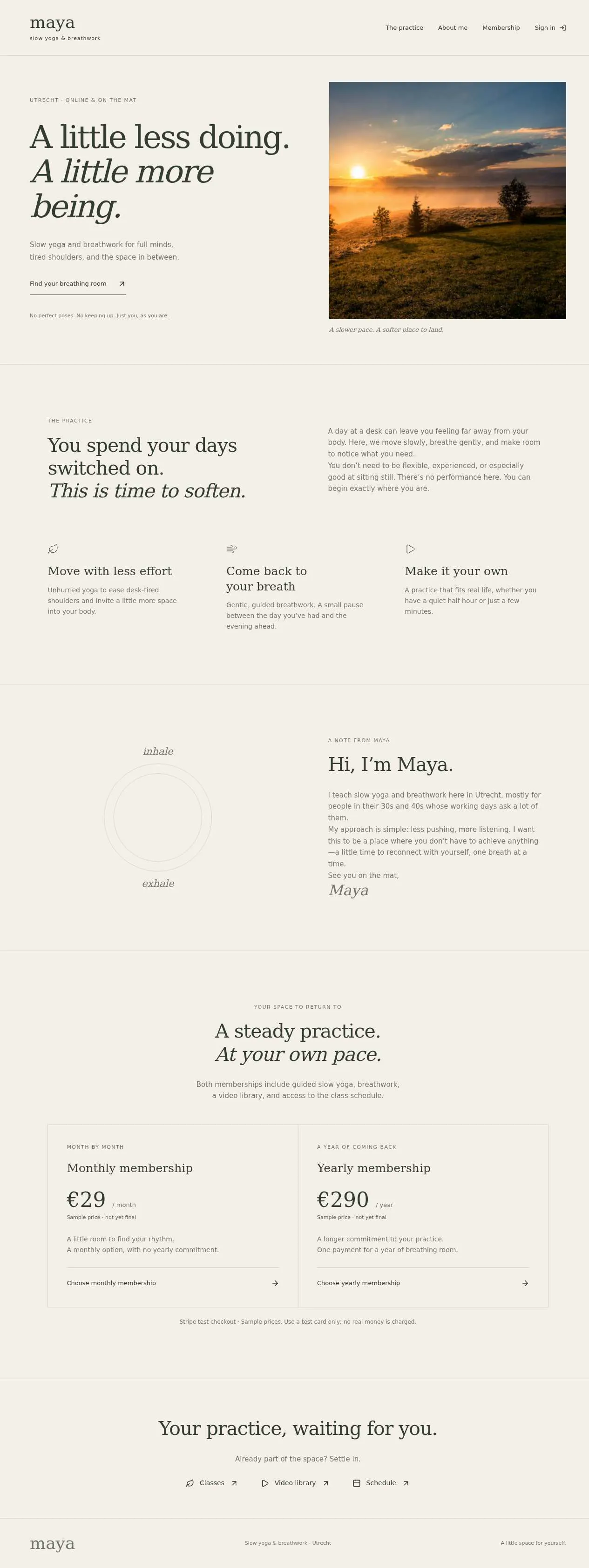
- Pass: A signed-out visitor sees the landing page with both plans and their prices · Signed out, clicked Membership and saw Monthly €29/month and Yearly €290/year side by side, marked as sample prices.
- Pass: A signed-out visitor who opens the classes, video library or schedule gets a sign-in or locked page with no class content · Signed out, clicked Classes and Video library and opened Schedule; each showed only a members-only message and a sign-in link.
- Pass: A signed-in person without a paid plan sees a locked page or the plans instead of the classes · Signed in without a plan, clicked Classes and saw a members-only message and the two plans, with no classes.
- Pass: The teacher marks `member@example.com` as paid, and that member, signed in, sees classes, a video library and a weekly schedule · The admin marked member@example.com as paid; that member then opened Classes, Video library and Schedule and saw listings and a weekly schedule.
- Not checked: Choosing a plan and paying with a test card completes the payment, and that member then sees the classes · Chose monthly as a member without a plan; checkout said Stripe test keys are not connected and showed no card form.
- Not checked: A signed-in non-member pays for a plan from the locked classes page and then sees the classes · From the locked Classes page chose monthly; checkout had no card form (no Stripe keys), and Classes stayed locked.
Run
- Run: 11 Nov 2026 · vibe prompts
- Builder: the Framer 4 agent on GPT 6.1 Sol, in a new project
- Customer: an AI agent playing the owner of Stillpoint, writing in the Specify style
- Agent steps: 51 tool steps
- Prompt limit: 40 per app
- Cost: $1.29 for the builder, $0.08 for the judge
- Judge: an AI agent that tried each check in the live preview with a browser, signed in with each test account
Paid membership
Maya’s calm yoga site locks classes and lets her mark members paid; card payment could not be checked.
- Result: Fail
- Checks: 4 of 6 pass, 2 not checked
- Prompts: 4
- Time: 7m38s in total
- Spent: $1.37
Prompt 1 of 4
Hi! I’m Maya, and I teach slow yoga and breathwork in Utrecht, mostly for tired office people in their 30s and 40s. Could you make my public landing page feel like an exhale—soft, calm, spacious, a little like Aesop or Kinfolk, with nothing gym-like or shouty? I’d like visitors to get to know me, understand what they’ll get as members, and see a monthly and a yearly membership side by side, with the price clearly shown for each. I haven’t decided on the prices yet, so please use clearly marked sample prices for now. Anyone should be able to browse this page without signing in. But if someone who isn’t signed in opens the classes, video library, or schedule—even through a direct link—they should see a gentle sign-in or members-only message, without any class content showing.
Your landing page is ready, with calm, spacious styling and clearly marked
- Pass: A signed-out visitor sees the landing page with both plans and their prices · Signed out, clicked Membership and saw Monthly €29/month and Yearly €290/year side by side, marked as sample prices.
- Pass: A signed-out visitor who opens the classes, video library or schedule gets a sign-in or locked page with no class content · Signed out, clicked Classes and Video library and opened Schedule; each showed only a members-only message and a sign-in link.
Prompt 2 of 4
Could you now add the members’ area, keeping the same soft, spacious feel? Paying members should be able to browse classes, a video library, and a weekly schedule. Signing in alone shouldn’t unlock these: someone without a paid plan, like member.2@example.com, should see a gentle members-only message and the membership choices instead, even if they open a direct link. As the teacher and admin, I also need a way to mark someone as paid by their email when they’ve paid me in cash at the studio. Please mark member@example.com as paid so that, when they sign in, they can access all three areas.
The members’ area now requires paid access—not just sign-in.
- Pass: A signed-in person without a paid plan sees a locked page or the plans instead of the classes · Signed in without a plan, clicked Classes and saw a members-only message and the two plans, with no classes.
- Pass: The teacher marks `member@example.com` as paid, and that member, signed in, sees classes, a video library and a weekly schedule · The admin marked member@example.com as paid; that member then opened Classes, Video library and Schedule and saw listings and a weekly schedule.
Prompt 3 of 4
Could you now let people choose either the monthly or yearly membership and pay by card right on the site? Please keep payments in test mode while we’re trying it out, and keep the checkout feeling as calm and simple as the rest of the site. Once a test-card payment succeeds, that person should have paid membership access straight away and be able to open the classes, video library, and weekly schedule. Just choosing a plan or leaving payment unfinished shouldn’t unlock anything. I’d like to be able to try the whole journey with someone who doesn’t already have a plan, like member.2@example.com.
Stripe would fit an on-site test-card checkout.
Prompt 4 of 4
Yes, please use Stripe in test mode. Right now, both membership choices take member.2@example.com to sign-in rather than payment, and the classes page still says “No online payments are taken here.” “Explore monthly” just goes back to the home page. Please make both plans lead to a simple card checkout on the site. If someone needs to sign in first, keep their chosen plan and take them on to payment afterward. Once their test-card payment succeeds, they should immediately be able to open the classes, video library, and weekly schedule. Choosing a plan or leaving checkout unfinished shouldn’t give access. I’d like to try that full journey with member.2@example.com, who doesn’t currently have a plan.
Both plans now lead to checkout, with the choice preserved through
- Not checked: Choosing a plan and paying with a test card completes the payment, and that member then sees the classes · Chose monthly as a member without a plan; checkout said Stripe test keys are not connected and showed no card form.
- Not checked: A signed-in non-member pays for a plan from the locked classes page and then sees the classes · From the locked Classes page chose monthly; checkout had no card form (no Stripe keys), and Classes stayed locked.
Paid membership
Maya’s calm yoga site locks classes and lets her mark members paid; card payment could not be checked.
- Result: Fail
- Checks: 4 of 6 pass, 2 not checked
- Prompts: 4
- Time: 7m38s in total
- Spent: $1.37
Membership site with paid content
Test accounts:
- Unpaid: member.2@example.com
- Paid: member@example.com
- Admin: admin@example.com
Stillpoint is the website of Maya, who teaches slow yoga and breathwork in Lisbon, Portugal, mostly to tired office workers in their thirties and forties. The landing page is open to everyone. Behind it is a members' area with Maya's classes, a library of recorded sessions to follow at home, and the weekly schedule of studio classes. People become members by paying for a monthly or yearly plan by card on the site, and Maya can also give membership by email to people who pay her in cash at the studio. The name is the still point between breathing in and breathing out, the moment Maya's classes are built around.
The app has three roles.
- Visitors: read the landing page, the pages about Maya and the classes, and the two plans with their prices. They never see class content.
- Members: sign in with the app's sign-in. A member with an active plan, paid by card or given by Maya, opens the classes, the video library and the schedule. A signed-in person without a plan sees the plans instead.
- Maya, the admin: (the app's admin account) gives and ends cash memberships by email, sees every member and how they pay, and keeps the classes, videos and schedule up to date.
On first open, Stillpoint holds Maya's real-sounding programme: 5 class types, 16 recorded sessions in the video library and a weekly schedule of 9 studio classes, with member@example.com already a cash member and member.2@example.com signed up without a plan.
Nothing is broken and everything works. Every button, link and form does what it says with real data. No page shows placeholder text, sample images, "coming soon", "not set up yet", lorem ipsum or a link to nowhere. Card payment really works in Stripe test mode, and every email really arrives in the recipient's inbox.
These are not part of Stillpoint: booking or reserving a spot in a class, attendance tracking, live streaming, several teachers, a shop or gift cards, discount codes, comments or a community, a mobile app, changing plan prices from the admin area, resuming a video where the member stopped or marking videos as watched, personalised video picks, "More like this" suggestions, sorting the video library, calendar downloads for classes, a questions list on the home page, reminder emails before a membership ends, queuing a card plan to start after a cash membership, choosing a video's thumbnail frame, and draft videos.
Brand and visual direction
Stillpoint is for people who sit at a desk all day and arrive at the mat tired. They are in their thirties and forties, they live and work in or near Lisbon, some born there and many who moved there for work, and they distrust anything that looks like a gym, a fitness app or a wellness influencer. They want to feel, within a few seconds of opening the site, that this is a quiet place run by one careful person. The site and all its copy are in English, with class times on the 24-hour clock (19:30).
Name and voice: The product is called Stillpoint, with the line "Slow yoga and breathwork in Lisbon." The voice is Maya's own: warm, unhurried and plain, in the first person where she speaks ("I teach small groups, never more than twelve"). Sentences are short. Buttons say exactly what happens: "Become a member", "Choose monthly", "Choose yearly", "Sign in", "Watch", "Manage membership". There are no exclamation marks, no emoji, and no fitness or hype words: never "burn", "sweat", "crush", "transform", "journey", "unlock your potential", "supercharge" or "glow up".
Visual direction: Stillpoint looks like an exhale: a Kinfolk spread or an Aesop shop page, with a lot of empty space and very little on screen at once.
- Colour: a warm oat page (about #F2EEE7), a slightly darker linen for quiet panels (about #E7E1D6), soft charcoal ink for text (about #2E2C29), and a muted stone grey for secondary text (about #7A746B). There is one accent, a warm tobacco brown (about #8A5B34), used only for the main action on a screen, for the member's active-plan badge and for focus rings. There are no gradients, glows, glass effects, bright colours or purple-blue palettes.
- Type: Newsreader for headings and Maya's longer words, set light and large with generous line height, and Hanken Grotesk for interface text, prices, times and labels. Body text is 17 px on the public pages and 16 px in the members' area. Times and prices use tabular figures.
- Shape: soft corners (8 px on cards and buttons), 1 px hairline borders in a warm grey instead of shadows, and wide margins. Buttons are calm, rectangular with soft corners, never pill-shaped neon.
- Layout: a 12-column grid with a maximum content width of about 1120 px and a narrower reading column of about 640 px for text. The video library shows 3 columns of sessions on desktop, 2 on tablet and 1 on phone. The plans sit side by side on desktop and tablet and stack on phone. The header is slim, with the Stillpoint wordmark, About, Classes, Membership and Sign in, or the member's name and "Members' area" once signed in.
- Imagery: real photographs only, in natural light with muted colour: a quiet studio, hands, mats, plants, a window. The starting photos come from Unsplash or Pexels under their free licences, chosen to match this mood, and Maya can replace them. Video thumbnails are real frames from the videos. There are no stock photos of smiling people in leggings, no 3D shapes, no AI illustrations and no decorative icons.
- Motion: slow, soft fades of 200 to 300 ms when sections appear and on hover. Nothing slides, bounces or counts up.
- Every page works at 390 px wide with no horizontal scrolling, every control can be used with a keyboard and shows a visible tobacco-brown focus ring, and the video player works with the keyboard (space to play and pause).
Pages beyond the product: The footer shows the studio address (a real street in Lisbon with a map link to OpenStreetMap), Maya's contact email, and links to real pages with real content: About Maya, The studio (address, how to get there by tram, metro and on foot, what to bring), Membership questions (how payment, cancelling and cash membership work), Terms and Privacy. A branded not-found page says "This page has drifted off" and links back to the home page.
Checks:
- Every page shows the Stillpoint wordmark and the same header and footer, and every footer link opens a page with real content, not a placeholder
- The design follows the direction above: oat background, charcoal text, one tobacco-brown accent for main actions, Newsreader headings with Hanken Grotesk interface text, soft corners, hairline borders, real photographs and no gradients or bright colours
- The home page, the membership section, a class page and a video page have no horizontal scrolling at phone width, and their main actions stay reachable
- Opening a made-up address shows the branded not-found page with a way back home
Programme: what Stillpoint starts with
On first open, Stillpoint holds a complete programme, so every page has real content.
Plans: Two plans, shown in euros including VAT: Monthly at €24 per month, and Yearly at €240 per year, which the page explains as two months free. Both give the same access: every class page, the full video library and the weekly schedule. Both renew automatically until cancelled.
Class types: Five class types, each with its own page, written by Maya in her voice (150 to 250 words each), with a photograph, its length, its level and what it helps with: Slow flow (75 minutes), Yin and rest (75 minutes), Breath for busy minds (45 minutes), Desk-day unwind (60 minutes) and Sunday long exhale (90 minutes).
Video library: Sixteen recorded sessions spread across the five class types and three lengths (10 to 20 minutes, 20 to 40 minutes, over 40 minutes), each with a title, a short description, its length, its class type, a thumbnail frame and a real, playable video. The starting videos are calm, freely licensed yoga, stretching and breathing videos from Pexels, credited under the player, and Maya adds her own recordings from the admin area. Each video plays in the browser and seeks.
Schedule: A weekly schedule of 9 studio classes at the Lisbon studio from Monday to Sunday, for example Monday 19:30 Slow flow, Wednesday 07:15 Breath for busy minds, Thursday 12:15 Desk-day unwind, Sunday 10:00 Sunday long exhale. Each has a day, start and end time, class type, place (the studio, or "Jardim da Estrela, weather permitting" for one summer class) and a short note. One class has a note that it is cancelled this week, so the schedule shows that state.
Members: member@example.com is a cash member with a yearly membership paid in cash, valid until a date about ten months from now. member.2@example.com has signed up and has no plan. Six further members exist so that the admin's list is real: three paying monthly by card, one paying yearly by card, one whose card subscription is cancelled and ends at the end of the month, and one cash member whose membership ended last month.
Checks:
- A signed-out visitor sees two plans, Monthly at €24 and Yearly at €240, with what each includes
- The five class types each have a page with a photograph and Maya's own description, not filler
- Signed in as member@example.com, the video library shows 16 sessions with real thumbnails, and three sampled videos play and can be skipped forward
- The schedule shows 9 classes across the week with times, places and notes, including one marked cancelled this week
- The admin's member list shows member@example.com as a cash member with an end date, member.2@example.com with no plan, and the other members with their real statuses
Visitor: the landing page
The home page is quiet and long, with plenty of space between sections. At the top, one large Newsreader line ("Slow down. Breathe out. Begin again.") over a calm photograph of the studio, a short introduction, and one tobacco-brown "Become a member" button that scrolls to the plans.
About Maya: A portrait, two short paragraphs about who she is, how she came to slow yoga after years in an office herself, and how she teaches: small groups, never more than twelve, no mirrors, no music with lyrics. A link opens the full About Maya page.
What members get: Three plain blocks: the weekly studio classes in Lisbon, the video library to follow at home, and the class guides. Each block names the real number (9 classes a week, 16 sessions, 5 class types) taken from the current content, so it stays true when Maya adds videos.
Classes: The five class types as a calm row of cards with a photograph, name, length and one sentence. Visitors can open each class page and read about it; the class page shows its description, length and level, and shows when it appears in the schedule only as days and times ("Mondays at 19:30"), with no videos. Under it, "Members can follow this class at home and in the studio" with the "Become a member" button.
Membership: Monthly and Yearly side by side, each with its price, what it includes and its own button: "Choose monthly" and "Choose yearly". Yearly shows "Two months free". A short line underneath says that people who pay in cash at the studio can ask Maya to add them, and that a membership can be cancelled any time from the account page.
Checks:
- A signed-out visitor sees the introduction, About Maya, what members get, the five classes and both plans with their prices on the home page
- A signed-out visitor opens a class page and reads its description and its schedule days, and sees no video and no player
- The numbers in "What members get" match the real number of classes, videos and schedule entries
Visitor: locked pages
The members' area has three parts: Classes (the class guides with their videos), Video library and Schedule. They have their own readable addresses, such as /members/library, /members/library/evening-unwind and /members/schedule.
Signed out: A signed-out visitor who opens any of these, from the menu or by typing or pasting the address, sees a gentle page in the same style: "This is for members", one sentence about what is inside, a "Sign in" button and the two plans. No class content shows, not even titles of videos or schedule times beyond what the public class pages already show. Video files cannot be opened by their address either.
After signing in: Signing in returns the person to the page they were trying to open. If they have an active plan, they see it. If not, they see the next section's page.
Checks:
- A signed-out visitor who opens Classes, Video library or Schedule from the menu sees "This is for members" with a sign-in button and the plans, and no class content
- A signed-out visitor who types the address of a specific video sees the same members-only page and no video
- After signing in from that page, a member with a plan lands on the page they first tried to open
Member without a plan: choosing a plan and paying
A signed-in person without an active plan, such as member.2@example.com, sees the members' area pages as a calm "Choose your membership" page: a short line ("You're signed in. Choose a plan to open the classes."), Monthly and Yearly side by side, and nothing from the members' area. The same is true when they type a direct address.
Choosing a plan while signed out: A signed-out visitor who clicks "Choose monthly" or "Choose yearly" is asked to sign in first. After signing in, they go straight on to payment for the plan they chose, without choosing it again.
Paying: Choosing a plan opens Stripe Checkout in test mode, showing "Stillpoint membership, Monthly" at €24 per month or "Stillpoint membership, Yearly" at €240 per year, with the member's email filled in. It is a Stripe Billing subscription. Paying with Stripe's test card 4242 4242 4242 4242, any future expiry date and any security code completes. Stripe then sends its signed webhook to Stillpoint, and only that webhook turns the membership on. The member returns to a calm "Welcome in" page. If the webhook has not arrived yet, the page says "Confirming your payment" and updates on its own within a few seconds, then shows "Your membership is active" with a button to the video library. Opening the return page without paying grants nothing.
Unfinished or failed payment: Closing Checkout or pressing back returns the person to the plans with "No payment was made. Your membership has not started.", and nothing opens. A declined test card (4000 0000 0000 0002) shows Stripe's own error in Checkout and grants nothing.
Welcome email: When the webhook confirms the payment, the published app sends an email from its own address (hello@<project>.apps.framer.email) to the member, with the subject "Welcome to Stillpoint" and a short note from Maya, the plan and price, the date it renews, the studio address, this week's schedule, and a link to the members' area. Stripe sends its own receipt.
Checks:
- member.2@example.com, signed in without a plan, opens Classes, the video library and the schedule, including by typing an address, and sees the plans and no class content
- member.2@example.com chooses Monthly, pays in Stripe Checkout with the test card 4242 4242 4242 4242, returns to Stillpoint, and can then open the classes, the video library and the schedule
- A signed-out visitor who chooses Yearly is asked to sign in and then lands directly in Stripe Checkout for the yearly plan
- Leaving Checkout without paying returns to the plans with a clear message, and the members' area stays locked
- Opening the welcome page's address without paying does not unlock anything
- After paying, the "Welcome to Stillpoint" email arrives in the member's inbox with the plan, price, renewal date and a working link to the members' area
Member: the members' area
Once a member has an active plan, the header shows "Members' area" and the member's name. The members' area home greets them by first name and shows the next two studio classes from the schedule and links to Classes, Video library and Schedule.
Classes: The five class guides, each with Maya's full description, a short "how to prepare" note, the videos of that class type, and the days and times it appears in the schedule.
Video library: All sessions as cards with a thumbnail, title, class type and length, newest first. Filters for class type and length, which can be combined, show removable chips and a count ("6 sessions"). A filter combination with no sessions says so and offers to clear the filters. Opening a session shows the video player, the title, description, length, class type and credit.
Schedule: This week's classes, grouped by day, from Monday to Sunday, with today highlighted. Each class shows the time, class type (linking to its guide), place and note. A cancelled class is shown struck through with Maya's note. Arrows move to next week, which shows the same weekly classes unless Maya has changed them.
Checks:
- member@example.com, signed in, sees the members' area home with their first name and the next two studio classes
- In the video library, filtering by Breath for busy minds and 10 to 20 minutes shows only matching sessions with a correct count, and clearing a chip widens the list
- The schedule shows today highlighted and the cancelled class struck through with its note, and the arrow to next week shows the same weekly classes
Member: account and membership
The account page shows the member's name and email, their plan ("Monthly, renews on 14 December", "Yearly, renews on 3 September", or "Cash membership until 30 September"), and the actions that fit their plan.
Card members: "Manage membership" opens the Stripe customer portal, where the member can update their card, see invoices, switch between monthly and yearly, or cancel. When they cancel, Stripe's webhook updates Stillpoint: the account page shows "Cancelled, active until 14 December", access continues until that date, and the published app sends an email with the subject "Your Stillpoint membership ends on 14 December" that says how to rejoin. After that date the members' area locks and shows the plans again.
Failed renewals: When Stripe reports a failed renewal, the account page shows a calm notice with a button to update the card in the customer portal. Access continues while Stripe retries, and ends if Stripe finally cancels the subscription.
Cash members: Cash members see their end date and the line "Paid at the studio. Ask Maya to extend it." They have no portal button. When a cash membership has ended, the account page shows the plans so they can pay by card.
Checks:
- A card member opens Manage membership and reaches the Stripe customer portal for their own subscription
- After cancelling in the portal, the account page shows the end date, the member keeps access until then, and the "Your Stillpoint membership ends" email arrives
- member@example.com sees "Cash membership until" with the right date and no portal button
Admin: members and cash payments
The admin area is open only to Maya's admin account. A member, a person without a plan, or a signed-out visitor who opens its address is refused, and sees nothing of it.
Members list: Every person who has signed up, with name, email, status and how they pay: Monthly by card, Yearly by card, Cash until a date, Cancelled (active until a date), Payment failing, Ended, or No plan. A search box finds people by name or email, filters show each status, and counts at the top give the number of active members and how many pay by card and in cash.
Marking someone as paid: "Add cash membership" asks for an email, a length (one month, three months, one year, or an end date) and an optional note ("Paid €240 cash on 4 March"). If the email belongs to someone who has signed up, their access opens at once. If nobody has signed up with it yet, it is saved and opens as soon as someone signs in with that email; the list shows it as "Waiting for sign-in". An invalid email or an end date in the past is refused next to the field. The published app sends that person an email with the subject "Maya added your Stillpoint membership", with the end date, the studio address and a link to sign in.
Changing and ending: On a cash membership, Maya can extend the end date or end it now, after confirming. Ending it locks the members' area for that person at once. Maya cannot change card subscriptions herself; the row for a card member links to that customer in the Stripe dashboard and says that card memberships are cancelled by the member or in Stripe.
Checks:
- The admin adds a one-month cash membership for a person without a plan, and that person, signed in, can then open the video library
- A cash membership added for an email nobody has signed up with yet shows as "Waiting for sign-in" in the members list
- The admin ends a cash membership, and that person, on reloading the members' area, sees the plans instead of the classes
- Adding a cash membership with a malformed email or a past end date is refused with a message next to the field
- The "Maya added your Stillpoint membership" email arrives in the person's inbox with the end date and a sign-in link
- member.2@example.com and member@example.com cannot open the admin area, even by typing its address
Admin: classes, videos and schedule
Maya keeps the programme up to date herself, in the same calm style.
Classes: She edits each class type's name, description, preparation note, length, level and photograph (JPG, PNG or WebP up to 10 MB). Changes show at once on the public class page and in the members' area.
Videos: "Add a video" asks for a title, description, class type and the video file: MP4, MOV or WebM, up to 2 GB, uploaded with a progress bar and a cancel button. The length is read from the file and a thumbnail frame is taken from it. The form offers a short sample clip (a 15-second MP4 of a slow breathing exercise) to download, so the upload can be tried without her own recordings. A saved video is published at once and appears first in the library. She can edit a video, or delete it after confirming. A file of the wrong type or over the size limit is refused with a clear message, and nothing typed is lost.
Schedule: Maya adds, edits and removes weekly classes (day, start and end time, class type, place, note), and can mark one date of a weekly class as cancelled with a note without removing the class from other weeks. An end time before the start time is refused.
Checks:
- The admin uploads the sample clip as a new video in Slow flow; a paying member then sees it first in the library and it plays
- The admin marks next Thursday's class as cancelled, and a member sees it struck through with the note in that week only
- Editing a class type's description changes it on the public class page right away
- Uploading a PDF as a video is refused with a clear message and the rest of the form is kept
Speed and findability
Stillpoint feels as light as it looks. The home page and class pages show their text and first photograph as soon as the page loads, without waiting for scripts. Photographs are resized copies sized for each screen, load lazily below the fold and keep their space reserved, so nothing jumps. Videos stream as they play and do not download in full before starting; thumbnails are small images, not video files.
Every public page has its own title and description, for example "Slow flow: a 75-minute class in Lisbon | Stillpoint". The share image of the home page is the studio photograph, and pasting a class page's link into a chat app shows its name and photograph. The sitemap lists the public pages and class pages. Members' area pages, videos and the admin area are not shown to search engines and are not in the sitemap.
Checks:
- The home page shows its heading and first photograph within about 2 seconds, and scrolling down does not shift the layout
- A video starts playing within a few seconds of pressing play, without waiting for the whole file
- A class page has its own title, description and share image, and the sitemap lists public pages but no members' area or admin addresses
Everything works
These checks apply to every screen above, for visitors, members with and without a plan, and Maya, the admin. The number before each check is its weight: 3 means the app fails if the check fails, 2 a serious defect, 1 a defect worth noting.
For every app:
- Must pass: Every feature this spec describes is there, and each fix the agent claims holds when the original steps are repeated
- Serious: At phone (390 px), tablet (810 px) and desktop (1,200 px and up), the home page, a class page, the "This is for members" and "Choose your membership" pages, the members' area home, the video library and a video page, the schedule, the account page and the admin's members list and forms show nothing cut off, no sideways scrolling, a reachable header and menu, plans stacked on phone, and inputs of at least 16 px
- Serious: Every header, footer, class card, "Become a member", "Choose monthly", "Choose yearly", class-guide and schedule link goes to the right page; reloading a video page, the schedule, the account page or the admin area on the live address works; a made-up address shows "This page has drifted off"; Back returns to the library with its filters
- Minor: Photographs, portraits and video thumbnails load at the right shape without stretching, videos play at their own shape on a phone held upright, and pasting the home or a class page's live link into a chat app shows its name and photograph, not a builder default
- Serious: Later work did not break earlier work: after payments, cash memberships and the admin's editing were built, the landing page, the class pages, the 16 videos, the 9-class schedule and the seeded members still work and are unchanged
- Minor: After each prompt, the agent's reply says honestly what changed and what it could not verify (including anything that still needs a key or account), is never empty, never presents preview-only as done, and never claims a fix that is not there in the live app
For this app:
- Must pass: Every flow works end to end with a fresh account and fresh input, checked where it lands: a new sign-up pays and opens the members' area; a cash membership Maya adds opens it for that person; a video Maya uploads plays first in a member's library; a cancelled date shows struck through on the member's schedule; a cancellation in the Stripe portal shows on the account page and in Maya's list
- Must pass: Cash memberships added, extended and ended, "Waiting for sign-in" entries, class edits, uploaded, edited and deleted videos, and schedule changes and cancellations stay as saved after a reload and in another browser, for Maya and for the members who should see them
- Must pass: A member with a plan reaches Classes, the video library, the schedule and their account; member.2@example.com without a plan, a member whose plan ended, and a signed-out visitor see only the plans, even by typing a video, schedule or video-file address; no member reaches the admin area; the welcome page's address, a changed id or a changed plan grants nothing
- Must pass: On the published address, a person signs up, confirms by email, signs in, reloads, signs out and resets their password; signing in returns them to the page they tried to open or straight on to Checkout for the plan they chose, and every link and redirect lands on the live domain
- Must pass: In Stripe test mode, Monthly at €24 and Yearly at €240 complete with 4242 4242 4242 4242 and open the members' area only once the signed webhook arrives; the member shows as paying by card in Maya's list and the sale in Stripe; the declined card 4000 0000 0000 0002 and a closed Checkout grant nothing; a cancelled subscription locks the members' area after its end date; no visitor or member sees Stripe setup text
- Serious: "Welcome to Stillpoint", "Your Stillpoint membership ends on …" and "Maya added your Stillpoint membership" each arrive in a real inbox, not spam, from hello@<project>.apps.framer.email, with the plan, price, renewal or end date in Lisbon time, the studio address, this week's schedule where the spec names it, a working link to the live site, and plain text that reads cleanly
- Serious: The published app behaves like the preview: Checkout, the Stripe webhook, the customer portal, the three emails, cash memberships, video uploads and playback all work there, test payments made in the preview don't show as members, and no live page mentions "preview"
- Serious: Empty, loading and error states are clear and in plain words: a library filter with no sessions, "Confirming your payment", "No payment was made", the failed-renewal notice, an empty members search, a video uploading with its progress bar, and any failure, never technical or setup text
- Serious: Class photographs in JPG, PNG and WebP up to 10 MB and videos in MP4, MOV and WebM up to 2 GB upload, the sample clip uploads and plays with its length and thumbnail read from the file, and a PDF or an oversized file is refused with a clear message without losing what was typed
- Serious: As a signed-out visitor or member.2@example.com, the page source and network requests contain no Stripe secret key or webhook secret, no video file addresses, schedule entries or class-guide content, and no other members' emails or plans; the sign-up and cash-membership pages link to the Privacy page
- Minor: The "Welcome in" page changes from "Confirming your payment" to "Your membership is active" on its own when the webhook arrives, without a reload
- Minor: A cash membership or cancelled card membership ends on its end date in Lisbon time: the members' area locks and Maya's list shows it as Ended, as it already does for the seeded cash member whose membership ended last month
- Minor: The sign-up, cash-membership, video and schedule forms refuse empty required fields, a malformed email, a past end date and an end time before the start time with a message next to the field, and pressing a plan button or "Add cash membership" twice creates no duplicate subscription or membership
- Minor: The video library's class-type and length filters combine correctly with the right count, show the empty state when nothing matches, and keep their chips after a reload; Maya's members search finds a person by part of their name or email and each status filter shows only that status
Done when
Checks:
- A signed-out visitor sees Maya, the classes and both plans with prices, and is shown a gentle members-only page for every part of the members' area, including by direct address
- member.2@example.com chooses a plan, pays with Stripe's test card 4242 4242 4242 4242, receives the welcome email, and then opens the classes, the video library and the schedule
- The admin gives a cash membership by email, which opens the members' area for that person, and ending it locks it again
- Maya adds a video and changes the schedule, and members see both at once
- Every page looks and reads like Stillpoint, calm and spacious, and nowhere shows a placeholder, dead link or "not set up" state
Paid membership
Maya’s calm yoga site locks classes and lets her mark members paid; card payment could not be checked.
- Result: Fail
- Checks: 4 of 6 pass, 2 not checked
- Prompts: 4
- Time: 7m38s in total
- Spent: $1.37
Stillpoint: the simulated customer
An AI agent plays the owner of Stillpoint and writes every prompt. It reads the spec and this file, never the Framer 4 agent's code.
- Style: Specify.
Persona and why it fits
Specify. Gating rules and plan details are precise requirements, and payment edge cases invite guarded, exact orders.
Prompt length and tone
- Length: 60 to 150 words, or 25 or more with a scope guard. Often a numbered list of 2 to 5 items.
- Tone: Precise and businesslike. Names the page, role and element, then states the exact result. Ends with a guard such as "Change nothing else." or "Only on this page."
- Language: English only.
Example prompts for this app:
- "Build a members site for my slow yoga and breathwork classes in Lisbon. 1) A public landing page with a monthly plan (€24) and a yearly plan (€240), paid by card. 2) Members-only pages: classes, a video library and a weekly schedule. 3) A signed-in person without a plan sees the plans instead. 4) I can give membership by email to people who pay me cash."
- "On the plans only: closing the card checkout must bring the person back to the plans with a clear message that no payment was made, and nothing opens. Change nothing else."
- "make the yearly plan say 2 months free"
Style mix
Specify for 81% of prompts, Tweak 8%, Describe 8%, Brief 3%.
Switches come early and cluster around breakage: a failed fix or an unrequested change makes the next prompt likelier to be longer and more exact.
How they choose the next prompt
They go through the spec in order and batch everything that's missing or wrong in one section into one numbered order. Broken items go first, each with its acceptance condition. Short tweaks are only for single details at the end. Order of attention for this app:
- Anything broken: a control that does nothing, a page that errors, a broken image or link, a layout broken on phone, a claimed change that isn't there.
- The public landing page with both plans.
- Classes, videos and schedule locked for anyone without a plan.
- Card checkout from the plans, and cash memberships Maya gives and ends by email.
- Everything else in the spec, including the brand and copy rules, in spec order.
How they react to breakage
- Writes a numbered bug list: steps to reproduce, the actual result, the expected result, and the scope guard repeated.
- If an edit changed something outside the scope, they ask for that exact part to be restored, then re-send the original order with a stronger guard.
- After a claimed fix that didn't land, they quote the agent's claim and list what is still wrong.
- They rarely vent. About 1 session in 5 has a line of frustration, usually after the third failed attempt.
Stop rule
- They keep prompting until the judge says every check in the spec is met, or until prompt 40, whichever comes first.
- The persona shapes how they prompt and react, never when they stop: no giving up, no stopping early because it looks good enough.
- The judge also grades whether the agent's replies are honest (claimed changes match the app), so the simulated user reports false claims as they see them and doesn't take a claim on trust.