Returns tracker
Every check passed: one shared returns list behind team sign-in.
- Result: Pass
- Checks: 7 of 7 pass
- Prompts: 3; every check passed after prompt 3
- Time: 2m7s in total
- Spent: $0.49
Checks
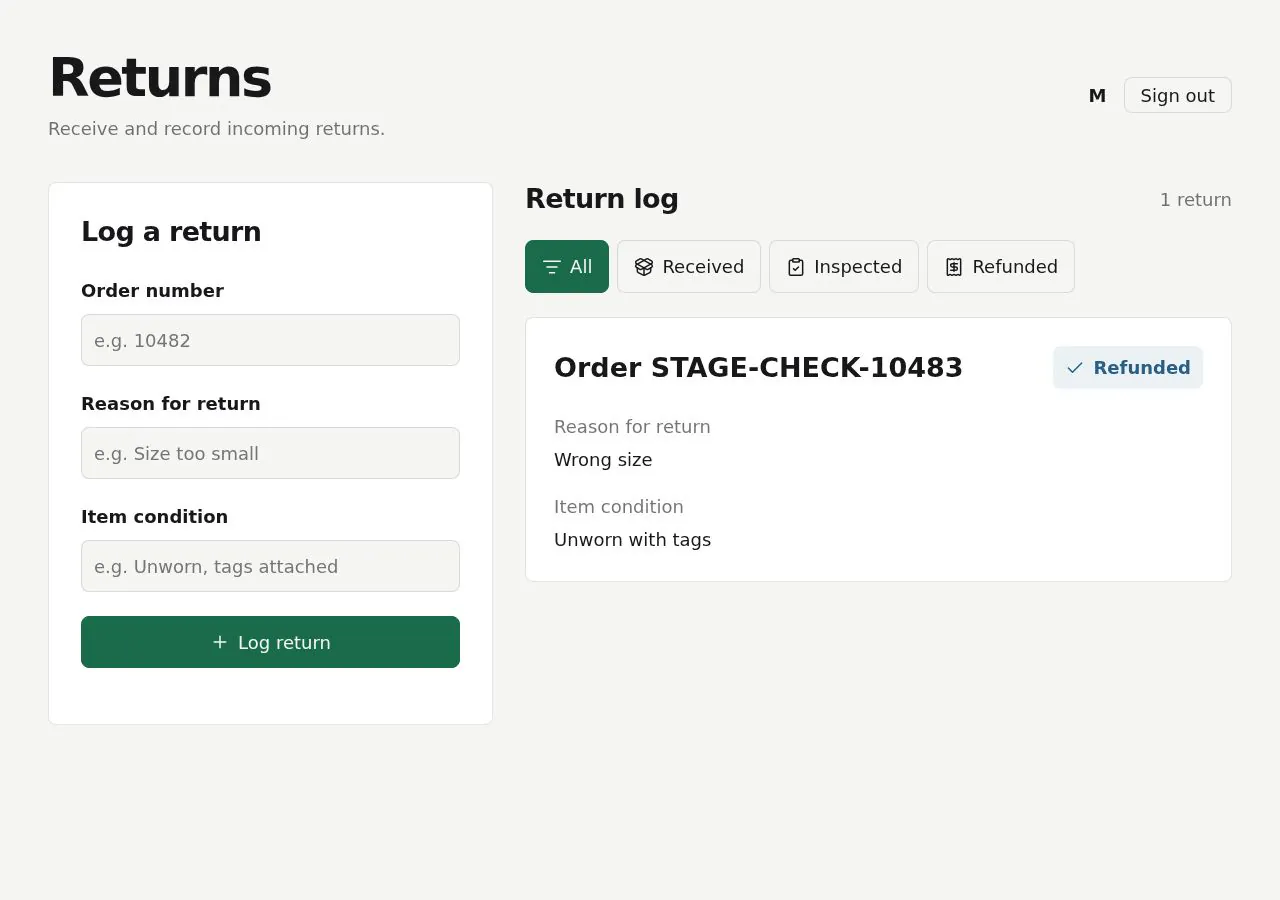
- Pass: A signed-in teammate logs a return and it shows as received with its details · Signed in, entered order RET-10482, reason 'Size too small', condition 'Unworn, tags attached', clicked Log return; it showed as Received.
- Pass: A logged return stays after a reload · Reloaded; RET-10482 was still there as Received with the same details.
- Pass: A teammate moves a return from received to inspected to refunded · Clicked Mark inspected, then Mark refunded on R-101; its badge went Received, Inspected, Refunded and stayed after a reload.
- Pass: Filtering by a status shows only returns in that status · Clicked the Received, Inspected and Refunded filters; each showed only its returns, and All showed both again.
- Pass: A signed-out visitor cannot see or change any returns · Signed out, the returns page went to sign-in, with no returns or buttons.
- Pass: Another signed-in teammate sees the same return with its current status · One teammate logged TEAM-2041 and marked it Inspected; another, signed in, saw it with both details as Inspected.
- Pass: A return one teammate logs and moves to inspected shows as inspected for another teammate, and not at all for a signed-out visitor · A return logged and marked Inspected by one teammate showed as Inspected for another, and signed out it went to sign-in.
Run
- Run: 11 Nov 2026 · vibe prompts
- Builder: the Framer 4 agent on GPT 6.1 Sol, in a new project
- Customer: an AI agent playing the owner of Bay Four, writing in the Specify style
- Agent steps: 16 tool steps
- Prompt limit: 40 per app
- Cost: $0.24 for the builder, $0.25 for the judge
- Judge: an AI agent that tried each check in the live preview with a browser, signed in with each test account
Returns tracker
Every check passed: one shared returns list behind team sign-in.
- Result: Pass
- Checks: 7 of 7 pass
- Prompts: 3; every check passed after prompt 3
- Time: 2m7s in total
- Spent: $0.49
Prompt 1 of 3
I want a signed-in teammate to be able to log a return by entering the order number, reason for the return, and the item’s condition. Once saved, it should show up as Received with those details, and still be there if we refresh the page. Keep the form and return details clear and easy to read on the big screen beside our packing tables.
Built Returns with teammate sign-in, a large, readable form, and saved
- Pass: A signed-in teammate logs a return and it shows as received with its details · Signed in, entered order RET-10482, reason 'Size too small', condition 'Unworn, tags attached', clicked Log return; it showed as Received.
- Pass: A logged return stays after a reload · Reloaded; RET-10482 was still there as Received with the same details.
Prompt 2 of 3
Now I need teammates to move each return from Received to Inspected, then to Refunded, with its current status easy to spot. Add a clear way to filter the list by any of those statuses, so we only see returns at that stage, and an option to show them all again. Keep the controls big and easy to read beside the packing tables.
Updated Returns with large controls to move Received → Inspected →
- Pass: A teammate moves a return from received to inspected to refunded · Clicked Mark inspected, then Mark refunded on R-101; its badge went Received, Inspected, Refunded and stayed after a reload.
- Pass: Filtering by a status shows only returns in that status · Clicked the Received, Inspected and Refunded filters; each showed only its returns, and All showed both again.
Prompt 3 of 3
Make sure this is team-only: anyone who isn’t signed in shouldn’t be able to see or change any returns. Our five teammates should all see the same shared list, not separate personal lists. If one person logs a return or changes its status, another teammate signing in should see that return with its latest status.
Returns now requires sign-in to view or change records.
- Pass: A signed-out visitor cannot see or change any returns · Signed out, the returns page went to sign-in, with no returns or buttons.
- Pass: Another signed-in teammate sees the same return with its current status · One teammate logged TEAM-2041 and marked it Inspected; another, signed in, saw it with both details as Inspected.
- Pass: A return one teammate logs and moves to inspected shows as inspected for another teammate, and not at all for a signed-out visitor · A return logged and marked Inspected by one teammate showed as Inspected for another, and signed out it went to sign-in.
Returns tracker
Every check passed: one shared returns list behind team sign-in.
- Result: Pass
- Checks: 7 of 7 pass
- Prompts: 3; every check passed after prompt 3
- Time: 2m7s in total
- Spent: $0.49
Team returns tracker
Test accounts:
- Member: member@example.com
- Admin: admin@example.com
- Outsider: member.2@example.com
Bay Four is the returns tracker of Fellcraft, an online shop for outdoor clothing and gear, used by its five-person warehouse team. It replaces a shared spreadsheet that kept breaking. When a parcel comes back, a teammate logs the return with its order number, item, reason and condition. The return then moves through three stages, Received, Inspected and Refunded, and the whole team sees the same list at once. It lives on a large screen next to the packing tables, so everything can be read from two metres away and worked with big, sturdy controls. It is named after the packing bay where returns arrive.
The app has two roles.
- Teammates: sign in with the app's built-in sign-in. They log returns, move them through the stages, record inspection results and refunds, and search and filter.
- The team lead: (the app's admin account) does everything teammates do, and also decides who is on the team, edits the lists of reasons and conditions, and can correct or delete any return.
Only people on the team can see anything. Someone who signs in with an email the team lead has not added sees a plain "You're not on the Fellcraft warehouse team" page and no returns.
On first open, Bay Four holds about 140 real-looking returns from the last 8 weeks across all three stages, logged by the five teammates, with member@example.com on the team.
Nothing is broken and everything works. Every button, link and form does what it says with real data. Changes made on one screen show on every other open screen within a few seconds. No page shows placeholder text, sample images, "coming soon", "not set up yet", lorem ipsum or a link to nowhere.
These are not part of Bay Four: a returns page for customers, emails to customers, issuing refunds through the shop or a payment provider, shipping labels, stock levels and reordering, a connection to the online shop, exporting returns as CSV, and a numbers or reports page.
Brand and visual direction
Bay Four is for warehouse staff who stand at a packing table with a parcel in their hands. They glance at the screen from a distance, often wearing gloves, and tap it or use a keyboard and a barcode scanner that types like a keyboard. They want to see at a glance what is waiting, log a return in a few seconds, and never wonder whether something saved. The same tool is used on a laptop by the team lead to manage the team.
Name and voice: The tool is called Bay Four, with the line "Returns, from parcel to refund." The copy is short and direct, like signs in a well-run warehouse: "Log return", "Mark inspected", "Mark refunded", "Undo". Messages say exactly what happened: "Return FC-104233 marked Inspected by Sam." It uses no exclamation marks, emoji, jokes or hype words such as "streamline", "supercharge" or "effortless".
Visual direction: Bay Four looks like good industrial signage: high contrast, big type, clear blocks, nothing decorative.
- Colour: a light concrete grey page (about #ECEDEA), white cards (#FFFFFF), near-black text (about #121212), mid-grey borders (about #B9BCB5), and one accent, a safety amber (about #F2B300) with near-black text on it, used only for the main action on a screen and for focus rings. Each stage has its own fixed colour, always shown with its word: Received in slate blue (about #34567A), Inspected in deep teal (about #1F6E6A), Refunded in dark green (about #2E6B34). All text meets strong contrast. There are no gradients, glows, glass effects or purple-blue palettes.
- Type: Barlow Condensed for page headings, stage names, order numbers and counts, set large and bold, and IBM Plex Sans for labels, form fields and notes. On the board, order numbers are at least 28 px and status labels at least 20 px; body text is never under 16 px. Order numbers, counts and amounts use tabular figures.
- Shape: square corners or a 2 px radius, thick 2 px borders on cards and inputs, and solid stage blocks instead of shadows. Buttons are at least 56 px tall on the board and 44 px elsewhere.
- Layout: full width with a maximum of about 1920 px for the big screen. The board shows the three stages as three columns on desktop and big screens, two on tablet (with Refunded as a tab), and one stage at a time with large tabs on phone. The list view is a table on desktop and stacked cards on tablet and phone. The header is a single bar with the wordmark, Board, List, a search box and a large Log return button.
- Imagery: only photos teammates take of returned items. There are no stock photos, illustrations or decorative icons; the few icons used (search, camera, undo) always sit next to a word.
- Motion: none beyond a 150 ms highlight when a card arrives or changes stage, so people at a distance notice it.
- Every page works at 390 px wide with no horizontal scrolling, works by touch with gloves (large targets, no hover-only actions), and every control is usable by keyboard with a visible focus ring.
Pages beyond the product: A Help page explains the three stages, what each condition and outcome means, and the keyboard shortcuts. A branded not-found page links back to the board.
Checks:
- Every page shows the Bay Four wordmark and the same header, and the Help page has real content
- The design follows the direction above: concrete grey page, near-black text, one safety amber accent for main actions, fixed stage colours with words, Barlow Condensed headings and order numbers with IBM Plex Sans text, and no gradients or decoration
- On a 1920 px wide screen, the board's order numbers and stage names are clearly readable from a distance, and at phone width there is no horizontal scrolling
- Opening a made-up address shows a branded not-found page with a way back to the board
Returns: what Bay Four starts with
On first open, Bay Four holds Fellcraft's last 8 weeks of returns, so the board, list and filters all show something real.
- About 140 returns: about 22 Received, about 14 Inspected and the rest Refunded. Order numbers look like Fellcraft's own (FC-103871 to FC-104260). Each has an item from Fellcraft's range with size or colour, such as "Ridgeline 3-layer jacket, men's M, slate", "Tarn 45 L backpack, moss", "Merino crew base layer, women's S" or "Fellside trail shoe, UK 9", a quantity, a reason, a condition, and who logged it and when.
- Reasons: Too small, Too large, Not as described, Arrived damaged, Faulty, Changed mind, Wrong item sent and Other. Too small and Too large are the most common, as in real clothing returns.
- Conditions: Unopened, Unworn with tags, Worn, Damaged and Missing parts.
- Inspection results: on every Inspected and Refunded return: Restock, Repair or clean, or Write off, with who inspected it and a short note where useful. About 15 returns have a photo of the item.
- Refunds: on every Refunded return: the amount in pounds and the shop's refund reference.
- The team: the team lead, shown as Dana Whitfield, and four teammates, one of them member@example.com, shown as Sam Okafor. Activity is spread across all five.
A few Received returns are more than 3 days old, so "waiting longest" shows something to act on. member.2@example.com is not on the team.
Checks:
- The board shows about 22 Received, 14 Inspected and the rest Refunded, each card with its order number, item, reason and condition
- Ten returns opened at random each have a real-looking order number, item, reason, condition, history, and an inspection result and refund where their stage needs one
- No return looks like filler: no repeated items, sample names, grey boxes or lorem ipsum
Teammate: logging a return
The large Log return button is on every screen, and pressing N opens it from the keyboard. The form has big fields, in this order:
- Order number: (required), in Fellcraft's format FC- followed by 6 digits. Typing or scanning it with a barcode scanner fills it, and the scanner's Enter moves to the next field. If the order number already has an open return, Bay Four says so and links to it, but still allows another item from the same order.
- Item: (required), free text with suggestions from items logged before, and a quantity (default 1).
- Reason: (required), as large buttons, with a note field required for Other.
- Condition: (required), as large buttons.
- Photo: (optional): take one with the device's camera or choose a JPG, PNG or HEIC up to 10 MB.
- Note: (optional), up to 500 characters.
Log return saves it as Received, with the teammate's name and the time, closes the form and shows "Return FC-104261 logged as Received". The new card appears at the top of the Received column on every open screen. Missing fields are pointed out next to the field in plain words, and nothing typed is lost when saving is refused.
Checks:
- The member logs a return with order number, item, reason and condition, and it shows as Received with those details and their name
- The logged return is still there after a reload, and appears on another teammate's open board without them reloading
- Saving without an order number, or with one not in the FC- format, is refused with a message next to the field and the rest of the form kept
- Logging a second return for an order that already has an open one shows a notice linking to the first, and both are saved
Teammate: moving a return through the stages
Each card and each return's page shows one big button for the next step.
- Mark inspected: asks for the inspection result (Restock, Repair or clean, Write off) as large buttons, an optional note and an optional photo, then moves the return to Inspected with the inspector's name and time.
- Mark refunded: asks for the refund amount in pounds (required, more than 0) and the shop's refund reference (optional), then moves it to Refunded.
Stages only move in order. A return cannot jump from Received to Refunded. Undo appears for 10 seconds after each change, and later a teammate can move a return back one stage with a short reason. Every change is recorded in the return's history with who, what and when, newest first, so the team never argues about what happened.
The return page shows everything about one return: order number, item, quantity, reason, condition, photos, notes, the stage row with dates, the inspection result, the refund and the history. Teammates can correct the item, reason, condition or note; each correction appears in the history.
Checks:
- The member moves a return from Received to Inspected with a result, then to Refunded with an amount, and its stage shows each step and stays after a reload
- The return's history lists each change with the teammate's name and time
- Marking refunded without an amount is refused with a message next to the field
- Undo right after marking a return Inspected puts it back in Received, and the history records both
Teammate: board, list, search and filters
Board: The board is the big-screen view: three columns, one per stage, each headed with its name and count. Cards show the order number large, the item, the reason, the condition and how long ago the return arrived. Cards older than 3 days in Received or Inspected show "Waiting 4 days" in bold. Refunded shows the last 7 days, with a link to see all. The board updates by itself within a few seconds when anyone changes anything, and never needs a reload.
List: The list shows every return as a table with order number, item, reason, condition, stage, logged by, date logged and last change, sortable by any column. Filters for stage (All, Received, Inspected, Refunded), reason, condition and date range sit above it as large buttons and menus. Active filters show as removable chips with a "Show all" button that clears them, and the count of matching returns updates. The filters are in the page's address, so a filtered view can be bookmarked on the big screen.
Search: The search box, and the / key, find returns by order number (with or without FC-), item or note. Typing a full order number and pressing Enter opens that return directly.
Checks:
- Filtering by Inspected shows only Inspected returns with the right count, and "Show all" shows every return again
- Combining a reason and a date range narrows the list, and reopening the address shows the same filters
- Searching a full order number and pressing Enter opens that return
- On the board, a return older than 3 days in Received shows how long it has been waiting
- A filter combination with no matches shows a clear empty state with Show all, not a blank table
Team lead: team and settings
The Team page lists everyone on the team with name, email and when they last signed in. The team lead adds a teammate by email; when that person signs in with the app's sign-in using that email, they see the shared returns at once. Removing a teammate takes their access away on their next page load, while their past entries keep their name. The team lead stays on the team and cannot remove themselves.
Lists: The team lead can add, rename and reorder reasons and conditions. A reason or condition in use cannot be deleted, only hidden from new returns, and Bay Four shows how many returns use it.
Old spreadsheet: Import returns accepts a CSV of the old spreadsheet with the columns order number, item, reason, condition, stage and date. A sample CSV with the right columns is offered for download. A preview marks rows with problems (a malformed order number, an unknown reason) before importing the rest.
Corrections: The team lead can delete a return logged by mistake, after confirming; it leaves the board and list for everyone.
Teammates do not see the Team page, the lists or Import, and opening their addresses shows "Only the team lead can change this".
Checks:
- The admin adds member.2@example.com to the team, and member.2 then signs in and sees the shared returns; removing them takes the returns away again on their next page load
- The admin hides a reason, and it no longer appears in the log form while old returns keep it
- The admin imports the sample CSV, and the preview marks a broken row while the other rows are imported
- The member opening the Team page by address sees "Only the team lead can change this"
Everyone: team only
Nothing in Bay Four is visible without signing in. A signed-out visitor opening any address, including a return's own address, is sent to sign in and sees no order numbers or counts. A signed-in person who is not on the team sees "You're not on the Fellcraft warehouse team", with the email they used and a note to ask the team lead, and cannot see or change any return by any route. Everyone on the team sees the same shared list, never a personal one.
Checks:
- A signed-out visitor opening the board or a return's address is sent to sign in and sees no returns
- member.2@example.com, signed in but not on the team, sees the "not on the team" page and cannot open a return by its address
- A return one teammate logs and moves to Inspected shows as Inspected for another teammate without a reload
Speed
Bay Four is instant at the packing table. The board shows all open returns as soon as it loads, in one request, and the list of 140 returns and more sorts, filters and searches at once without waiting for the server for each change. Logging a return closes the form at once, and a change made on one screen reaches the others within about 3 seconds. The board can stay open all day on the big screen without slowing down or needing a reload.
Checks:
- The board shows its cards within about 2 seconds, and filtering the list responds at once
- A return marked Inspected on one screen moves on another open board within about 3 seconds
Everything works
These checks apply to every screen above, for teammates and the team lead. The number before each check is its weight: 3 means the app fails if the check fails, 2 a serious defect, 1 a defect worth noting.
For every app:
- Must pass: Every feature this spec describes is there, and each fix the agent claims holds when the original steps are repeated
- Serious: At phone (390 px), tablet (810 px), desktop (1,200 px and up) and the 1,920 px big screen, the board, the list, a return's page, the Log return form, the Team page and Import show nothing cut off, no sideways scrolling, a reachable header with Log return, and inputs of at least 16 px
- Serious: Every card, list row, stage tab, Board, List and Help link goes to the right page; reloading a return's page, a filtered list or the Team page on the live address works; a made-up address shows the branded not-found page; Back returns to the list with its filters and sort
- Minor: Item photos taken with the camera or uploaded load the right way up without stretching or breaking, and pasting Bay Four's live link into a chat app shows Bay Four's own name, not a builder default
- Serious: Later work did not break earlier work: after the team lead's pages and import are built, logging, the stages, the board, the list, search and the starting 140 returns still work and are unchanged
- Minor: After each prompt, the agent's reply says honestly what changed and what it could not verify (including anything that still needs a key or account), is never empty, never presents preview-only as done, and never claims a fix that is not there in the live app
For this app:
- Must pass: Every flow works end to end with fresh input, checked where it lands: a return the member logs appears in Received on another teammate's board; moving it to Inspected and Refunded shows in its stage, its history and the filters; a teammate the admin adds gets in; the imported CSV's good rows appear in the list
- Must pass: Logged returns, stage moves, undos, moves back, corrections, inspection results, refund amounts, photos, deletions, team changes and hidden reasons stay as saved after a reload and in another browser, for every teammate
- Must pass: Teammates reach the board, list and returns, and only the team lead reaches Team, the lists and Import; a signed-out visitor, member.2 while not on the team, a removed teammate, or a changed return address shows no return and changes nothing
- Must pass: On the published address, a teammate signs up, confirms by email, signs in, reloads, signs out and resets their password, and every link and redirect lands on the live domain
- Serious: The published app behaves like the preview: the same returns, live board updates, logging, stage moves, import and team changes work there, and no live page mentions "preview"
- Serious: Empty states (a filter with no matches, an empty stage column, the "not on the team" page), loading states and errors (a refused save, a lost connection) are clear and in plain words, with no technical or setup text
- Serious: Item photos in JPG, PNG and HEIC up to 10 MB attach from the camera or a file and show on the return's page; the sample CSV downloads and opens with the right columns; other file types and larger photos are refused with a clear message
- Serious: As a signed-out visitor and as member.2 while not on the team, the page source and network requests contain no secret keys, no order numbers, items or counts, and no teammates' emails
- Minor: A return logged, moved, corrected or deleted on one screen shows on every other open board and list within about 3 seconds, with its highlight, without a reload
- Minor: Log return, Mark inspected, Mark refunded, adding a teammate and editing the lists refuse empty required fields, an order number not in the FC- format, a refund of 0, Other without a note and an email already on the team with clear messages, and pressing Log return twice (or a scanner's double Enter) creates no duplicate return
- Minor: Search finds a return by its full order number with or without FC-, a partial item word and a word in a note, shows the empty state for something absent, combines stage, reason, condition and date filters correctly, and keeps the filters after a reload
Done when
Checks:
- A teammate logs a return from a scanned or typed order number in a few seconds, and it shows as Received for the whole team
- The return moves through Received, Inspected and Refunded with its result, amount and a full history, and the board, filters and search all reflect it
- A return one teammate logs and moves to Inspected shows as Inspected for another teammate, and not at all for a signed-out visitor or someone not on the team
- On the big screen and on a phone, Bay Four reads clearly from a distance, looks like its own sturdy brand, and nowhere shows a placeholder, dead link or "not set up" state
Returns tracker
Every check passed: one shared returns list behind team sign-in.
- Result: Pass
- Checks: 7 of 7 pass
- Prompts: 3; every check passed after prompt 3
- Time: 2m7s in total
- Spent: $0.49
Bay Four: the simulated customer
An AI agent plays the owner of Bay Four and writes every prompt. It reads the spec and this file, never the Framer 4 agent's code.
- Style: Specify.
Persona and why it fits
Specify. It replaces a spreadsheet, so the user knows the exact fields and stages and writes them out.
Prompt length and tone
- Length: 60 to 150 words, or 25 or more with a scope guard. Often a numbered list of 2 to 5 items.
- Tone: Precise and businesslike. Names the page, role and element, then states the exact result. Ends with a guard such as "Change nothing else." or "Only on this page."
- Language: English only.
Example prompts for this app:
- "Build a returns tracker for the five-person warehouse team of our outdoor clothing shop, to replace a shared spreadsheet. 1) Fields: order number, item, reason (damaged, wrong size, changed mind), condition (new, opened, damaged), date received. 2) Stages in order: Received, Inspected, Refunded. 3) Readable from two metres away. 4) Only people on the team see returns. Nothing else for now."
- "On the list page only: 1) Add a stage filter with All, Received, Inspected, Refunded. 2) Show the count per stage above the table. 3) Keep the search box working with the filter. Change nothing else."
- "When someone marks a return refunded, show who did it and when on the return, with an Undo right after. Keep everything else as it is."
Style mix
Specify for 81% of prompts, Tweak 8%, Describe 8%, Brief 3%.
Switches come early and cluster around breakage: a failed fix or an unrequested change makes the next prompt likelier to be longer and more exact.
How they choose the next prompt
They go through the spec in order and batch everything that's missing or wrong in one section into one numbered order. Broken items go first, each with its acceptance condition. Short tweaks are only for single details at the end. Order of attention for this app:
- Anything broken: a control that does nothing, a page that errors, a broken image or link, a layout broken on phone, a claimed change that isn't there.
- Logging a return with all its fields.
- Moving returns through the stages, and search and filter.
- Everyone on the team seeing the same returns, outsiders seeing the not-on-the-team page, and the team lead's lists and team.
- Everything else in the spec, including the brand and copy rules, in spec order.
How they react to breakage
- Writes a numbered bug list: steps to reproduce, the actual result, the expected result, and the scope guard repeated.
- If an edit changed something outside the scope, they ask for that exact part to be restored, then re-send the original order with a stronger guard.
- After a claimed fix that didn't land, they quote the agent's claim and list what is still wrong.
- They rarely vent. About 1 session in 5 has a line of frustration, usually after the third failed attempt.
Stop rule
- They keep prompting until the judge says every check in the spec is met, or until prompt 40, whichever comes first.
- The persona shapes how they prompt and react, never when they stop: no giving up, no stopping early because it looks good enough.
- The judge also grades whether the agent's replies are honest (claimed changes match the app), so the simulated user reports false claims as they see them and doesn't take a claim on trust.