Course site
Lessons, enrolment and progress work; buying and adding a lesson could not be checked.
- Result: Fail
- Checks: 6 of 8 pass, 2 not checked
- Prompts: 6
- Time: 9m18s in total
- Spent: $1.62
Checks
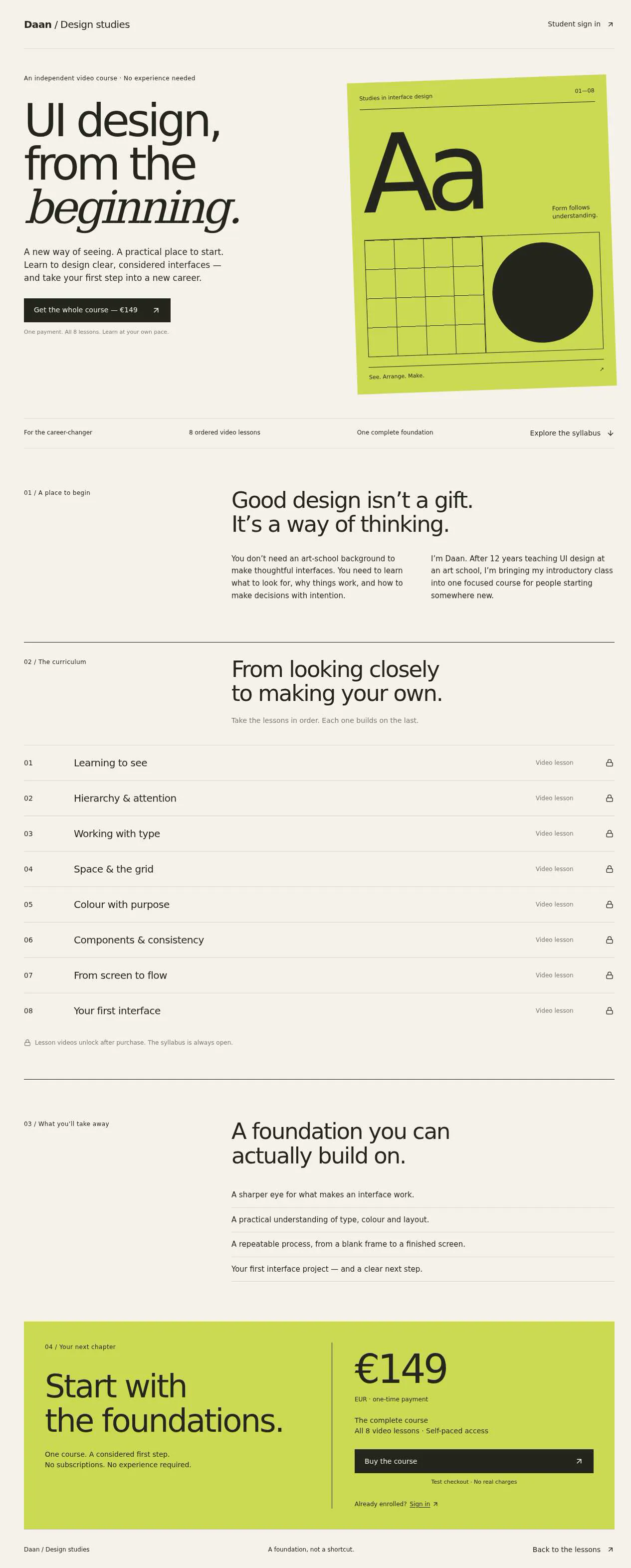
- Pass: A signed-out visitor sees the course, its price and the list of lessons in order · Signed out, the course page showed the description, a €149 one-time price and eight lessons numbered 01–08.
- Pass: A signed-out visitor cannot watch a lesson · Signed out, clicked lesson 01 and opened lesson 02; both showed an enrolled-students-only lock with no video.
- Not checked: A visitor buys the course with a test card, the payment completes, and they can then open the first lesson · Clicked Buy the course and Continue to test card payment; checkout said Stripe keys must be set up, and no payment page opened.
- Pass: The teacher enrols `member@example.com`, and that member, signed in, can open the first lesson · The admin enrolled member@example.com on the Enrolments page; signed in, that member opened lesson 01 and played its video without paying.
- Pass: A signed-in student ticks off a lesson and their progress updates · Signed in, ticked 'Mark lesson as completed' on lesson 01; it showed Completed and progress went from 0/8 to 1/8 (13%).
- Pass: Ticked lessons and progress stay after a reload · Reloaded lesson 01 after ticking it; the tick, the Completed marker and 1/8 (13%) were still there.
- Not checked: A lesson the teacher adds appears in the lesson list · The admin clicked Add lesson, but saving needs an MP4 video and the checker can upload only a photo.
- Pass: A signed-in student who ticks off two lessons sees progress that reflects two completed lessons · Ticked lessons 01 and 02; progress went 0 to 1 to 2 of 8 (25%) and stayed after a reload.
Run
- Run: 11 Nov 2026 · vibe prompts
- Builder: the Framer 4 agent on GPT 6.1 Sol, in a new project
- Customer: an AI agent playing the owner of Margin, writing in the Tweak style
- Agent steps: 63 tool steps
- Prompt limit: 40 per app
- Cost: $1.51 for the builder, $0.11 for the judge
- Judge: an AI agent that tried each check in the live preview with a browser, signed in with each test account
Course site
Lessons, enrolment and progress work; buying and adding a lesson could not be checked.
- Result: Fail
- Checks: 6 of 8 pass, 2 not checked
- Prompts: 6
- Time: 9m18s in total
- Spent: $1.62
Prompt 1 of 6
I'm Daan. I've taught UI design at an art school for 12 years, and I'm turning my intro class into one paid video course for career-switchers. For now, I'd like a public course page that explains what students will learn, shows the lessons in order and clearly displays one fixed price for the whole course. Make it feel like a good design book: confident typography, bold but tasteful, more Are.na or a Pentagram case study than the usual purple online-course look. Visitors should be able to browse the page without signing in, but not watch the lessons before buying. Let them buy by card in test mode while we're trying it out, then sign in and open the first lesson once their payment succeeds.
Built the public course page and protected student flow.
Prompt 2 of 6
The course purchase still isn’t working: when I click “Buy the course” while signed out, I land on a “Page not found” screen instead of being able to pay. Please fix that journey so I can buy with a test card, complete the payment, then sign in and open the first lesson. Visitors who haven’t bought the course should still be able to see the course, price and lesson list, but not watch the lessons. If you need anything from me to make test payments work, please tell me exactly what’s missing.
“Buy the course” now opens Checkout, not “Page not found.” The return
- Pass: A signed-out visitor sees the course, its price and the list of lessons in order · Signed out, the course page showed the description, a €149 one-time price and eight lessons numbered 01–08.
- Pass: A signed-out visitor cannot watch a lesson · Signed out, clicked lesson 01 and opened lesson 02; both showed an enrolled-students-only lock with no video.
- Not checked: A visitor buys the course with a test card, the payment completes, and they can then open the first lesson · Clicked Buy the course and Continue to test card payment; checkout said Stripe keys must be set up, and no payment page opened.
Prompt 3 of 6
I’d like to be able to give someone access without making them pay. As the teacher and admin, I need a place to enrol a student by email. Please let me enrol member@example.com, then have them sign in with that email and open the first lesson without going through checkout. This should be something only I can do, and visitors who haven’t bought the course or been enrolled should still be unable to watch the lessons.
Added admin-only Student enrolments and enrolled member@example.com.
Prompt 4 of 6
I can enrol member@example.com and the enrolment stays saved, but when they sign in and open the first lesson, all they see is “Daan hasn’t uploaded this lesson video yet.” Please finish this so they can actually watch a usable first lesson without paying. If you still need my video, tell me exactly how to provide it, and use a clearly labelled sample video for testing in the meantime. Keep enrolment teacher-only, and keep lessons locked for visitors who haven’t bought the course or been enrolled.
member@example.com can now play, pause and seek a clearly labelled sample in [lesson
- Pass: The teacher enrols `member@example.com`, and that member, signed in, can open the first lesson · The admin enrolled member@example.com on the Enrolments page; signed in, that member opened lesson 01 and played its video without paying.
Prompt 5 of 6
Now I’d like students to work through the lessons in order and keep track of how far they’ve got. When an enrolled student signs in, they should be able to watch a lesson, tick it off as completed, and move on to the next one. Make completed lessons easy to spot in the lesson list, and show their overall progress clearly. Their ticks and progress should still be there when they reload the page or sign back in later. Please keep the bold, book-like design we’ve started with.
Students can now tick lessons complete, see their overall progress and completed
- Pass: A signed-in student ticks off a lesson and their progress updates · Signed in, ticked 'Mark lesson as completed' on lesson 01; it showed Completed and progress went from 0/8 to 1/8 (13%).
- Pass: Ticked lessons and progress stay after a reload · Reloaded lesson 01 after ticking it; the tick, the Completed marker and 1/8 (13%) were still there.
Prompt 6 of 6
I’d like a teacher-only place where I can add lessons to the course as I make them. Let me give a new lesson a title, add its video and choose where it belongs in the course order. Once I save it, it should appear in the course’s lesson list in the right place, including after I reload the page. Keep this in the same bold, book-like style, and don’t let students or visitors change the lessons.
Added Course lessons, where only admins can add or edit a title,
- Not checked: A lesson the teacher adds appears in the lesson list · The admin clicked Add lesson, but saving needs an MP4 video and the checker can upload only a photo.
- Pass: A signed-in student who ticks off two lessons sees progress that reflects two completed lessons · Ticked lessons 01 and 02; progress went 0 to 1 to 2 of 8 (25%) and stayed after a reload.
Course site
Lessons, enrolment and progress work; buying and adding a lesson could not be checked.
- Result: Fail
- Checks: 6 of 8 pass, 2 not checked
- Prompts: 6
- Time: 9m18s in total
- Spent: $1.62
Paid online course
Test accounts:
- Buyer: member.2@example.com
- Member: member@example.com
- Admin: admin@example.com
Margin is a paid video course by Theo, who has taught UI design at an art school for 12 years. It turns his introductory class into one course for people changing careers into interface design. A public page explains what the course teaches, lists its lessons in order and shows one fixed price. People buy it by card, sign in, and watch the lessons in order, ticking each one off and seeing how far they have got. Theo adds lessons as he records them and can enrol a student by email without payment.
The app has three roles.
- Visitors: read the course page, the lesson list, the free first lesson's description and the questions, and can start buying. They cannot watch any lesson.
- Students: sign in with the app's sign-in. A student who has bought the course, or whom Theo has enrolled, watches every published lesson, ticks lessons off and sees their progress. A signed-in person who has not bought the course sees the course page with the Buy button, not the lessons.
- Theo, the admin: (the app's admin account) adds, edits and orders lessons, enrols and removes students by email, and sees every student's progress and how they joined.
On first open, Margin holds the full course of 12 published lessons in 4 parts, each with a video, written notes and an exercise, plus 9 students with real progress; member@example.com is enrolled by Theo with 3 lessons done, and member.2@example.com has signed up without buying.
Nothing is broken and everything works. Every button, link and form does what it says with real data. No page shows placeholder text, sample images, "coming soon", "not set up yet", lorem ipsum or a link to nowhere. Card payment really works in Stripe test mode, and every email really arrives in the recipient's inbox.
These are not part of Margin: more than one course, subscriptions, discount codes, quizzes or grades, certificates, comments or a forum, live sessions, releasing lessons on a timetable, refunds from inside the app, emailing students about new lessons, resuming a video where it stopped, a separate purchases view, searching or filtering the students list, and a mobile app.
Brand and visual direction
Margin is for adults changing careers: a teacher, a copywriter or a project manager in their late twenties to forties who wants to design interfaces and is tired of courses that feel like marketing funnels. They value a teacher who explains why, not only how. They will judge the course by its own design, so the site itself has to be the first lesson: clear hierarchy, honest type, nothing decorative.
Name and voice: The product is called Margin, with the line "An introduction to interface design, by Theo." Margin is the space that makes a page readable, which is what the course is about. The voice is a good teacher's: direct, specific and generous, written in the first person by Theo ("In lesson 4 we take a cluttered settings screen and fix it with spacing alone"). Buttons say what happens: "Buy the course for €189", "Start lesson 1", "Mark as done", "Next lesson", "Enrol student". There are no exclamation marks, no emoji, and none of the online-course words: never "master", "unlock", "level up", "ultimate", "bootcamp", "hack", "supercharge" or countdown timers and fake scarcity.
Visual direction: Margin looks like a well-made design book or a Pentagram case study: confident type, a strict grid, black and white, and one strong colour.
- Colour: a white page (#FFFFFF), a pale paper grey for panels (about #F3F2EF), true near-black ink (about #111111), mid grey for secondary text (about #6F6F6F) and black hairline rules. There is one accent, a cobalt blue (about #1C46C9), used only for the main action on a screen, the progress bar, done marks and focus rings. There are no gradients, glows, glass effects, purple, or purple-blue mixes.
- Type: Public Sans for headings and the interface, with very large, heavy, tightly set display headings (the course title is at least 96 px on desktop), and Libre Caslon Text for long reading: lesson notes, Theo's introduction and exercises. Lesson numbers are set large in Public Sans with tabular figures ("04"). Body reading text is 18 px with a 66-character line.
- Shape: square corners (0 to 2 px), 1 px black rules between sections and in lists, no shadows, no cards floating on colour. The lesson list is a numbered table, like a book's contents page.
- Layout: a 12-column grid with a maximum width of about 1240 px. The course page is a single long page with a contents list. Lesson pages put the video across 8 columns with the lesson list in a 4-column sidebar on desktop; on tablet and phone the list moves below the notes. Text columns are about 680 px.
- Imagery: frames from the lessons and Theo's own before-and-after interface examples, shown as clean screenshots on white with a thin rule. A single black-and-white portrait of Theo. There are no stock photos, laptops on desks, 3D shapes, AI illustrations or decorative icons.
- Motion: almost none: 150 ms fades on hover and the progress bar filling once when a lesson is marked done.
- Every page works at 390 px wide with no horizontal scrolling, every control works by keyboard with a visible cobalt focus ring, and the video player responds to space, the arrow keys and the F key for full screen, with captions.
Pages beyond the product: The footer links to real pages with real content: About Theo (his teaching, the art school, his design work), Who it's for (what you need to start, what you will be able to do after), Questions (price, access, how long it takes, refunds by email within 14 days), Terms and Privacy, and Theo's contact email. A branded not-found page, set like a blank book page with "Page 404 is intentionally left blank", links back to the course.
Checks:
- Every page shows the Margin wordmark and the same header and footer, and every footer link opens a page with real content, not a placeholder
- The design follows the direction above: white page, near-black ink, one cobalt accent for main actions and progress, large heavy Public Sans headings with Libre Caslon Text for reading, square corners and black rules, and no purple, gradients or stock imagery
- The course page, a lesson page and the admin lesson form have no horizontal scrolling at phone width, and their main actions stay reachable
- Opening a made-up address shows the branded not-found page with a way back to the course
Course: what Margin starts with
On first open, Margin holds the complete course, so every screen has real content.
Price: One fixed price: €189 including VAT, paid once, for lifetime access to every lesson, including lessons Theo adds later.
Lessons: Twelve published lessons in four parts, each with a number, title, length, video, 400 to 800 words of written notes in Theo's voice, one or two images, and one exercise:
- Part 1, Seeing: 01 What an interface is for (14 min), 02 Hierarchy before decoration (18 min), 03 Type for screens (22 min).
- Part 2, Structure: 04 Spacing and the grid (20 min), 05 Colour with a job to do (16 min), 06 Components and their states (24 min).
- Part 3, Flows: 07 Forms that don't fight (19 min), 08 Navigation and wayfinding (17 min), 09 Empty, loading and error states (15 min).
- Part 4, Practice: 10 Prototyping to learn (21 min), 11 Giving and taking critique (13 min), 12 Building your first case study (23 min).
The course page shows the total: 12 lessons, about 3 hours 42 minutes. Each video is a real, playable video: an openly licensed talk or demonstration on the lesson's topic from Wikimedia Commons or the Internet Archive, credited under the player with its licence. One extra lesson, 13 Accessibility from the start, exists as a draft that only Theo sees.
Students: member@example.com is enrolled by Theo (no payment) and has done lessons 01 to 03. member.2@example.com has signed up and not bought the course. Seven more students exist so that Theo's screens are real: five bought the course by card on different dates in the last two months, two were enrolled by Theo; their progress ranges from none to all 12 lessons.
Checks:
- A signed-out visitor sees 12 lessons in four parts, numbered 01 to 12 in order, with titles and lengths, and the total length
- Signed in as member@example.com, three sampled lessons each have a playable video with its credit, written notes and an exercise, not filler
- member@example.com's progress shows 3 of 12 lessons done when first opened
- The admin's students list shows nine students with how they joined and their progress, and the draft lesson 13 appears only in the admin area
Visitor: the course page
The home page is the course page, set like a book's opening spread.
Top: The title "Margin" very large, the line "An introduction to interface design, by Theo", one paragraph on who it is for, and the main action, "Buy the course for €189", with "12 lessons, about 3 h 42 min, lifetime access" underneath.
What you will learn: Six plain outcomes, each one sentence, for example "Lay out a screen on a grid and explain every spacing decision".
Contents: The full lesson list as a numbered table grouped by part: number, title, one-line summary and length. For a visitor, each row opens the lesson's public summary page: its title, summary, length and what the exercise asks, with a lock note "Watch this lesson after buying the course" and the Buy button. No video, player or notes show.
About Theo: The portrait, a short paragraph and a link to the About page.
Questions: Six questions that open and close: Do I need design experience? Which tools do I need (Framer or Figma, both free to start)? How long does it take? Do I get new lessons? Can I get a refund? Can my employer pay?
Checks:
- A signed-out visitor sees the course title, the price of €189, the outcomes, the full lesson list in order and the questions
- A signed-out visitor opens lesson 01 from the list and sees its summary and a lock note, with no video and no notes
- Typing the address of a lesson's video or a lesson page signed out shows the lock note, never the video
- The questions open and close with a mouse and the keyboard
Visitor and buyer: buying the course
Starting: "Buy the course for €189" works from the course page, from every lesson's lock note, and from the course page when signed in without access. A signed-out visitor is first asked to sign in or create an account with their email, so the purchase belongs to their account; after signing in they go straight on to payment without clicking Buy again.
Paying: Margin opens Stripe Checkout in test mode for "Margin, an introduction to interface design" at €189, a one-off payment, with the buyer's email filled in. Paying with Stripe's test card 4242 4242 4242 4242, any future expiry date and any security code completes. Stripe then sends its signed webhook to Margin, and only that webhook gives the student access. The buyer returns to a "You're in" page. If the webhook has not arrived yet, it says "Confirming your payment" and updates on its own within a few seconds, then shows "Start lesson 1". Opening the return page's address without paying gives nothing.
Unfinished or failed payment: Leaving Checkout returns to the course page with "No payment was made", and the lessons stay locked. A declined test card (4000 0000 0000 0002) shows Stripe's own error in Checkout. Someone who already has access sees "You own this course" and "Continue" instead of the Buy button, and cannot pay twice.
Purchase email: When the webhook confirms the payment, the published app sends an email from its own address (hello@<project>.apps.framer.email) with the subject "You're in: Margin", containing a short note from Theo, what was bought and the amount, a link that opens lesson 1, and how to reach Theo. Stripe sends its own receipt.
Checks:
- member.2@example.com, signed in without the course, opens a lesson and sees the lock note and the Buy button, not the video
- member.2@example.com buys the course in Stripe Checkout with the test card 4242 4242 4242 4242, returns to Margin and can open and play lesson 1
- A signed-out visitor who clicks Buy signs in and then lands directly in Stripe Checkout at €189
- Leaving Checkout without paying returns with a clear message and the lessons stay locked
- Opening the "You're in" address without paying does not unlock any lesson
- After paying, the "You're in: Margin" email arrives in the buyer's inbox with the amount and a working link to lesson 1
Student: watching lessons in order
Once a student has access, the header shows "My course" and their name, and the course page's main action becomes "Continue: 04 Spacing and the grid", pointing at the first lesson they have not done.
Lesson page: Each lesson has a readable address such as /lessons/04-spacing-and-the-grid. It shows the part and number, the title, the video with captions, the written notes with their images, and the exercise in a ruled box.
Order: Every published lesson opens right after purchase or enrolment, with no unlocking in order, so a student can rewatch or look ahead, but the course leads them in order: the lesson list in the sidebar shows the current lesson, and "Previous lesson" and "Next lesson" at the bottom step through the order. The last lesson's Next button becomes "Back to the course".
Ticking off: "Mark as done" ticks the lesson. A done lesson shows a cobalt mark in the sidebar and on the course page's contents, and the button changes to "Done" with an option to undo. Marking a lesson done offers to go on to the next lesson. Ticks are saved at once and stay after a reload, after signing out and in, and on another device.
Progress: The course page and the sidebar show progress as "5 of 12 lessons done" with a cobalt bar, and each part shows its own count. When Theo publishes a new lesson, the total grows and the new lesson appears as not done. When all lessons are done, the course page says "You've finished Margin" and points to the case study exercise in lesson 12.
Checks:
- member@example.com, signed in, sees "Continue: 04 Spacing and the grid" on the course page and lands on lesson 04
- The student marks lesson 04 as done; its mark appears in the sidebar and the contents, and progress goes from 3 of 12 to 4 of 12
- Undoing a tick lowers the progress again
- Ticks and progress stay after a reload and after signing out and back in
- Next lesson and Previous lesson step through the lessons in the published order
- Right after buying, member.2@example.com can open lesson 12 directly, without finishing the lessons before it
Admin: managing lessons
The admin area is open only to Theo's admin account. A student, a signed-in person without access and a signed-out visitor who open its address are refused and see nothing of it.
Lesson list: All lessons in course order, grouped by part, with number, title, length, status (Published or Draft) and how many students have done each. Theo changes the order by dragging a row or with Move up and Move down buttons, and can move a lesson to another part. Numbers update everywhere at once, and students' ticks stay with their lessons.
Adding and editing a lesson: "Add lesson" opens one form: title (required, up to 80 characters), part, position in the order (shown as "After 06 Components and their states"), a one-line summary, the written notes with headings, bold, links, lists and images, the exercise, and the video. The video is uploaded by dragging or choosing a file: MP4, MOV or WebM, up to 2 GB, with a progress bar and a cancel button; the length is read from the file. Theo can add a captions file (VTT). The form offers a short sample clip (a 20-second MP4 screen recording of a spacing fix) and a sample captions file to download, so the form can be tried end to end. A wrong file type or a file over 2 GB is refused next to the field without losing anything typed.
Publishing: A lesson can be saved as a draft, visible only to Theo, with or without a video. Publishing needs a title, summary and video; anything missing is named next to its field. A published lesson appears at once in its place on the course page and for students. Theo can unpublish or delete a lesson after confirming; deleting one that students have done asks a second time.
Checks:
- The admin adds a lesson with the sample clip in position after lesson 06 and publishes it; a student then sees it as lesson 07 in the list, with the later lessons renumbered, and it plays
- The admin publishes the draft lesson 13, and member@example.com then sees it in the list and their progress shows 3 of 13
- Publishing a lesson without a video is refused with a message next to the video field, and saving it as a draft works
- A draft lesson is not visible to students in the list or by its address
- Moving a lesson up changes its number and place for students, and its done marks stay
Admin: students and enrolment
Students list: Every student with name, email, how they joined (Bought on a date with the amount, or Enrolled by Theo on a date), the date they last watched, and their progress ("7 of 12"). Opening a student shows which lessons they have done.
Enrolling by email: "Enrol student" asks for an email and an optional note. If the email belongs to someone who has signed up, their access opens at once. If nobody has signed up with it yet, it is saved as "Waiting for sign-in" and opens as soon as someone signs in with that email. A malformed email, or an email that already has access, is refused next to the field with a clear message. The published app sends the student an email with the subject "Theo enrolled you in Margin", with a link that signs them in and opens lesson 1.
Removing access: Theo can remove an enrolled student's access after confirming; the lessons lock for them at once. For a buyer, he can remove access after refunding them in Stripe, and the row links to the payment in the Stripe dashboard.
Checks:
- The admin enrols a person who has signed up without access, and that person, signed in, can open lesson 1 without checkout
- Enrolling an email nobody has signed up with yet shows it as "Waiting for sign-in"
- The "Theo enrolled you in Margin" email arrives in the student's inbox with a working link to lesson 1
- Removing an enrolled student's access locks the lessons for them on reload
- After member.2@example.com buys the course, they appear in the students list as Bought with €189 and the date
- member@example.com and member.2@example.com cannot open the admin area, even by typing its address
Speed and findability
Margin is a fast page with large type. The course page shows its heading, price and lesson list as soon as the page loads, without waiting for scripts. Images are resized copies, load lazily below the fold and keep their space reserved, so nothing jumps. Videos stream as they play and start within a few seconds, and lesson pages load the next lesson's details in advance so Next lesson feels instant.
The course page is titled "Margin: an introduction to interface design, by Theo" with a description and a share image of the title spread, and each lesson's public summary page has its own title and description. Pasting the course link into a chat app shows its title and image. The sitemap lists the course page, the lesson summaries and the footer pages. Draft lessons, videos, the students' pages and the admin area are not in the sitemap and are not shown to search engines.
Checks:
- The course page shows its heading, price and lesson list within about 2 seconds, and scrolling does not shift the layout
- A lesson's video starts playing within a few seconds of pressing play, without downloading the whole file first
- The course page has a title, description and share image, and the sitemap lists lesson summaries but not drafts or admin addresses
Everything works
These checks apply to every screen above, for visitors, students and Theo, the admin. The number before each check is its weight: 3 means the app fails if the check fails, 2 a serious defect, 1 a defect worth noting.
For every app:
- Must pass: Every feature this spec describes is there, and each fix the agent claims holds when the original steps are repeated
- Serious: At phone (390 px), tablet (810 px) and desktop (1,200 px and up), the course page, a lesson summary, a lesson page with its video, the "You're in" page, the admin lesson list, lesson form and students list show nothing cut off, no sideways scrolling, a reachable header and menu, and inputs of at least 16 px
- Serious: Every contents row, "Continue", "Next lesson", "Previous lesson", sidebar lesson, footer link and email link goes to the right page; reloading a lesson page, the "You're in" page or an admin page on the live address works; a made-up address shows the "Page 404 is intentionally left blank" page; Back returns to the course page
- Minor: Lesson videos play at their own shape with captions, lesson images and Theo's portrait load without stretching, and pasting the course link into a chat app shows its title and the title spread, not a builder default
- Serious: Later work did not break earlier work: after buying, enrolment and lesson editing are built, the 12 starting lessons, their videos, the draft lesson 13 and the nine students' progress are still there and unchanged
- Minor: After each prompt, the agent's reply says honestly what changed and what it could not verify (including anything that still needs a key or account), is never empty, never presents preview-only as done, and never claims a fix that is not there in the live app
For this app:
- Must pass: Every flow works end to end with fresh input, checked where it lands: a buyer who pays watches lesson 1 and appears in Theo's students list as Bought with €189; a person Theo enrols watches without paying; a lesson Theo publishes appears in its place for students and plays; ticks change progress on the course page and in Theo's list
- Must pass: Ticks, undone ticks, progress, purchases, enrolments, "Waiting for sign-in" entries, removed access, and lessons added, edited, reordered, published, unpublished or deleted stay as saved after a reload, after signing out and in, and in another browser
- Must pass: A signed-out visitor and member.2@example.com before buying see only lesson summaries and the lock note, never a video, notes or exercise, even by a lesson's or video's address; a draft lesson is hidden from students; a removed student is locked out; only Theo opens the admin area
- Must pass: On the published address, member.2@example.com signs up, confirms by email, signs in, reloads, signs out and resets their password, the enrolment email's sign-in link works, and every link and redirect, including Stripe's return, lands on the live domain
- Must pass: In Stripe test mode, the card 4242 4242 4242 4242 completes a one-off €189 payment for Margin, and only Stripe's webhook unlocks the lessons; leaving Checkout, a declined card or opening the "You're in" address alone unlocks nothing; an owner sees "You own this course" and cannot pay twice; removing a refunded buyer's access locks the lessons
- Serious: The "You're in: Margin" and "Theo enrolled you in Margin" emails each arrive in a real inbox from hello@<project>.apps.framer.email, not in spam, with the amount where paid and a working link that opens lesson 1
- Serious: The published app behaves like the preview: Stripe Checkout and its webhook, video playback, ticks, enrolment, lesson uploads and both emails work there, and no live page mentions "preview"
- Serious: Empty states (a student with nothing done, "You've finished Margin"), "Confirming your payment", video loading and upload progress, and errors are clear and in plain words, with no technical, key or setup text
- Serious: The lesson form accepts videos in MP4, MOV and WebM up to 2 GB and VTT captions, with progress and cancel, refuses other types and larger files next to the field without losing anything typed, and an uploaded video plays with its captions on the lesson page
- Serious: As a signed-out visitor and as member.2@example.com before buying, the page source and network requests contain no Stripe secret keys, no video files or lesson notes, no drafts and no students' emails; sign-up and checkout link to the Privacy page
- Minor: The lesson form and Enrol student refuse an empty title, a missing video when publishing, a malformed email and an email that already has access with clear messages, and pressing Buy, Publish or Enrol twice in a row creates no duplicate payment, lesson or enrolment
Done when
Checks:
- A signed-out visitor sees the course, the €189 price and all lessons in order, and cannot watch any lesson, even by address
- member.2@example.com buys the course with Stripe's test card 4242 4242 4242 4242, receives the "You're in" email and watches lesson 1
- Theo enrols a student by email who can then watch the lessons without paying
- A student ticks off two lessons and sees progress rise by two, and it stays after a reload
- Theo adds and publishes a new lesson with a video and it appears in its place for students; every page reads like a design book and nowhere shows a placeholder, dead link or "not set up" state
Course site
Lessons, enrolment and progress work; buying and adding a lesson could not be checked.
- Result: Fail
- Checks: 6 of 8 pass, 2 not checked
- Prompts: 6
- Time: 9m18s in total
- Spent: $1.62
Margin: the simulated customer
An AI agent plays the owner of Margin and writes every prompt. It reads the spec and this file, never the Framer 4 agent's code.
- Style: Tweak.
Persona and why it fits
Tweak. A casual creator who wants to sell one course and reacts to each screen as they see it, which makes the gated and progress logic a good test of one-line prompts.
Prompt length and tone
- Length: 4 to 20 words, typically 6 to 10. One idea per prompt.
- Tone: Casual and terse, often lowercase, no greeting, the occasional typo. Names what they see, not how to fix it.
- Language: English only.
Example prompts for this app:
- "site to sell my ui design course, 12 video lessons, €189"
- "i can watch lessons without buying lol"
- "progress resets when i reload"
Style mix
Tweak for 76% of prompts, Describe 18%, Specify 5%, Brief 0.5%.
Switches come early and cluster around breakage: a failed fix or an unrequested change makes the next prompt likelier to be longer and more exact.
How they choose the next prompt
One thing per prompt, the most visible one: a broken control or page first, then a missing feature from the spec, then something that looks off. They name it in a few words and let the agent work out the fix. Order of attention for this app:
- Anything broken: a control that does nothing, a page that errors, a broken image or link, a layout broken on phone, a claimed change that isn't there.
- The public course page with the lesson list and price, and lessons locked for visitors and non-buyers.
- Buying by card, then watching as a signed-in student.
- Ticking lessons off with progress kept after a reload, and Theo adding lessons and enrolling students by email.
- Everything else in the spec, including the brand and copy rules, in spec order.
How they react to breakage
- Reports it in one line, close to what they saw: "still doesn't open", "pic is stretched on my phone".
- If the same problem survives two fixes, they switch to a Describe-style prompt that says where it happens and what they expected (the 18% Describe share mostly comes from here).
- If an edit changed something they didn't ask for, they send one guarded Specify-style order ("only fix X, change nothing else"), then go back to short lines.
- If the agent says it's fixed and it isn't, they say so plainly: "you said it was fixed, it isn't".
Stop rule
- They keep prompting until the judge says every check in the spec is met, or until prompt 40, whichever comes first.
- The persona shapes how they prompt and react, never when they stop: no giving up, no stopping early because it looks good enough.
- The judge also grades whether the agent's replies are honest (claimed changes match the app), so the simulated user reports false claims as they see them and doesn't take a claim on trust.