Forum
Every check passed: posting, replies, pinning and removal.
- Result: Pass
- Checks: 7 of 7 pass
- Prompts: 2; every check passed after prompt 2
- Time: 4m28s in total
- Spent: $0.67
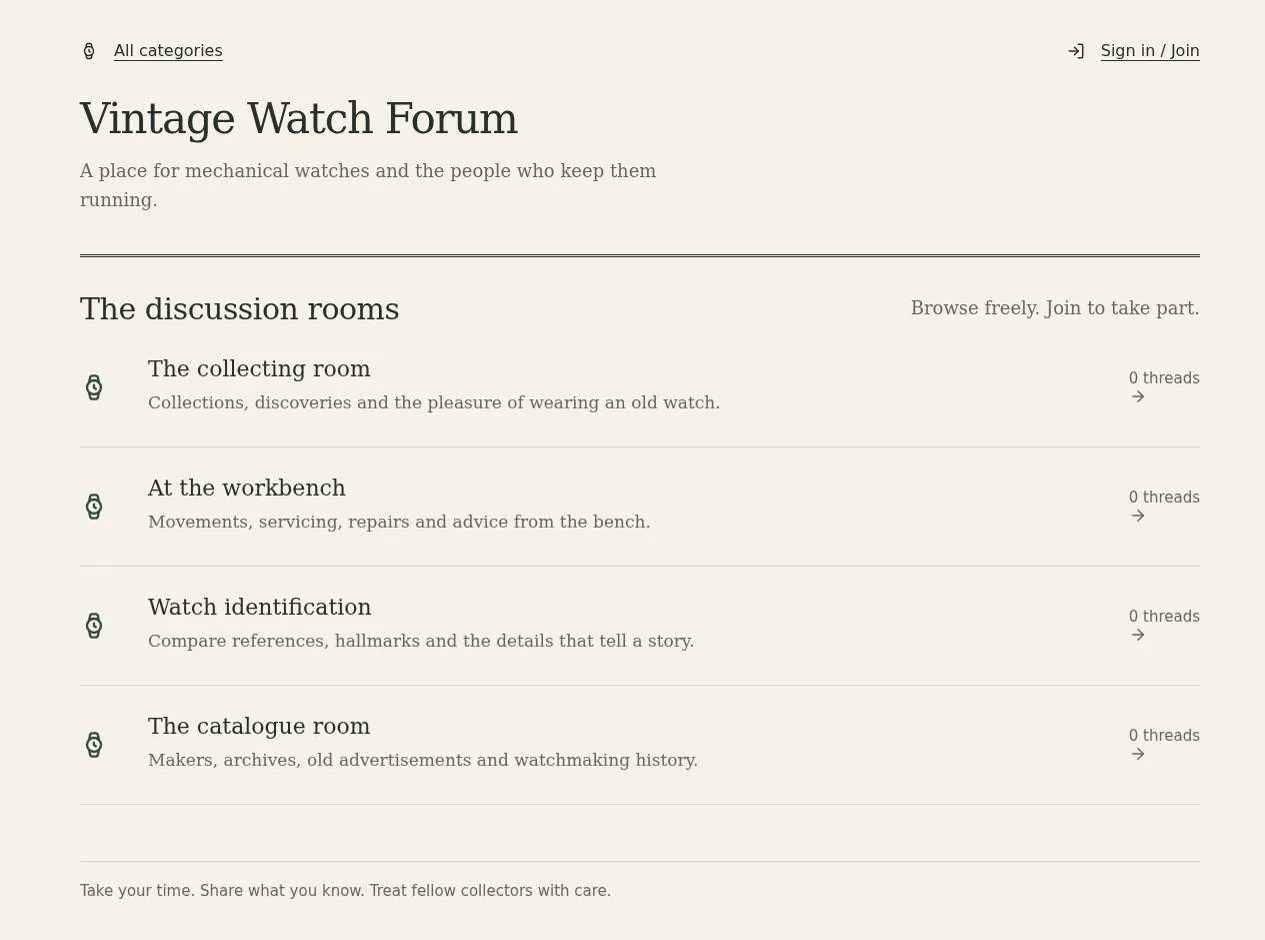
Checks
- Pass: A signed-out visitor can read threads but cannot post or reply · Signed out, read a thread and its reply; Start a thread and Reply both went to sign-in.
- Pass: A signed-in member starts a thread in a category and it appears there · Signed in, started 'Servicing a 1960s hand-wound watch' in Workbench; after a reload it showed in the category.
- Pass: A member replies to a thread and the reply shows under it · Posted a reply about inspecting the movement; it showed under the thread as Replies · 1 after a reload.
- Pass: The admin sees pin and remove controls on threads, pins a thread and it shows as pinned · The admin saw Pin thread and Remove post on 'Workshop welcome', clicked Pin thread, and it showed Pinned after a reload.
- Pass: The admin removes a post and it no longer shows · The admin clicked Remove post and Confirm removal; the thread was gone from General and its page said 'Thread not found'.
- Pass: A member cannot pin or remove another member's thread · A member opened the admin's thread and saw no pin, remove, edit or delete buttons.
- Pass: A thread a member starts can be pinned by the admin and not by another member · The admin pinned a member's new thread and it stayed Pinned after a reload; the member had no Pin button.
Run
- Run: 11 Nov 2026 · vibe prompts
- Builder: the Framer 4 agent on GPT 6.1 Sol, in a new project
- Customer: an AI agent playing the owner of Crown & Arbor, writing in the Tweak style
- Agent steps: 34 tool steps
- Prompt limit: 40 per app
- Cost: $0.57 for the builder, $0.10 for the judge
- Judge: an AI agent that tried each check in the live preview with a browser, signed out and signed in with each test account
Forum
Every check passed: posting, replies, pinning and removal.
- Result: Pass
- Checks: 7 of 7 pass
- Prompts: 2; every check passed after prompt 2
- Time: 4m28s in total
- Spent: $0.67
Prompt 1 of 2
I'd like to get reading and posting working for our vintage mechanical watch community. Anyone visiting should be able to browse categories and read the threads and replies without signing in, but they should need to sign up or sign in before starting a thread or replying. Once a member starts a thread, it should appear in the category they chose, and replies should show beneath the thread so people can follow the conversation. Please keep it classic and easy to read for our mostly 40–70-year-old members—more like a well-kept workshop or an old watch catalogue than a busy social feed.
The forum is ready: visitors can browse and read freely; members can start
- Pass: A signed-out visitor can read threads but cannot post or reply · Signed out, read a thread and its reply; Start a thread and Reply both went to sign-in.
- Pass: A signed-in member starts a thread in a category and it appears there · Signed in, started 'Servicing a 1960s hand-wound watch' in Workbench; after a reload it showed in the category.
- Pass: A member replies to a thread and the reply shows under it · Posted a reply about inspecting the movement; it showed under the thread as Replies · 1 after a reload.
Prompt 2 of 2
Now I'd like moderation controls. As the owner, I should be a moderator from the start, with clearly visible options to pin a thread or remove a post. When I pin a thread, it should be clearly marked as pinned; when I remove a post, it should disappear from the discussion. Other moderators should have these controls too, but ordinary members shouldn't see them or be able to pin or remove someone else's thread. Please keep the controls understated and easy to read, in keeping with the workshop feel.
Moderators now have understated pin/unpin and remove-post controls.
- Pass: The admin sees pin and remove controls on threads, pins a thread and it shows as pinned · The admin saw Pin thread and Remove post on 'Workshop welcome', clicked Pin thread, and it showed Pinned after a reload.
- Pass: The admin removes a post and it no longer shows · The admin clicked Remove post and Confirm removal; the thread was gone from General and its page said 'Thread not found'.
- Pass: A member cannot pin or remove another member's thread · A member opened the admin's thread and saw no pin, remove, edit or delete buttons.
- Pass: A thread a member starts can be pinned by the admin and not by another member · The admin pinned a member's new thread and it stayed Pinned after a reload; the member had no Pin button.
Forum
Every check passed: posting, replies, pinning and removal.
- Result: Pass
- Checks: 7 of 7 pass
- Prompts: 2; every check passed after prompt 2
- Time: 4m28s in total
- Spent: $0.67
Community forum with moderators
Test accounts:
- Member: member@example.com
- Admin: admin@example.com
Crown & Arbor is the forum of a community of people who restore vintage mechanical watches. Until now they met in a Facebook group, where good answers sank within a day. On Crown & Arbor, anyone can read every category, thread and reply without an account. Members sign up to start threads, reply and add workshop photos. Moderators keep it tidy: they pin the threads everyone needs and remove posts that break the rules. The owner is a moderator from the first day. It reads like a well-kept workshop logbook, not a social feed.
The app has three roles.
- Visitors: read everything and search. They never need an account to read. Any attempt to post or reply sends them to sign in and brings them back to where they were.
- Members: sign up with the app's built-in sign-in, choose a display name, and start threads, reply, quote, upload photos and edit their own posts.
- Moderators: do everything members do, and also pin and remove threads and replies, and appoint or remove other moderators. The owner (the app's admin account) is a moderator from the start and cannot be removed.
On first open, Crown & Arbor holds 8 categories, about 60 threads and about 350 replies written by about 25 members, all about real calibres, real brands and real restoration work.
Nothing is broken and everything works. Every button, link and form does what it says with real data. Photos really upload and search finds real posts. No page shows placeholder text, sample images, "coming soon", "not set up yet", lorem ipsum or a link to nowhere.
These are not part of Crown & Arbor: private messages, likes and reaction counts, reputation points and badges, a marketplace or classifieds, live chat, polls, signing in with Facebook, locking threads, moving threads between categories, reporting posts and a reports queue, following threads, reply notification emails, emails to authors when a post is removed, restoring removed posts, and a moderation log.
Brand and visual direction
Crown & Arbor is for collectors and hobby watchmakers, mostly 40 to 70 years old. They are detail-obsessed, read slowly and carefully, and love old catalogues and workshop manuals. Many read on a tablet in the evening or on a laptop next to the bench. Text must be large and calm, links obvious, and nothing should move or beg for attention. The tone is closer to Hodinkee or a good service manual than to Reddit.
Name and voice: The forum is called Crown & Arbor, after the two parts every restorer handles first, with the line "A forum for restorers of vintage mechanical watches." The copy is courteous, plain and precise, like a senior watchmaker answering a question: "Start a thread", "Reply", "Pin thread", "Remove post". It uses no exclamation marks, emoji, internet slang or hype words such as "awesome", "epic" or "unleash".
Visual direction: The forum looks like a printed catalogue from the 1960s, set in a modern, readable way.
- Colour: an ivory page (about #F6F1E7), a deep brown-black for text (about #211C17), warm grey rules (about #D5CBB9), a muted brass for small details such as the pinned marker and category numerals (about #9C7A3C), and one accent, a deep oxblood (about #7A2B2B), used only for the main action on a screen, links on hover and focus rings. There are no gradients, glows, glass effects or purple-blue palettes.
- Type: EB Garamond for the wordmark, page headings and thread titles, and IBM Plex Serif for post text and interface labels. Post text is 18 px with a line height of about 1.6 and a line length of about 70 characters. Dates, reply counts and reference numbers (calibres, case numbers) use tabular figures.
- Shape: square or 2 px corners, 1 px rules between threads and between replies, no shadows and no rounded bubbles. Each category has a two-digit numeral, like a catalogue section.
- Layout: a single reading column of about 760 px for threads, inside a page of about 1100 px. Category pages list threads as rows with title, author, reply count and last activity. On desktop a narrow side column shows the category's description and its moderators. On tablet and phone the side column moves below and rows wrap neatly.
- Imagery: only members' real workshop photos, shown at their own proportions with a thin rule, and member monograms. There are no stock photos, illustrations, icons for decoration or emoji.
- Motion: none beyond a 150 ms fade on hover and on opening a photo.
- Every page works at 390 px wide with no horizontal scrolling, tap targets are at least 44 px, text can be enlarged to 200% without breaking the layout, and every control is usable by keyboard with a visible focus ring.
Pages beyond the product: The footer links to real pages: About the community (its history from the Facebook group, who runs it), Community guidelines (what belongs, how to ask a good question, what gets removed), Photo tips (how to photograph a movement), Privacy and Terms. A branded not-found page suggests the categories and search.
Checks:
- Every page shows the Crown & Arbor wordmark and the same header and footer, and every footer link opens a page with real content
- The design follows the direction above: ivory page, brown-black text, an oxblood accent for main actions, EB Garamond headings with IBM Plex Serif post text at about 18 px, thin rules and no gradients, emoji or stock imagery
- The home page, a thread and the new thread form have no horizontal scrolling at phone width, and Reply stays reachable
- Opening a made-up address shows a branded not-found page with links to the categories and search
The forum: what Crown & Arbor starts with
On first open, Crown & Arbor feels like a forum that has been running for a year.
- 8 categories: each with a numeral, a name and a one-line description: 01 Workbench (servicing and repair questions), 02 Movements and calibres, 03 Cases, crystals and dials, 04 Parts and sourcing, 05 Identification and dating, 06 Finished restorations, 07 Tools and the workshop, 08 General and introductions.
- About 60 threads: with real subjects, for example "Omega cal. 552: rotor wear and what to do about it", "Seiko 6139 chronograph not resetting to zero", "Dating a Longines 30L by serial number", "Removing a stuck caseback without marking it", "Which mainspring for an AS 1194?" and "Finished: 1958 Universal Genève Polerouter". Every category has at least 4 threads, and 3 threads are pinned, including "Welcome: read this before your first post" in General.
- About 350 replies: 0 to 25 per thread, written in a knowledgeable voice with real part numbers, measurements and sources such as the Bestfit catalogue and Omega service documents. About 30 posts have real workshop photos.
- About 25 members: with display names, a monogram, a join date and a short "At the bench since" line. member@example.com is one of them, shown as Peter Lindqvist, with a few posts of their own. The owner, shown as the admin, is the moderator.
Thread activity is spread over the past year, so "Latest activity" and "Most replies" give visibly different orders.
Checks:
- The home page shows 8 categories with their numerals, descriptions, thread counts and latest activity
- Ten threads opened at random have real subjects and replies about real watches, with names and dates, and some have photos
- No thread, member or photo looks like filler: no repeated text, sample names, grey boxes or lorem ipsum
Visitor: reading the forum
The home page lists the categories with numeral, name, description, number of threads, and the latest thread with its author and time. Below, a "Recent discussions" list shows the 10 threads with the latest activity across the forum.
Category pages: Each category has its own page and address, with its name, description and moderators. Pinned threads come first, marked "Pinned" in brass, then the rest by latest activity. A sort switch offers Latest activity, Newest threads and Most replies. Each row shows the title, the author, the number of replies and the time of the last reply. Twenty threads appear at once, with numbered pages below.
Threads: A thread page shows the title, the category as a link, the opening post and the replies in the order they were written, each with the author's monogram and name, the time, and the post number (#1, #2...). Quotes show as indented blocks with the quoted author's name. Photos show inline and open larger on click, with arrow keys moving between photos in the thread and Escape closing. Long threads show 30 replies per page. A link to a specific reply opens the page with that reply in view.
Signed-out actions: Visitors see Start a thread and Reply. Each takes them to sign in, and after signing in returns them to the same thread or form.
Checks:
- A signed-out visitor opens a category, sees pinned threads first, and reads a thread with its replies and photos
- Sorting a category by Most replies and by Newest threads gives different orders
- A signed-out visitor who clicks Reply is sent to sign in and, after signing in, returns to the same thread
- A signed-out visitor cannot post a thread or reply by any route, including by typing the new thread address
Visitor: search
A search box in the header searches thread titles and post text, and tolerates partial words and calibre numbers such as "6139" or "cal 552". Results list matching threads with the category, the matching sentence with the search terms highlighted, the author and date. A category filter narrows the results. The query is in the address, so a search can be shared. When nothing matches, the page says so ("No posts mention 'zzqx'"), suggests other spellings, and links to the categories.
Checks:
- Searching "6139" finds the Seiko 6139 thread and shows the matching sentence
- Narrowing search results to one category shows only threads in that category
- A search with no matches shows a clear empty state with next steps
Member: signing up and profile
Sign up uses the app's built-in sign-in. A member signing in for the first time chooses a display name (required, unique, 3 to 30 characters, checked as they type) and may add a location and an "At the bench since" year. Their public profile page shows their name, monogram, join date, location, number of posts and their recent threads and replies. They can change their name and details later from their account menu, and the change shows on their posts at once.
Checks:
- A new member signs up, chooses a display name, and their profile page shows it with their join date
- Choosing a display name that is already taken is refused with a clear message before saving
Member: starting a thread
Start a thread asks for a category (required), a title (required, 10 to 120 characters) and the opening post (required, at least 20 characters). The post editor supports paragraphs, bold, italic, links, quotes and lists, with a preview. Members can attach up to 6 photos per post, JPG, PNG or HEIC, up to 15 MB each, by dragging or choosing; each shows a thumbnail with a remove button while writing, and photos from a phone appear the right way up.
Publishing shows the thread at once, at the top of its category under the pinned threads and first in Recent discussions. If the member leaves the form with text in it, the browser asks before discarding it. Errors appear next to each field in plain words, and nothing typed is lost when publishing is refused.
Checks:
- The member starts a thread in Workbench with a photo, and after a reload it shows at the top of Workbench under the pinned threads, with the photo
- Publishing without a category, with a title under 10 characters, or with an empty post is refused with a message next to the field, and the text is kept
- Uploading a file that is not an image, or larger than 15 MB, is refused with a plain message
Member: replying
Each thread ends with a reply box for signed-in members. Each post has Quote, which puts the quoted text into the reply box with the author's name. A reply appears at the bottom of the thread at once, the thread's reply count and last activity update, and the thread moves up in its category.
Editing: Members can edit their own posts at any time; edited posts show "Edited" with the time. They can delete their own reply within 30 minutes; after that, only a moderator can remove it. Members never see Edit or Delete on other members' posts, and the forum refuses such changes by any route.
Checks:
- The member replies to a thread and the reply shows under it with the reply count updated, and stays after a reload
- Quoting a post puts its text into the reply as a quote with the author's name
- The member edits their own post and it shows "Edited", and they see no Edit or Delete on someone else's post
Moderator: pinning and removing
Moderators see small, understated Pin thread and Remove post controls on every thread and a Remove link on every reply. The controls use the same type and colours as the rest of the page and never cover the text.
- Pin and unpin.: A pinned thread stays at the top of its category, marked "Pinned". Up to 5 threads can be pinned per category.
- Remove.: Removing a thread or reply asks for a reason from a short list (spam, breaks the guidelines, duplicate, requested by the author) and an optional note, then confirms. A removed thread disappears from lists and search, and its address shows "This thread was removed by the moderators" with no content. A removed reply is replaced in the thread by "Post removed by a moderator", so the numbering and quotes still make sense.
Members never see these controls, and the forum refuses pin or remove requests from a member by any route.
Checks:
- The admin sees pin and remove controls on a thread, pins it, and it shows as pinned at the top of its category for a signed-out visitor
- The admin removes a reply and the thread shows "Post removed by a moderator" in its place
- The admin removes a thread; it disappears from its category and search, and its address says it was removed
- A member who opens another member's thread sees no pin or remove controls, and cannot pin or remove it by any route
Moderator: moderators and categories
The moderation area is open only to moderators. Anyone else who opens its address is refused with a polite message. It has two parts.
- Moderators.: The list of moderators. The owner can make any member a moderator by display name or email, and remove a moderator. The owner always stays a moderator.
- Categories.: Add, rename, reorder and describe categories. A category with threads cannot be deleted.
- The admin makes member@example.com a moderator, who then sees the moderation controls; removing them takes the controls away
- A new category added by the admin appears on the home page and in the new thread form
- A signed-out visitor and an ordinary member cannot open the moderation area
Speed and findability
Crown & Arbor stays fast with years of threads. Category pages and threads show their text as soon as the page loads, without waiting for scripts. Photos are resized copies, load lazily, and keep their space reserved, so the text never jumps while reading. One request loads a page of threads or replies, not one per post.
Every category and thread has its own title and description, so threads show up in search engines when someone searches for a calibre problem. Thread pages are titled "{Thread title} | Crown & Arbor", with the first photo, if any, as the share image. A sitemap lists every category and live thread. Removed threads are left out of the sitemap and hidden from search engines.
Checks:
- A thread with 25 replies and photos shows its text within about 2 seconds, and the layout does not shift as photos load
- Photos in threads are resized images, not the full-size uploads
- A thread page has a title with the thread's subject and a description, and the sitemap lists live threads but not removed ones
Everything works
These checks apply to every screen above, for visitors, members and moderators, including the owner. The number before each check is its weight: 3 means the app fails if the check fails, 2 a serious defect, 1 a defect worth noting.
For every app:
- Must pass: Every feature this spec describes is there, and each fix the agent claims holds when the original steps are repeated
- Serious: At phone (390 px), tablet (810 px) and desktop (1,200 px and up), the home page, a category, a long thread, search results, a member profile, the new thread form and the moderation area show nothing cut off, no sideways scrolling, a reachable header and Reply, and inputs of at least 16 px
- Serious: Every category, thread row, author name, page number, quote, footer link and link to a specific reply goes to the right place; reloading a thread, a category's second page, search results or the moderation area on the live address works; a made-up address shows the branded not-found page; Back returns to the category with its sort and page
- Minor: Workshop photos load at their own proportions without stretching or breaking, including upright phone photos, and pasting a thread's live link into a chat app shows its title and first photo, not a builder default
- Serious: Later work did not break earlier work: after the member and moderator flows are built, reading, search, the 8 categories and the starting 60 threads and 350 replies still work and are unchanged
- Minor: After each prompt, the agent's reply says honestly what changed and what it could not verify (including anything that still needs a key or account), is never empty, never presents preview-only as done, and never claims a fix that is not there in the live app
For this app:
- Must pass: Every flow works end to end with fresh input, checked where it lands: a thread the member starts appears for a signed-out visitor at the top of its category, in Recent discussions and in search; a reply updates the thread's reply count and last activity; the admin's pin or removal shows for a signed-out visitor; a new moderator gets the controls
- Must pass: Display names, threads, replies, edits, photos, deleted replies, pins, removals, moderators and category changes stay as saved after a reload and in another browser, for everyone who reads the forum
- Must pass: Only a post's author edits or deletes it, and only moderators pin, remove and open the moderation area; a signed-out visitor, another member, or a changed post address or direct request is refused, and the owner can never be removed as a moderator
- Must pass: On the published address, a member signs up, confirms by email, signs in, reloads, signs out and resets their password, and a visitor sent to sign in from Reply returns to the same thread, with every link and redirect on the live domain
- Serious: The published app behaves like the preview: the same threads, photos, search, posting and moderation work there, and no live page mentions "preview"
- Serious: Empty states (no search results, a category with no threads, a new member's profile with no posts), loading states and errors (a refused photo, a post that could not be published) are clear and in plain words, with no technical or setup text
- Serious: Up to 6 photos in JPG, PNG or HEIC up to 15 MB each attach to a post and show the right way up in the published thread; other file types and larger files are refused with a plain message
- Serious: As a signed-out visitor, the page source and network requests contain no secret keys, no removed threads or replies, and no members' sign-in emails; the sign-up page links to the Privacy page
- Minor: The new thread form, reply box and display-name form refuse empty required fields, a title under 10 characters, a post under 20 characters and a taken display name with clear messages, and publishing twice in a row creates no duplicate thread or reply
- Minor: Search finds "6139", "cal 552" and a partial word, shows the empty state for a word that matches nothing, narrows to one category correctly, and keeps the query and category after a reload
Done when
Checks:
- A signed-out visitor can browse categories, search, and read any thread with its replies and photos, and is sent to sign in only when they try to post
- A member can sign up, start a thread with photos in a category, reply and quote
- The admin can pin and remove posts and appoint moderators, while ordinary members cannot do any of this by any route
- With about 60 threads and 350 replies, every page is fast, easy to read at 40 to 70, looks like Crown & Arbor's own heritage brand, and nowhere shows a placeholder, dead link or "not set up" state
Forum
Every check passed: posting, replies, pinning and removal.
- Result: Pass
- Checks: 7 of 7 pass
- Prompts: 2; every check passed after prompt 2
- Time: 4m28s in total
- Spent: $0.67
Crown & Arbor: the simulated customer
An AI agent plays the owner of Crown & Arbor and writes every prompt. It reads the spec and this file, never the Framer 4 agent's code.
- Style: Tweak.
Persona and why it fits
Tweak. Forum gaps are obvious from clicking around: no reply button, an empty category page. Short reactive prompts fit.
Prompt length and tone
- Length: 4 to 20 words, typically 6 to 10. One idea per prompt.
- Tone: Casual and terse, often lowercase, no greeting, the occasional typo. Names what they see, not how to fix it.
- Language: English only.
Example prompts for this app:
- "forum for people who restore vintage watches, threads by category"
- "can't reply to a thread"
- "i should be able to pin threads as the owner"
Style mix
Tweak for 76% of prompts, Describe 18%, Specify 5%, Brief 0.5%.
Switches come early and cluster around breakage: a failed fix or an unrequested change makes the next prompt likelier to be longer and more exact.
How they choose the next prompt
One thing per prompt, the most visible one: a broken control or page first, then a missing feature from the spec, then something that looks off. They name it in a few words and let the agent work out the fix. Order of attention for this app:
- Anything broken: a control that does nothing, a page that errors, a broken image or link, a layout broken on phone, a claimed change that isn't there.
- Reading everything signed out, and sign-in returning visitors to where they were.
- Members starting threads, replying, quoting and adding photos.
- Moderators pinning and removing posts and appointing moderators, and members unable to.
- Everything else in the spec, including the brand and copy rules, in spec order.
How they react to breakage
- Reports it in one line, close to what they saw: "still doesn't open", "pic is stretched on my phone".
- If the same problem survives two fixes, they switch to a Describe-style prompt that says where it happens and what they expected (the 18% Describe share mostly comes from here).
- If an edit changed something they didn't ask for, they send one guarded Specify-style order ("only fix X, change nothing else"), then go back to short lines.
- If the agent says it's fixed and it isn't, they say so plainly: "you said it was fixed, it isn't".
Stop rule
- They keep prompting until the judge says every check in the spec is met, or until prompt 40, whichever comes first.
- The persona shapes how they prompt and react, never when they stop: no giving up, no stopping early because it looks good enough.
- The judge also grades whether the agent's replies are honest (claimed changes match the app), so the simulated user reports false claims as they see them and doesn't take a claim on trust.