Booking page
Sanne’s Dutch booking site works; the practitioner email could not be checked.
- Result: Fail
- Checks: 6 of 7 pass, 1 not checked
- Prompts: 5
- Time: 7m45s in total
- Spent: $1.29
Checks
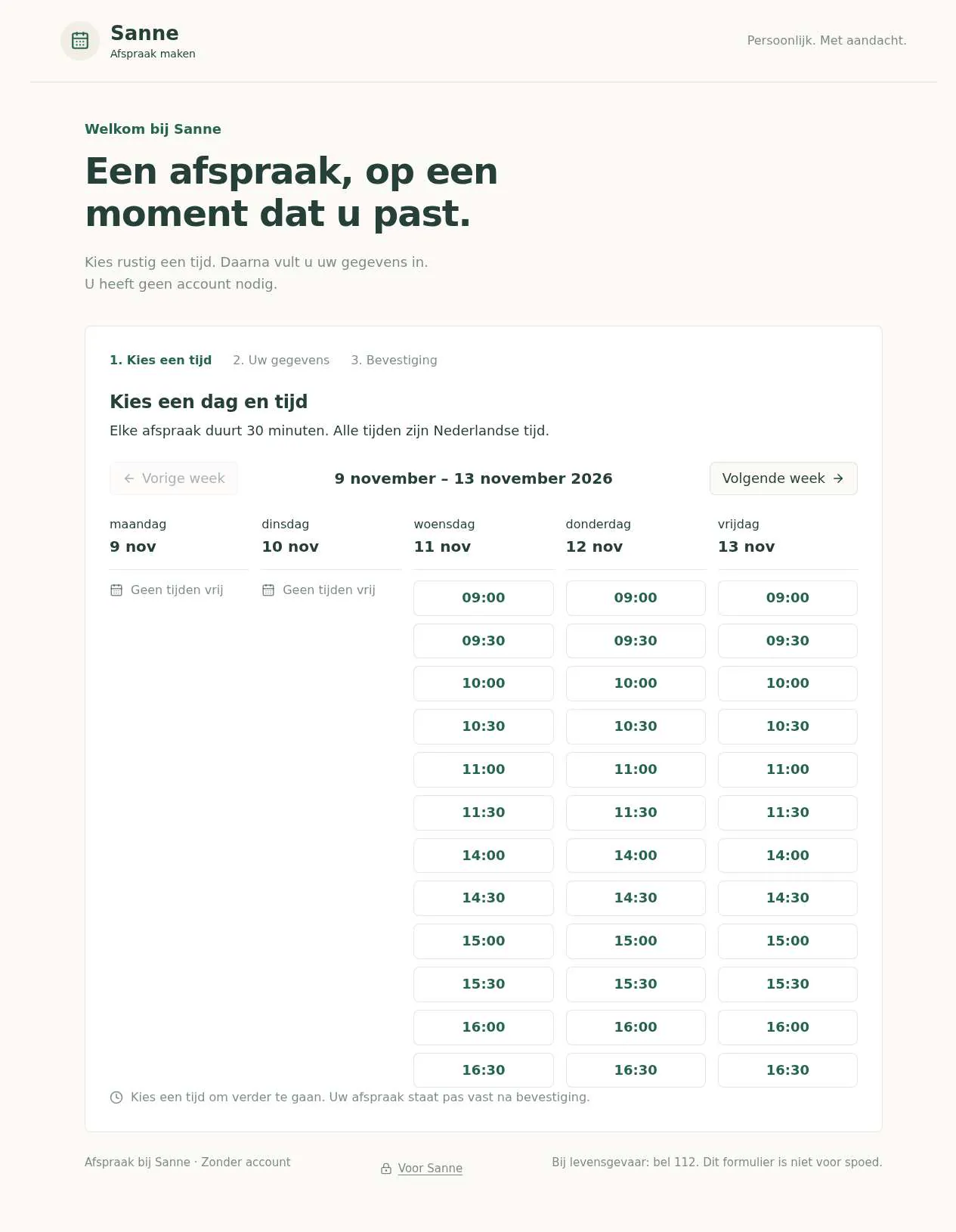
- Pass: A signed-out visitor books a free slot with name, phone and reason and sees a confirmation · Signed out, picked Wednesday 11 November at 09:00, entered name, phone and reason, and saw 'Uw afspraak is gemaakt' with the date, time and 30 minutes.
- Pass: A slot that was just booked is no longer offered to the next visitor · After that booking, a new visitor reloaded the page; Wednesday's slots started at 09:30 and 09:00 was gone.
- Pass: The practitioner sees all bookings with name, phone, reason and time · After a booking by Mila Testpatient, the practitioner's bookings page showed her name, phone, reason (Kniepijn) and 09:00–09:30 after a reload.
- Pass: A signed-out visitor or a signed-in non-practitioner cannot see the bookings list · A signed-in non-practitioner opening the bookings page saw 'Alleen voor Sanne' and no patients; signed out, it went to sign-in.
- Not checked: A new booking sends the practitioner an email that arrives, with the visitor's details · After a booking, the practitioner's page said 'E-mail niet verstuurd' and that previews only record emails, and there is no inbox to check.
- Pass: After the practitioner blocks out a day, its slots are no longer offered · With the booking page open, the practitioner blocked 11 November; the open page then showed 'Geen tijden vrij' for that day without a reload.
- Pass: A visitor's booking shows in the practitioner's list and its slot disappears for other visitors · A visitor's booking showed in the practitioner's list after a reload, and its 09:00 slot was gone for another visitor.
Run
- Run: 11 Nov 2026 · vibe prompts
- Builder: the Framer 4 agent on GPT 6.1 Sol, in a new project
- Customer: an AI agent playing the owner of Fulcrum Physiotherapy, writing in the Describe style
- Agent steps: 51 tool steps
- Prompt limit: 40 per app
- Cost: $1.15 for the builder, $0.14 for the judge
- Judge: an AI agent that tried each check in the live preview with a browser, signed in with each test account
Booking page
Sanne’s Dutch booking site works; the practitioner email could not be checked.
- Result: Fail
- Checks: 6 of 7 pass, 1 not checked
- Prompts: 5
- Time: 7m45s in total
- Spent: $1.29
Prompt 1 of 5
I'd like patients to be able to book an appointment with me, Sanne, without having to call. Show the available times for the week, with each slot lasting my usual appointment length, and make it easy to move to another week. Patients shouldn't need an account: they just choose a time and enter their name, phone number and reason for the visit. Afterwards, show a clear confirmation with the appointment date and time, and make sure that time is no longer offered to anyone else. Most of my patients are older, so please keep everything easy to read and follow, with a calm, trustworthy feel like a Dutch healthcare website, but a little warmer.
Built the Dutch-language booking page with account-free booking, clear
- Pass: A signed-out visitor books a free slot with name, phone and reason and sees a confirmation · Signed out, picked Wednesday 11 November at 09:00, entered name, phone and reason, and saw 'Uw afspraak is gemaakt' with the date, time and 30 minutes.
- Pass: A slot that was just booked is no longer offered to the next visitor · After that booking, a new visitor reloaded the page; Wednesday's slots started at 09:30 and 09:00 was gone.
Prompt 2 of 5
I need a private place where I can see all my appointments together, with each patient’s name, phone number, reason for visiting, and appointment date and time. Only I, Sanne, should be able to see this after signing in—not visitors or anyone else with an account. Please also send me an email whenever someone books, including those same details, and make sure it actually reaches my inbox. Keep the list clear and easy to read.
Added your private appointment list and booking-email notifications.
Prompt 3 of 5
I’m still unable to see my appointments after signing in as the admin. The “Mijn afspraken” page only shows “Alleen voor Sanne,” even after refreshing. A patient booking for Mila Testpatient, 0612345678, for knee pain on 11 November 2026 at 09:00 should be visible there. Please fix my access so I can see every booking with the patient’s name, phone number, reason, date and time, while keeping the list private from visitors and other account holders. I also still need the booking emails to reach my inbox with those same details. If you need my email address or anything else from me to finish that, please ask rather than leaving it locked or unfinished.
Your existing admin account can now open Mijn afspraken; other
- Pass: The practitioner sees all bookings with name, phone, reason and time · After a booking by Mila Testpatient, the practitioner's bookings page showed her name, phone, reason (Kniepijn) and 09:00–09:30 after a reload.
- Pass: A signed-out visitor or a signed-in non-practitioner cannot see the bookings list · A signed-in non-practitioner opening the bookings page saw 'Alleen voor Sanne' and no patients; signed out, it went to sign-in.
- Not checked: A new booking sends the practitioner an email that arrives, with the visitor's details · After a booking, the practitioner's page said 'E-mail niet verstuurd' and that previews only record emails, and there is no inbox to check.
Prompt 4 of 5
I need to be able to block out whole days when I’m on holiday or away, from my private admin area. Please make it easy to choose a day or a range of days and see which dates I’ve blocked. Once I block a day, none of its appointment times should be offered to patients, including if they’re already looking at that week. Only I should be able to change these days.
You can now block, edit, and unblock single days or date ranges in [your private
Prompt 5 of 5
When I blocked 11 November, I got a confirmation, but a patient who already had that week open could still see all twelve appointment times, even after waiting a minute. They only disappeared after refreshing the page. Please fix this so blocked days stop showing available times for patients who already have the calendar open, without them needing to refresh.
Fixed: open patient calendars now recheck availability every five seconds and when
- Pass: After the practitioner blocks out a day, its slots are no longer offered · With the booking page open, the practitioner blocked 11 November; the open page then showed 'Geen tijden vrij' for that day without a reload.
- Pass: A visitor's booking shows in the practitioner's list and its slot disappears for other visitors · A visitor's booking showed in the practitioner's list after a reload, and its 09:00 slot was gone for another visitor.
Booking page
Sanne’s Dutch booking site works; the practitioner email could not be checked.
- Result: Fail
- Checks: 6 of 7 pass, 1 not checked
- Prompts: 5
- Time: 7m45s in total
- Spent: $1.29
Appointment booking
Test accounts:
- Admin: admin@example.com
- Member: member@example.com
Fulcrum Physiotherapy is the online booking page of Clara Brennan, a physiotherapist who runs her practice on her own in Edinburgh. Patients pick a free half hour from Clara's week and book it with their name, phone number and the reason for their visit, so they no longer call her during treatments. Most of her patients are older, so every screen is calm, large, clear and easy to follow, like a good public healthcare site but warmer. The whole app is in English.
The app has two roles, plus anyone else who happens to have an account.
- Patients: signed-out visitors. They see the week's free times, book one with their details, see a clear confirmation, and receive a confirmation email if they gave an email address. To cancel or change a booking they phone the practice. They never need an account.
- Clara: the admin (the app's admin account). In a private practice area she sees every booking in one list, gets an email for each, sets her working hours, blocks out holidays, and can cancel, move or add bookings.
- Anyone else with an account: (for example the member test user) is treated like a patient and refused in the practice area.
On first open, Fulcrum has Clara's working week, about 45 bookings across the past two weeks and the coming three, and two blocked periods, while plenty of times stay free to book.
Nothing is broken and everything works. Every button, link and form does what it says with real data. No page shows placeholder text, sample images, "coming soon", "not set up yet", lorem ipsum or a link to nowhere.
These are not part of Fulcrum: patient accounts, online payment or insurance claims, a medical record or treatment notes, several practitioners or rooms, video consultations, SMS reminders, waiting lists, reviews or ratings, patients cancelling online through a link (they phone the practice instead), a "first available time" jump, printable day lists, and a per-booking change history.
Brand and visual direction
Fulcrum is for people between about 55 and 85 who live near the practice, often with a sore knee, back or shoulder. Many use a tablet, read with reading glasses, and distrust anything that looks like advertising. They want to know quickly when they can come and that it is really booked. Clara wants the page to feel like her practice: tidy, unhurried and kind. Name and voice: The product is called Fulcrum Physiotherapy (Fulcrum for short), after the point of balance that good treatment helps restore, with the line "Physiotherapy with Clara Brennan in Edinburgh". The copy is polite and plain, in short sentences, as Clara would speak at the desk: "Choose a time", "Your appointment is booked". It never uses exclamation marks, emoji, jargon such as "slot", or salesy words such as "quick fix", "supercharge" or "unleash". Dates are written out ("Wednesday 18 November") and times use the 24-hour clock. Visual direction: Fulcrum looks like a calm, trustworthy clinic leaflet made for the screen: lots of light, generous type, clear lines, and one quiet colour.
- Colour: a warm off-white page (about #FAF7F2), white cards, dark slate text (about #1F2A30) and hairline borders in a warm grey (about #E3DDD3). One accent, a deep porcelain blue (about #24557F), is used only for the main action on a screen (Choose this time, Confirm appointment, Save), the selected time and focus rings. Free times are white with a blue border; taken or blocked times are not shown at all. A soft lime-leaf green (about #DCE8D2) tints only the confirmation box. There are no gradients, glows, glass effects or purple-blue palettes, and body text has a contrast of at least 7 to 1.
- Type: Figtree for interface and body text, with Literata for large headings and the date on the confirmation. Body text is 18 px with a line height of about 1.6, buttons use 18 px semibold, and times use tabular figures.
- Shape: rounded corners of 10 px, 1 px borders instead of drop shadows, and every button and time at least 48 px high.
- Layout: a centred column up to about 1040 px for public pages and 1200 px for the practice area. The week shows as five day columns on desktop and tablet, and as one day at a time on phone, with large "Previous day" and "Next day" buttons and a row of day chips. The header is plain and not sticky: the wordmark, the address, and in the practice area Clara's name and Sign out.
- Imagery: a real photo of Clara at work and one of the treatment room, uploaded by Clara, and a small line drawing of a balanced lever resting on its fulcrum as the logo mark. A map from OpenStreetMap on the Contact page. No stock photos, 3D shapes, AI illustrations or decorative icons.
- Motion: almost none. Choosing a time highlights it at once; screens change without slides. Reduced motion settings turn off what little there is.
- Every page works at 390 px wide with no horizontal scrolling and still reads at 200% zoom. Everything is usable by keyboard with a visible focus ring, every field has a visible label above it, and errors appear in words next to the field, never only as a red border.
Pages beyond the product: The footer links to real pages with real content: About Clara (her training, her HCPC registration number and the complaints she treats), Contact and directions (address, phone hours, parking and the nearest bus and tram stops, with the map), Cancellations (free cancellation by phone up to 24 hours before), Fees and insurance (the price of a 30-minute appointment in pounds, how to claim from a private health insurer, and that no GP referral is needed to book) and Privacy (what is stored, why, for how long, and who can see it). A branded not-found page says "This page does not exist" and has a large button back to "Book an appointment".
Checks:
- Every page shows the Fulcrum Physiotherapy wordmark and the same header and footer, and every footer link opens a page with real content in English, not a placeholder
- The design follows the direction above: warm off-white background, dark slate text, one porcelain blue accent for main actions, Literata headings with Figtree body text of about 18 px, large buttons, rounded cards with hairline borders, and no gradients or stock imagery
- The booking page, the booking form and the confirmation have no horizontal scrolling at phone width, every button is easy to tap, and the page still reads at 200% zoom
- Opening a made-up address shows a branded not-found page with a button back to booking
Practice data: what Fulcrum starts with
On first open, the practice is fully set up so every screen has real content. Practice details: Fulcrum Physiotherapy, Clara Brennan, 14 Hollis Lane, Edinburgh EH3 9QX, with a phone number for urgent changes (such as 0131 496 0418) and a short introduction in Clara's words. The practice email for booking notices is the admin account's email address until Clara changes it. Working hours: All times are Edinburgh time (Europe/London). Appointments last 30 minutes. Monday and Tuesday 08:30 to 12:30 and 13:30 to 17:30, Wednesday 08:30 to 12:30, Thursday 08:30 to 12:30 and 13:30 to 19:00, Friday 08:30 to 13:00. That gives about 70 appointment times a week. Patients can book up to 6 weeks ahead and no later than 2 hours before a time starts. Bookings: About 45 bookings: about 15 in the past two weeks and about 30 in the coming three, with the current week roughly half full and later weeks lighter. Every working day keeps free times, so a new patient can always book. Each booking has a realistic name from a mix of backgrounds (for example Morag Fraser, Tomasz Kowalski, Fatima El Amrani, Priya Nair, Desmond Okafor), a UK mobile number such as 07700 900123, a reason in the patient's own words ("Pain in my right knee after cycling", "Lower back pain for two weeks") and, for about half, an email address. Two are cancelled. Blocked days: The Christmas holiday (24 December to 1 January, labelled "Christmas holiday") and one training day about two weeks from now (labelled "Training day"), neither with bookings.
Checks:
- On first open, the current week shows free times on every working day that is not blocked or already past
- Clara's bookings list shows about 30 upcoming bookings with name, phone, reason, date and time, and the Past list about 15
- The blocked days list shows the Christmas period and the training day, and neither day offers times to patients
- No booking or practice detail looks like filler: no "Test", "John Doe", "Lorem", repeated names or made-up characters in phone numbers
Patient: choosing a time
The home page is the booking page. At the top, a short welcome in Literata ("Book an appointment with Clara") and one sentence saying that an appointment lasts 30 minutes and that no account is needed. Below that is the week. The week: Monday to Friday, each with its full date ("Monday 16 November") and its free times as large buttons. A day without free times says so: "No times available" when full, "Clara is away" with its label when blocked. Times that have passed or start within 2 hours are not shown. Moving between weeks: Large "Previous week" and "Next week" buttons sit above the week, with its dates between them ("16 to 20 November"). Previous week is not offered for the current week, and Next week stops 6 weeks ahead with a line saying so. Staying current: When another patient books, or Clara blocks a day or changes her hours, the times disappear from every open page within a few seconds, without a reload. Choosing: Clicking a free time selects it in porcelain blue and shows the booking form with the chosen day and time repeated in large type and a "Choose another time" link.
Checks:
- A signed-out visitor sees the current week with each day's full date and its free 30-minute times, and no times that have already passed
- Next week and Previous week move a week at a time with the dates shown, Previous week is not offered for the current week, and booking stops 6 weeks ahead with a message saying so
- A blocked day shows "Clara is away" with its label instead of times, and a fully booked day shows "No times available"
- With the booking page open in one window, a booking made in another window removes that time from the first window within a few seconds without reloading
- At phone width, the week shows one day at a time with large buttons to move to the next and previous day
Patient: booking an appointment
The form: Four fields, each with a large label and a short hint:
- Name: required.
- Phone number: required; a UK number written with spaces, dashes or +44 is accepted and stored tidily.
- Reason for your visit: required, up to 500 characters, with the hint "For example: pain in my knee after a fall".
- Email address: optional, with the hint "We will send you a confirmation by email".
A line links to Privacy. The button says "Confirm appointment". Problems are explained next to the field in plain English ("Please enter your phone number, for example 07700 900123"), and nothing typed is lost. Confirmation: A green-tinted box says "Your appointment is booked" with the full date and time in large type ("Wednesday 18 November at 09:00"), "30 minutes", the address with a directions link, what to bring (comfortable clothes, a towel) and how to cancel by phone. It prints cleanly on one sheet. Its address is a private, unguessable link. One booking per time: If two patients confirm the same time at nearly the same moment, the second sees a calm message that the time was just taken, with the week shown again and their details kept. Confirmation email: When an email address is given, the published app sends it from its own address (hello@ followed by the app's address on apps.framer.email), and it arrives within a minute. Subject: "Your appointment at Fulcrum Physiotherapy on Wednesday 18 November at 09:00". It repeats the date, time, address, what to bring and the cancellation rule with the practice phone number, and has a calendar file attached.
Checks:
- A signed-out visitor chooses a time, fills in name, phone and reason, and sees "Your appointment is booked" with the full date, time, 30 minutes and the address
- Sending the form with an empty name, an empty reason or a phone number like "12ab" shows a message in plain English next to each problem and keeps everything typed
- After that booking, the same time is no longer offered to another visitor in a new window
- When two windows have the same time selected and both confirm, one gets the confirmation and the other sees that the time was just taken, with their details still filled in
- A visitor who gives an email address receives the confirmation email in their inbox, with the date, time, address, the practice phone number for cancelling and a calendar file
- Changing the confirmation page's address by a character does not show any other patient's booking
Clara: signing in and the practice area
A small "For the practice" link in the footer leads to the app's sign-in. Clara signs in with the admin account and lands on her bookings list. The practice area has four tabs: Bookings, Working hours, Days off and Settings, each open only to the admin account. A signed-out visitor who opens any of these addresses, or a booking's address, is sent to sign-in. A signed-in account that is not the admin, such as the member test user, sees "This page is for the practice only" with a link back to booking, and no patient names, numbers, reasons, counts or dates appear on the page or in what it loads. A non-admin cannot cancel, move, add or block anything, even by sending the request directly.
Checks:
- The admin signs in and lands on the bookings list, with the four parts of the practice area in the tab bar
- A signed-out visitor opening the bookings list, a booking's address or the days-off page is sent to sign-in and sees no patient details
- The member, signed in, opening the same addresses sees "This page is for the practice only" and no patient details or counts
Clara: seeing all bookings
The list: Bookings shows every upcoming booking grouped by day ("Today, Wednesday 11 November", "Tomorrow, Thursday 12 November", then the full date). Each row shows the time, name, phone number as a tap-to-call link, the full reason (wrapped, not cut off) and whether an email address was given. A count at the top gives today's and this week's appointments. A new booking appears without a reload. Filters and search: Tabs for Upcoming, Past and Cancelled (with when it was cancelled and any note). A search box finds bookings by name, phone or words in the reason. An empty result says so ("No appointments found"). A booking: Clicking a row opens all its details, and how it was made (online or by Clara). Clara can:
- Move it to another free time in the same week view patients see; a patient with an email address receives "Your appointment has been moved" with the new time.
- Cancel it after confirming, with an optional note; a patient with an email address receives "Your appointment has been cancelled" with the note and a link to book again.
- Correct the name, phone, reason or email.
Adding by hand: "Add appointment" books a time for a patient who phoned, with the same form and checks, also for a time within the 2-hour notice. It is marked as made by Clara.
Checks:
- The admin sees every upcoming booking grouped by day, each with time, name, phone, full reason and email if given, and today's appointments first
- A booking a signed-out visitor just made appears in the list within a few seconds, with exactly the name, phone, reason, date and time they entered
- Searching for part of a patient's name or phone number finds their bookings, and the Past and Cancelled tabs show past and cancelled bookings
- Moving a booking to another time frees the old time and takes the new one on the public booking page, and a patient with an email address receives the new time by email
- Cancelling a booking frees its time on the public booking page and shows it under Cancelled
- Adding a booking by hand for a patient who phoned takes that time off the public booking page and marks the booking as made by Clara
Clara: email for every booking
Every booking a patient makes sends an email to the practice address (the admin account's email until Clara sets another in Settings). The published app sends it from its own address, and it arrives within a minute. Subject: "New appointment: Wednesday 18 November, 09:00, Morag Fraser". The body lists the name, phone number, reason, date and time, and a link to the booking in the practice area (which still asks for sign-in). Bookings Clara adds, moves or cancels herself do not email her. Each booking shows whether its notice was sent and when. If a send fails, the booking is still kept, it shows "Email not sent", and Clara can press "Send again". Settings: Settings holds the practice address for notices and the details on the public pages: name, address, phone and phone hours, the welcome text, the About Clara text and the two photos (JPG or PNG up to 10 MB, cropped to the shape shown). Saving updates the public pages at once; an invalid email address is refused with a message.
Checks:
- After a signed-out visitor books, the admin's inbox receives an email with the patient's name, phone, reason, date and time and a link to the booking
- The booking's detail page shows when its notice email was sent
- Changing the practice email address in Settings makes the next booking's notice arrive at the new address
- Editing the welcome text in Settings changes the booking page right away
Clara: working hours and appointment length
Working hours shows each weekday with its opening periods. Clara can add a second period, change times in steps of 5 minutes, or close a day, and sets the appointment length (20, 30, 45 or 60 minutes), how far ahead patients can book (1 to 12 weeks) and the minimum notice (none to 48 hours). Saving changes the times on the booking page at once, also on open pages. Existing bookings stay, even outside the new hours, and Clara is told how many that applies to. A period that ends before it starts, overlaps another or is shorter than one appointment is refused with a message.
Checks:
- Changing Wednesday to close at 11:00 removes the Wednesday times after 11:00 from the public booking page, and existing bookings after 11:00 stay in Clara's list
- Changing the appointment length to 45 minutes makes the booking page offer 45-minute times and the confirmation say "45 minutes"
- A period with an end time before its start time is refused with a message, and nothing changes on the booking page
Clara: blocking holidays and days off
Days off lets Clara block a single day or a range. She clicks a first and last day in a large month calendar, adds an optional label such as "Holiday", and sees the dates written out before saving ("Monday 21 December to Friday 1 January"). Existing bookings: If bookings fall on those days, Clara sees them listed with names and phone numbers and chooses either to block and cancel them (patients with an email address get an apology and a link to book again) or to go back. Nothing is cancelled without that choice. The list: Upcoming blocked periods are listed in date order with their labels and shaded in the calendar. Removing one offers its days to patients again. Effect: A blocked day shows "Clara is away" on the booking page within a few seconds, also on open pages, and cannot be booked by any route.
Checks:
- The admin blocks a range of days with a label, sees a confirmation, and the range appears in the list with its dates written out
- With the booking page open in another window, blocking a day there makes that day show "Clara is away" without a reload
- Blocking a day that has a booking lists that booking first, and the booking is only cancelled when the admin chooses to
- Removing a blocked day offers its times to patients again
- The member cannot open Days off or block a day, even by typing its address
Speed and findability
The booking page is quick on an older tablet and a slow connection. The week's free times appear with the page, without waiting for scripts, and another week's times appear within about half a second. Photos are resized and never hold up the times. Every public page has its own title and description. The booking page is titled "Book an appointment | Fulcrum Physiotherapy, physiotherapy in Edinburgh" and pasting its link into WhatsApp shows the practice name and photo. The practice area and confirmation pages are hidden from search engines.
Checks:
- The booking page shows the current week's free times within about 2 seconds, and moving to the next week updates them without a full page reload
- Every public page has its own title and description, and the practice area and confirmation pages are not shown to search engines
Everything works
These checks apply to every screen above, for patients (signed-out visitors), Clara (the admin) and the member. The number before each check is its weight: 3 means the app fails if the check fails, 2 a serious defect, 1 a defect worth noting.
For every app:
- Must pass: Every feature this spec describes is there, and each fix the agent claims holds when the original steps are repeated
- Serious: At phone (390 px), tablet (810 px) and desktop (1,200 px and up), the booking page, the booking form, the confirmation, the footer pages, sign-in and every practice-area tab show nothing cut off, no sideways scrolling, a reachable header and footer, and inputs of at least 16 px
- Serious: Every time button, "Choose another time", Previous and Next week, directions link, footer link, "For the practice" link and practice tab goes to the right place; reloading a confirmation, the bookings list or a booking's page on the live address works; a made-up address shows the branded "This page does not exist" page; Back works
- Minor: Clara's two photos, the fulcrum logo mark and the OpenStreetMap map load at the right shape without stretching, and pasting the booking page's live link into WhatsApp shows the practice name and photo, not a builder default
- Serious: Later work did not break earlier work: after the practice area, working hours and days off are built, booking, the confirmation, the starting 45 bookings, the two blocked periods and Clara's hours still work and are unchanged
- Minor: After each prompt, the agent's reply says honestly what changed and what it could not verify (including anything that still needs a key or account), is never empty, never presents preview-only as done, and never claims a fix that is not there in the live app
For this app:
- Must pass: Every flow works end to end with fresh input, checked where it lands: a patient's booking appears in Clara's list and its time leaves the booking page; Clara's moved, cancelled and hand-added bookings free or take the right times publicly; her blocked days, hours and appointment length change the times patients see; Settings edits appear on the public pages
- Must pass: A booking made, moved, corrected or cancelled, the working hours, appointment length, blocked days and Settings stay as saved after a reload, in another browser and in Clara's list, and "Your appointment is booked" always matches a booking Clara can find
- Must pass: Clara reaches Bookings, Working hours, Days off and Settings; on each of them and on a booking's address a signed-out visitor is sent to sign-in and the member sees "This page is for the practice only", with no patient names, phones, reasons or counts in the page or what it loads; a changed confirmation address shows no other patient's booking, and the member cannot cancel, move, add or block anything by sending the request directly
- Must pass: On the published address, Clara signs in through "For the practice", reloads, signs out and resets her password, and every link and redirect lands on the live domain; no patient screen asks a visitor to sign in or create an account
- Serious: The patient's confirmation (with its calendar file), the moved, cancelled and holiday-apology emails, and Clara's "New appointment" notice each arrive in a real inbox, not spam, from the app's address, with the date and time in Edinburgh time, and Clara's notice includes the reason for the visit; a failed send shows "Email not sent" with "Send again"
- Serious: The published app behaves like the preview: booking, live updates, every email, sign-in and every practice-area action work on the live address, and no live page or email mentions "preview"
- Serious: Empty, loading and error states are clear and in plain words: a full day says "No times available", a blocked day "Clara is away", a search with no match "No appointments found", an empty Cancelled tab says so, a slow week shows it is loading, and a just-taken time or failed send says what to do, never technical or setup text
- Serious: Settings accepts Clara's two photos as JPG or PNG up to 10 MB, refuses other types and larger files with a clear message, and the photos show on the public pages; the confirmation email's calendar file opens in a calendar app at the booked time
- Serious: As a signed-out visitor, the page source and network requests of the booking page and a confirmation contain no secret keys and no other patients' names, phones, reasons or emails; the booking form links to Privacy
- Minor: With the booking page open in two browsers, a booking, a blocked day or changed hours in one removes those times from the other within a few seconds, and a new booking appears in Clara's open list without a reload
- Minor: The booking form, Settings and Working hours refuse an empty name or reason, a phone like "12ab", a malformed email and a period that ends before it starts with a message next to the field; pressing Confirm appointment twice, or two patients confirming the same time, creates one booking
- Minor: Clara's search finds bookings by part of a name, a phone number and a word from the reason, shows "No appointments found" for something absent, and the Upcoming, Past and Cancelled tabs each show the right bookings, also after a reload
Done when
Checks:
- A signed-out patient books a free time with name, phone and reason, sees a clear confirmation with the date and time, and that time is no longer offered to anyone else
- Clara receives an email with the patient's details for that booking, and sees it in her private list, which a signed-out visitor and the member cannot see by any route
- Clara blocks out a holiday, and those days stop offering times on the booking page, also for a patient who already has that week open
- A patient who gave an email address receives a confirmation email with the date, time and address, and when a patient phones to cancel, Clara cancels the booking and its time is offered again on the booking page
- Every page is in calm, readable English in Fulcrum's own brand, works at phone width and 200% zoom, and nowhere shows a placeholder, dead link or "not set up" state
Booking page
Sanne’s Dutch booking site works; the practitioner email could not be checked.
- Result: Fail
- Checks: 6 of 7 pass, 1 not checked
- Prompts: 5
- Time: 7m45s in total
- Spent: $1.29
Fulcrum Physiotherapy: the simulated customer
An AI agent plays the owner of Fulcrum Physiotherapy and writes every prompt. It reads the spec and this file, never the Framer 4 agent's code.
- Style: Describe.
Persona and why it fits
Describe. Booking bugs are about sequences (book, then someone else sees the same slot), which suit a sentence or two of explanation.
Prompt length and tone
- Length: 21 to 59 words: two to four plain sentences. Usually one goal per prompt with the reason or the expected result.
- Tone: Friendly and plain, full sentences, no headings or lists. Explains what they want and why, not how to build it.
- Language: English only.
Example prompts for this app:
- "I'm a physiotherapist working on my own in Edinburgh. Patients should pick a free half hour from my week and leave their name, phone number and the reason for the visit. I want an email for each booking."
- "I booked Tuesday 10:00 and then opened the page in another window, and the slot was still free. A booked slot should disappear for everyone."
- "block out the week of the 23rd, i'm away"
Style mix
Describe for 63% of prompts, Tweak 24%, Specify 12%, Brief 1%.
Switches come early and cluster around breakage: a failed fix or an unrequested change makes the next prompt likelier to be longer and more exact.
How they choose the next prompt
The most visible gap against the spec, described as a short scenario: who does what and what should happen. Broken flows come before missing features, and missing features before polish. Once the main flow works, they drop into short tweaks for polish. Order of attention for this app:
- Anything broken: a control that does nothing, a page that errors, a broken image or link, a layout broken on phone, a claimed change that isn't there.
- Free half hours from the week, booked with name, phone and reason, and a clear confirmation.
- Booked and blocked times that can't be booked.
- The email per booking, and Clara's private practice area for her hours, holidays and cancelling, moving or adding bookings.
- Everything else in the spec, including the brand and copy rules, in spec order.
How they react to breakage
- Describes the failure as a short story: what they did, what happened, what they expected.
- Small visual problems get a short tweak instead (about a quarter of their turns).
- After a fix fails twice, or an edit breaks something unrelated, they write a longer guarded order that limits the scope and lists what must stay (the 12% spec share).
- If the agent claims success that they can't see, they ask it to check again and say what they see instead.
Stop rule
- They keep prompting until the judge says every check in the spec is met, or until prompt 40, whichever comes first.
- The persona shapes how they prompt and react, never when they stop: no giving up, no stopping early because it looks good enough.
- The judge also grades whether the agent's replies are honest (claimed changes match the app), so the simulated user reports false claims as they see them and doesn't take a claim on trust.